Verified Course ContentArash Ahadzadeh – Wix Studio Masterclass has been rebuilt from the existing product information and the supplied course index. Browse
Courses On Budget,
Design Courses, or see the latest catalog changes in
Updates. The product page is
available here.
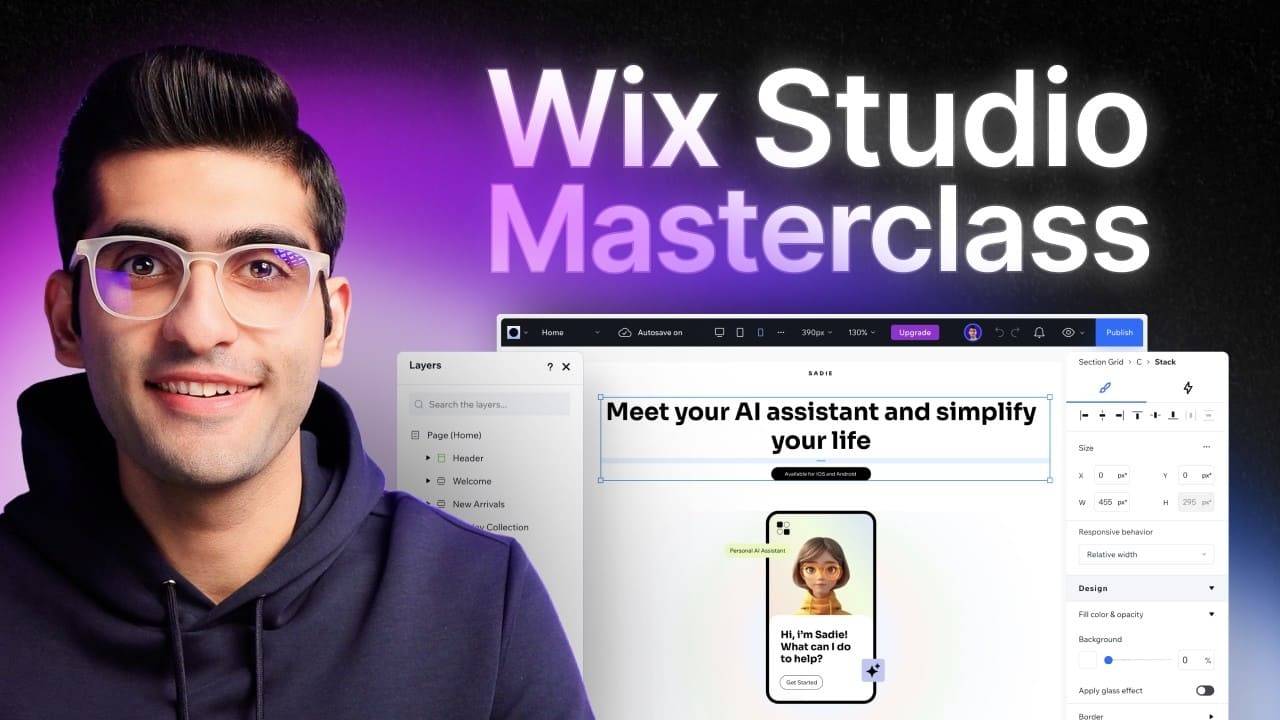
Arash Ahadzadeh – Wix Studio Masterclass
Arash Ahadzadeh Wix Studio Masterclass is a 51-file website-building course totaling 1.46 GB. It covers the Wix Studio workspace, HTML/CSS and box-model basics, responsive layout tools, a full Montera project and an advanced section for CMS, 3D elements, menus, localization, stores and blogs.
The Montera project turns the feature lessons into a complete build. Its file index includes navigation, hero, client and feature sections, pricing, FAQ, footer, custom code, anchors, tablet/mobile responsiveness, animations, SEO and project handoff.
What You'll Learn
- Navigate Wix Studio and understand basic HTML/CSS and the box model.
- Use site styles, breakpoints, stacks, section grids, CSS grid and responsive behavior.
- Build the Montera project from navigation through responsive handoff and SEO.
- Explore CMS, 3D elements, mega menus, localization, ecommerce and blogging features.
Verified Course Structure
| Focus area |
What the verified curriculum includes |
| Introduction |
Workspace, editor, HTML/CSS and box model |
| Studio essentials |
Sizing, responsive behavior, breakpoints, stacks and grids |
| Montera project |
Full website build, interactions, SEO and handoff |
| Advanced features |
CMS, 3D, mega menu, localization, store and blog |
Best for: Freelancers and web designers who want a structured Wix Studio path from editor fundamentals to a full client-style build.
Full Course Index
The expandable index below follows the supplied course package so visitors can inspect the actual lessons and files before purchasing. Open each section to see its contents.
📂 01-Introduction
📄 01-Get to know the Wix Studio Workspace.mp4 (42.71 MB)
📄 02-Navigating the Wix Studio Editor.mp4 (64.60 MB)
📄 03-Introduction to HTML CSS.mp4 (10.16 MB)
📄 04-Introduction to the Box Model.mp4 (9.48 MB)
📂 02-Wix Studio Essentials
📄 01-Introduction.mp4 (2.77 MB)
📄 02-Wix Studio Elements.mp4 (35.79 MB)
📄 03-Site Styles.mp4 (19.39 MB)
📄 04-Global Sections.mp4 (5.85 MB)
📄 05-App Market.mp4 (3.88 MB)
📄 06-Wix Studio Inspector.mp4 (13.76 MB)
📄 07-Advanced Sizing.mp4 (14.43 MB)
📄 08-Responsive Behavior.mp4 (17.37 MB)
📄 09-Positioning Docking.mp4 (12.79 MB)
📄 10-Sticky Pinned Positions.mp4 (15.54 MB)
📄 11-Breakpoints.mp4 (13.10 MB)
📄 12-Responsive AI.mp4 (6.98 MB)
📄 13-Stacks.mp4 (6.23 MB)
📄 14-Section Grid.mp4 (5.90 MB)
📄 15-Advanced CSS Grid.mp4 (13.19 MB)
📂 03-Montera Project
📄 01-Introduction.mp4 (15.67 MB)
📄 02-Assets.zip (19.86 MB)
📄 02-Setting up the Project.mp4 (68.75 MB)
📄 03-Navigation Bar.mp4 (17.09 MB)
📄 04-Hero Section.mp4 (18.26 MB)
📄 05-Client Section.mp4 (18.86 MB)
📄 06-Features Section Part 1.mp4 (104.92 MB)
📄 07-Features Section Part 2.mp4 (43.04 MB)
📄 08-Features Section Part 3.mp4 (54.89 MB)
📄 09-Features Section Part 4.mp4 (20.01 MB)
📄 10-Features Section Part 5.mp4 (29.67 MB)
📄 11-Features Section Part 6.mp4 (55.91 MB)
📄 12-Pricing Section.mp4 (59.99 MB)
📄 13-FAQ.mp4 (30.60 MB)
📄 14-Footer.mp4 (43.62 MB)
📄 15-Custom Code.mp4 (26.06 MB)
📄 16-Anchors.mp4 (16.34 MB)
📄 17-Responsiveness – Tablet.mp4 (161.65 MB)
📄 18-Responsiveness – Mobile.mp4 (86.95 MB)
📄 19-Animations Interactions.mp4 (71.58 MB)
📄 20-Challenge 1- Contact Us Page.mp4 (4.70 MB)
📄 21-Challenge 1 – Solution.mp4 (45.72 MB)
📄 22-Search Engine Optimization SEO.mp4 (46.86 MB)
📄 23-Project Handoff.mp4 (17.70 MB)
📂 04-Advanced Features
📄 01-Introduction.mp4 (2.25 MB)
📄 02-Introduction to CMS.mp4 (43.65 MB)
📄 03-Add 3D Elements to Your Project.mp4 (11.12 MB)
📄 04-Mega Menu in Wix Studio.mp4 (11.00 MB)
📄 05-Localize Your Clients Stite.mp4 (5.87 MB)
📄 06-Add a store to your website.mp4 (10.61 MB)
📄 07-Add a blog to your website.mp4 (5.79 MB)
📂 05-Conclusion
📄 01-Whats Next.mp4 (10.01 MB)
Related Courses on Courses On Budget
Useful External Resources
For additional platform or subject documentation, these authoritative resources complement the course material:
Final Course Verdict
Arash Ahadzadeh – Wix Studio Masterclass is best evaluated by its actual curriculum: Freelancers and web designers who want a structured Wix Studio path from editor fundamentals to a full client-style build. The complete file map above shows exactly what is included in this package.
Purchase through Courses On Budget and use the active discounts page to check the offers currently available.








Reviews
There are no reviews yet.