Robert Gillespie – Claude For Marketers Masterclass Index Review in 2026 is a 2026-specific deep dive into using Claude as a marketing work platform rather than only a chat assistant. The attached course index contains 67 video lessons totaling 11h 9m 9s. Its modules move from AI mindset and Claude foundations into CoWork, persistent Projects, reusable Skills, Connectors, Plugins, Scheduled Tasks, end-to-end marketing workflows, Excel and PowerPoint work, Claude Design and additional operating tips. Browse more verified AI courses on Courses On Budget or the broader AI & ChatGPT course category.
| Review factor | Verified course evidence | What it means |
|---|---|---|
| Format | 67 indexed video lessons | Large structured masterclass with foundational and demo-heavy modules. |
| Runtime | 11h 9m 9s | More than 11 hours of verified video material. |
| Instructor context | Robert Gillespie; transcript cites 25 years in marketing and current AI-strategy work | The course is framed around practical marketing operations, not generic AI experimentation. |
| Core system | Claude Chat + CoWork + Projects + Skills + Connectors + Plugins + Scheduled Tasks | The curriculum treats Claude as a connected workflow platform. |
| Applications | Prospecting, email personalization, content repurposing, growth ops, Excel, PowerPoint and design | The later modules show concrete marketing workflows. |
| Best fit | Marketers, marketing leaders, consultants and operators standardizing work in Claude | Especially relevant to teams moving beyond isolated prompts. |
| Free sample | Available from the product page | Lets you inspect the teaching style before purchasing. |
Robert Gillespie Claude For Marketers Masterclass Review 2026: What Is It?
The most important distinction in this masterclass is between Claude Chat and Claude CoWork. Gillespie positions chat as the place for thinking, ideation and conversation, while CoWork is taught as the execution layer that can work against files, create deliverables and coordinate longer tasks. That framing shapes the rest of the program. Instead of spending the course on prompt templates, the curriculum increasingly focuses on context, persistent workspaces and reusable processes.
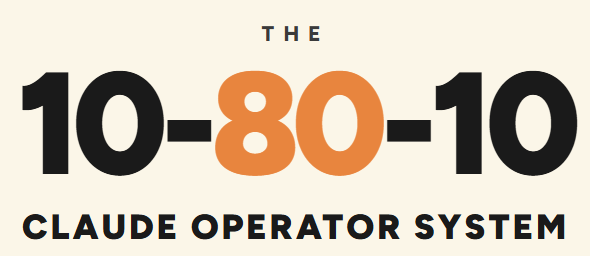
The foundation module also introduces three principles: an opportunity-oriented AI mindset, the “hybrid marketer” who combines creative/strategic judgment with automation and tool fluency, and Gillespie’s 10-80-10 model—human direction first, AI doing the heavy lifting, then human review. Whether a learner agrees with every ratio is less important than the operational message: humans still define goals and quality, while AI is used to execute more of the repetitive or coordinated work.
For this review, the decisive evidence is the actual attached curriculum: 67 indexed videos with a verified combined runtime of 11h 9m 9s. That lets us assess breadth, sequence and teaching priorities without inventing claims about student results. The permanent review URL is https://coursesonbudget.com/robert-gillespie-claude-for-marketers-masterclass-index-review-2026/, while the course itself is available on the Claude For Marketers Masterclass product page.
What You Actually Learn
From Module 2 onward the course becomes highly systematic. CoWork gets a dedicated 10-lesson module covering use cases, workspace orientation, downloads-folder analysis, positioning analysis, settings, Chrome extension setup, plan selection and model/effort choices. Projects then receive nine lessons, including project structure, persistent context, Claude.md and Memory.md, instructions and multiple setup demos.
The Skills module teaches how to capture repeatable marketing processes so they can be reused. Connectors expand the system into external tools, including a demonstration of Zapier for connecting Claude to a much wider app ecosystem. Plugins are presented as packaged workflows made from skills, connectors and instructions. Scheduled Tasks then shows how repeatable work can run on a schedule.
The course earns most of its “for marketers” positioning in Module 8. The workflow demos cover prospecting and email personalization, content repurposing and a growth-operations workflow that is ultimately scheduled. The following module applies Claude inside Excel and PowerPoint, including data analysis, presentation generation and skills used within those applications. Module 10 shifts into Claude Design for marketers, covering the interface, design-system setup, asset creation, editing/export, comments/chat, connected or messy data for reports, video animation and design examples. This creates a full arc from context and process capture through execution and final deliverables.
The safest buying decision is to match the curriculum to the exact skill gap you need to close. Buying a large course without checking its index risks paying for breadth you will never use. The full video index below makes that decision transparent.
Full Claude For Marketers Masterclass Video Index
Below is the complete video index from the attached course material. Long curricula are grouped into expandable sections so the page stays readable while preserving every indexed video title and duration.
Module 0- An introduction and welcome to Claude for Marketers Masterclass (2 videos)
- L 0.1 – Welcome to Claude for Marketers Masterclass- An introduction and overview of what to expect (2m 41s)
- L 0.2 – How to Approach This Course (11m 35s)
Module 1- Why Claude Why Now- The Marketers Foundations (4 videos)
- L 1.1 – Why Now Why Claude (15m 26s)
- L 1.2 – About Robert Gillespie Your Instructor (9m 35s)
- L 1.3 – 3 AI Principles to Adopt When Working with AI (9m 50s)
- L 1.4 – Claude Big Picture Overview (23m 04s)
Module 2- Claude Cowork for Marketing (10 videos)
- L 2.1 – Cowork Introduction (3m 02s)
- L 2.2 – Cowork Use Cases- Whats Possible (13m 28s)
- L 2.3 – Claude Chat Mode (6m 56s)
- L 2.4 – A Guide to Your Cowork Workspace (17m 53s)
- L 2.5 – Demo- Cowork Downloads Folder Analysis (6m 17s)
- L 2.6 – Demo- Cowork Positioning Analysis (11m 57s)
- L 2.7 – Demo- Claude Settings Walkthrough – The Settings You Need to Know (17m 18s)
- L 2.8 – Demo- Claude Chrome Extension Installation Guide (5m 39s)
- L 2.9 – Demo- Claude Personal Plans vs Teams Plans – Which One to Choose (10m 41s)
- L 2.10 – Demo- Selecting The Right Model and Effort for The Marketing Task (6m 26s)
Module 3- Claude Cowork Projects- Your Persistent Workspace (9 videos)
- L 3.1 – Claude Cowork Projects – Projects Introduction (2m 52s)
- July 26 Update L 3.1 A – Claude Cowork Projects Layout Change (11m 18s)
- L 3.2 – Claude Cowork Projects – Overview and Best Practice Set Up (11m 05s)
- L 3.3 – The Airbnb Strategy- Setting Up Your Claude.md and Memory.md Files (10m 24s)
- L 3.4 – Claude Cowork Project Instructions Set Up (13m 36s)
- L 3.5 – Demo- Claude Cowork Settings Overview (5m 10s)
- L 3.6 – Demo- Claude Cowork Projects – Marketing Team Set Up (12m 16s)
- L 3.7 – Demo- Claude Cowork Projects – Single Theme Project Set Up (6m 47s)
- L 3.8 – Demo- Claude Cowork Projects – Setting Up A Project From Scratch (6m 16s)
Module 4- Claude Skills – Capturing Your Repeat Processes (6 videos)
- L 4.1 – Claude Skills Introduction (3m 52s)
- L 4.2 – Claude Skills – What Are They And What Are Their Benefits for Marketing (12m 00s)
- L 4.3 – Claude Skills – 3 Ways To Build A Skill and Some Examples (12m 40s)
- L 4.4 – Demo- Inside Claude Skills Overview (7m 28s)
- L 4.5 – Demo- How to Build A Claude Skill from Scratch Full Walkthrough (14m 35s)
- L 4.6 – Demo- Claude Skills – How to Edit and Upload a Skill (5m 35s)
Module 5- Claude Connectors – Power up Your Workflows by Connecting to Your Favourite Tools (5 videos)
- L 5.1 – Claude Connectors Introduction (3m 57s)
- L 5.2 – Claude Connectors Overview What Why How (9m 32s)
- L 5.3 – Demo- Claude Connectors Tour (7m 07s)
- L 5.4 – Demo- How to Setup Zapier to Connect Claude to 9000 Apps (5m 13s)
- L 5.5 – Demo- Claude Connectors Workflow Example with Three Connectors (7m 52s)
Module 6- Claude Plugins – Pre-Built Marketing Skills and Workflows (3 videos)
- L 6.1 – Claude Plugins Introduction (2m 53s)
- L 6.2 – Claude Plugins Overview What Why How (13m 03s)
- L 6.3 – Demo- Claude Plugins – How to Install The Marketing Plugin And Access 12 Marketing Skills Instantly (6m 55s)
Module 7- Scheduled Tasks – Setting Up Your Marketing System To Run On A Schedule (3 videos)
- L 7.1 – Claude Scheduled Tasks Introduction (2m 58s)
- L 7.2 – Claude Scheduled Tasks Overview What Why How (8m 15s)
- L 7.3 – How to Set Up A Scheduled Task (12m 56s)
Module 8- Marketing Workflows – Putting The Whole System to Work (6 videos)
- L 8.1 – Marketing Workflows Introduction (11m 48s)
- L 8.2 – Demo- Prospecting and Email Personalisation Workflow (19m 39s)
- L 8.3 – Demo- The Content Engine Repurposing Workflow Part 1 (16m 18s)
- L 8.4 – Demo- The Content Engine Saved As A Skill Part 2 (5m 43s)
- L 8.5 – Demo- Growth Ops Marketing Workflow Part 1 (14m 04s)
- L 8.6 – Demo- Growth Ops Marketing Workflow Part 2 – Scheduling (6m 33s)
Module 9- Claude for Excel PowerPoint (7 videos)
- L 9.1 – Claude for Excel PowerPoint Introduction (2m 28s)
- L 9.2 Claude for Excel PowerPoint Overview (9m 28s)
- L 9.3 – Demo- Claude for Excel PowerPoint – How to Install The Add In (9m 22s)
- L 9.4 – Demo- Claude for Excel – Transform Messy Data into Real Insights (16m 09s)
- L 9.5 – Demo- Claude for PowerPoint – Transform Campaign Data Into An On Brand Presentation Deck (16m 15s)
- L 9.6 – Demo- Claude Excel PowerPoint Agents Collaborating Skill Creation Workflow (16m 32s)
- L 9.7 – Demo- Using Claude Skills Inside Excel or PowerPoint (5m 24s)
Module 10- Claude Design for Marketers (10 videos)
- L 10.1 – Claude Design Introduction (3m 35s)
- L 10.2 – Claude Design Overview (23m 58s)
- L 10.3 – Claude Design Interface Walkthrough (11m 06s)
- L 10.4 – Setting Up Your Claude Design System (17m 24s)
- L 10.5 – How to Create Your First Asset Inside Claude Design (3m 44s)
- L 10.6 – How to Edit Export Your Assets (14m 54s)
- L 10.7 – How to Edit Your Asset With Comments Chat (4m 46s)
- L 10.8 – Working with Connectors or Messy Data To Produce On Brand Reports-Dashboard Views (7m 47s)
- L 10.9 How to Create Video Animations That Would Normally Cost Thousands (8m 09s)
- L 10.10 – Sharing My Own Designs for Ideas Inspiration (9m 59s)
Claude Tips Tricks Hacks- Power Up Your Marketing With These Insights (2 videos)
- The AskUserQuestion Hack for Supercharging Your Marketing Outputs (4m 56s)
- How to Optimise Your Claude Usage Limits (20m 45s)
Our Review Score
These are editorial scores based on the verified 2026 course index, runtime, sequencing and lesson coverage—not a claim about guaranteed financial or career outcomes.
| Review score | Score | Why |
|---|---|---|
| Content Depth | 9.6/10 | 67 videos and more than 11 hours cover the Claude marketing ecosystem from foundations through design and workflow execution. |
| Practicality | 9.6/10 | Many lessons are explicit demos: setup, projects, skills, connectors, plugins, schedules, workflows, Excel, PowerPoint and design. |
| Beginner Friendly | 8.9/10 | The course begins with mindset and big-picture foundations before moving into the system. |
| Marketing Workflow Coverage | 9.8/10 | The curriculum connects projects, skills, connectors, plugins, scheduling and use-case workflows. |
| Tool Depth | 9.5/10 | Rather than treating Claude as a chat box, the course explores CoWork and its surrounding workflow features in detail. |
| Overall | 9.5/10 | A deep 2026-focused Claude operating-system course for marketers rather than a prompt-list tutorial. |
Who Is This Course For?
Choose this course if…
- Marketers who already use AI chat but want a more systematic workflow built around projects, skills and connected tools.
- Marketing leaders standardizing repeatable processes across research, content, reporting and campaign operations.
- Consultants or operators who need Claude to work across documents, spreadsheets, presentations and marketing tools.
- Users who want practical demos of Claude CoWork rather than another generic prompting course.
Consider another course if…
- Someone seeking a vendor-neutral AI marketing survey; this program goes deep on Claude specifically.
- A learner who wants only quick social-media prompt templates.
- A developer looking for advanced software engineering with Claude Code; the focus is marketing operations.
- Anyone unwilling to maintain processes as Claude changes; some UI and product-specific demonstrations will naturally age faster than the workflow concepts.
Free Course Sample and Buying Decision
A useful advantage of the Courses On Budget listing is that you can open the product page and watch the free course sample before committing. For a course with this much material, a sample is more valuable than another sales paragraph: it lets you judge pacing, presentation style and whether the instruction feels actionable for you.
The product listing can also be compared with the current active course offers. We intentionally do not publish a fixed discount amount in this review because offers can change. If lifetime/FOREVER LICENSE access is shown on the product page at the time of purchase, verify that current access condition directly there before checkout.
Claude For Marketers Masterclass Pros and Cons
- 67-video, 11+ hour curriculum with broad but coherent Claude workflow coverage.
- Strong separation of foundations, system setup, reusable processes, connectors and applications.
- Demo-heavy structure instead of theory-only instruction.
- Includes end-to-end marketing workflows, Excel, PowerPoint and design.
- Clear focus on turning repeated processes into reusable skills and scheduled work.
- The course is tightly coupled to Claude; it is not a comparison of multiple AI platforms.
- Product-specific interfaces, settings and integrations can change quickly.
- The volume is substantial for someone who only wants basic prompting.
- Several modules assume the learner wants to redesign workflows, not merely speed up one isolated task.
Related AI Courses on Courses On Budget
If your goal is adjacent rather than identical, compare this course with other new AI products before buying. The links below stay inside the same Courses On Budget catalog, so you can compare scope instead of choosing from a single product page.
Kinsey – AI Brand Blueprint
Learn Claude Code in One Day – Build and Ship an AI App Live
You can also browse the AI Courses Cheap list, the AI & ChatGPT category, and the latest Courses On Budget updates. For an external reference related to tools mentioned in the course, see Anthropic.
Claude For Marketers Masterclass FAQ
How many videos are in Robert Gillespie Claude For Marketers Masterclass?
How long is Claude For Marketers Masterclass?
Does the course cover Claude CoWork?
Does it cover automation?
Does the masterclass include Excel and PowerPoint?
Can I view a free sample first?
Final Verdict: Is Claude For Marketers Masterclass Worth Studying in 2026?
Based on the attached curriculum, Claude For Marketers Masterclass has a clear instructional identity rather than being a generic “AI course.” Its value depends on whether that identity matches the problem you actually need to solve. The verified index gives you the evidence: 67 videos, 11h 9m 9s of instruction, and a defined progression through the topics shown above.
The best next step is not to buy blindly. Open the product page, watch the free sample, scan the full index one more time, and then compare any active offer available at the time. That keeps the decision grounded in the course itself rather than urgency or an assumed discount.