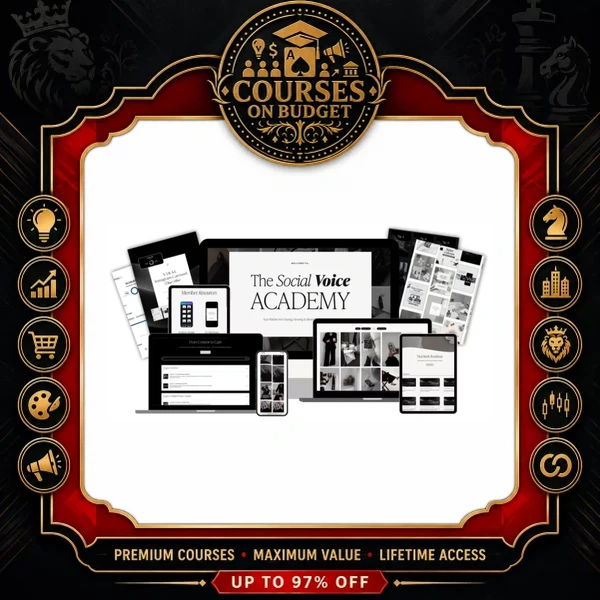
This Caitlin Armstrong Social Voice Academy Index Review looks at what The Social Voice Academy contains and quotes the Reels lessons directly. The library is available on Courses On Budget with fast delivery and an extra-discount coupon.
Caitlin Armstrong – The Social Voice Academy – Index Review 2026: The Short Answer
The Social Voice Academy is a content library, not a single course. Three courses and two resource folders sit under one roof, and the video lessons we could review are the Reels ones, where Caitlin walks through a full workflow from niche to analytics.
| Question | Answer |
|---|---|
| Who teaches it? | Caitlin Armstrong, a content creator and entrepreneur from Australia |
| What is inside? | Canva Course, Reels Editing Courses, Content to Cash Course, template and resource libraries |
| Format | 15 videos plus 140+ PDF, DOCX, XLSX, TXT and ZIP support files |
| Editing tool taught | CapCut, a free app on phone and desktop |
| Best for | Beginner creators and small brands posting on Instagram |
Caitlin Armstrong Social Voice Academy Index Review: Why Reels Is the Backbone
Caitlin opens by stating her own credentials, so read this as her claim rather than a guarantee of your results:
“Reels have been able to generate me over 350,000 followers across my social media platforms in the past couple years.”
What makes the lessons useful is that they do not start with the camera. They start with choices that reduce overwhelm.
| Step | Lesson | Decision you make |
|---|---|---|
| 1 | Choosing Your Niche | One main niche plus your reason for being on social media |
| 2 | From Niche to Content Pillars | 3–5 recurring themes that all tie back to the niche |
| 3 | Content and Sound Research | 3–10 creators, saved reels in folders, saved audios |
| 4 | Filming | Smooth movement, light, shot list, optional stock footage |
| 5 | Hooks, editing and export | Hook text, CapCut edit, colour grade, export settings |
“the more narrow you can go, the better it will be for you and your business in the long term.”
This is the right advice for anyone selling their own product later, and it links directly to the Content to Cash section of the library.
Caitlin Armstrong Social Voice Academy Index Review: Content Overview
This overview groups the library by outcome instead of listing every file. The full index is on the product page.
| Section | Main outcome | What you get |
|---|---|---|
| Canva Course (10 chapters) | Design branded posts | Workspace, text, colours, photos, frames, effects, shortcuts, export |
| Reels Editing Courses | Produce better Reels | Preparation, filming, hooks, CapCut, export, captions, growth bonus |
| Content to Cash (4 chapters) | Sell a digital product | Mindset, niche, pricing, Stan Store setup, MRR-PLP intro |
| Canva Template Library | Save design time | Monthly carousel templates |
| Resource Library | Write faster | Viral hooks and captions sheet, growth guide, member resources |
Research, Not Copying
The content and sound research lesson is more disciplined than the usual “find a trend” advice. It asks you to save ideas into folders that match your content pillars, then adapt them.
“My biggest piece of advice is make sure you do not copy any other creators or businesses work.”
She also gives a concrete audio rule of thumb, which is useful because it is measurable:
“if you can get the trending audio to be less than 10,000 users, that is going to give you the best benefit.”
Filming With What You Already Own
The filming lessons are practical for beginners: clean the lens, film several angles of one scene, and use window light. On equipment she is direct.
“you do not need to purchase anything extra if you only have an iPhone.”
Caitlin Armstrong Social Voice Academy Index Review: Hooks, Captions and Reach
Chapter 3 defines a hook as text in the first few seconds of a reel and names three types: educational or statistic based, emotional and inspirational. Her tip is to test a negative angle, using the example “mistakes I made” instead of “best hooks”. Later lessons connect the hook to the caption and cover.
| Element | Rule from the lessons |
|---|---|
| Hook | On screen for the first two to five seconds, about three on average |
| Caption | First line repeats the hook, then more detail, then a call to action |
| Hashtags | Pick 3–10 for your brand, then use 3–5 per reel |
| Reel cover | Show the hook or main text clearly |
| Export | HDR off, high-quality upload switched on |
“Are hashtags necessary? Absolutely not. However, should we add them potentially?”
That balanced answer is typical of the Caitlin Armstrong Social Voice Academy: no hype, just settings and habits you can copy. The growth bonus finishes with a reality check on metrics.
“followers are one indication of your analytics and of your social media growth, but they are not the only indicator of progress.”
Caitlin Armstrong Social Voice Academy Index Review: Where to Start
| Your situation | Start with | Why |
|---|---|---|
| No niche yet | Reels Chapter 1 | Niche and pillars come before any editing |
| Posting but low views | Hooks, captions and covers | Small changes to first seconds and text |
| Designing graphics by hand | Canva Course and template library | Reusable layouts |
| Want to sell something | Content to Cash | Pricing, product and Stan Store setup |
| Need consistency | Growth Secrets bonus | Posting schedule and analytics review |
For this Caitlin Armstrong Social Voice Academy Index Review, keep expectations realistic: the video count is small, and the Canva and Content to Cash sections rely on PDF lessons and files rather than long recordings.
- Pair it with Karen Goodman – Canva to Cash 2.0 for more digital product depth.
- Add paid reach after organic content works: read our Ads That Scale index review.
- Personal brand angle: see the Profitable Personal Brand index review.
- Clear workflow from niche to analytics for Reels
- Uses free tools, CapCut and a normal phone
- Canva templates, hooks sheet and growth guide included
- Content to Cash section links content to a product
- Fast delivery, one-time price
- Mostly PDF lessons: only 15 video files
- Community and affiliate extras of the original academy are not part of a file library
- Aimed at Instagram and Canva users first
This Caitlin Armstrong Social Voice Academy Index Review comes to one point: the library is best for a beginner who wants a repeatable routine. The Reels lessons are specific, the Canva and template folders save time, and Content to Cash gives the monetisation step.
Related reads on our blog: New premium courses: August 2026 update.
Get it through Courses On Budget, use the coupons page, and see additions on the updates page.
Browse the category: Marketing Courses
Design courses: Design Courses Cheap
External resources: Canva Design School
Recommended course stack:

This Caitlin Armstrong Social Voice Academy Index Review looks at what The Social Voice Academy contains and quotes the Reels lessons directly. The library is available on Courses On Budget with fast delivery and an extra-discount coupon.
Caitlin Armstrong Social Voice Academy Index Review: The Short Answer
The Social Voice Academy is a content library, not a single course. Three courses and two resource folders sit under one roof, and the video lessons we could review are the Reels ones, where Caitlin walks through a full workflow from niche to analytics.
| Question | Answer |
|---|---|
| Who teaches it? | Caitlin Armstrong, a content creator and entrepreneur from Australia |
| What is inside? | Canva Course, Reels Editing Courses, Content to Cash Course, template and resource libraries |
| Format | 15 videos plus 140+ PDF, DOCX, XLSX, TXT and ZIP support files |
| Editing tool taught | CapCut, a free app on phone and desktop |
| Best for | Beginner creators and small brands posting on Instagram |
Caitlin Armstrong Social Voice Academy Index Review: Why Reels Is the Backbone
Caitlin opens by stating her own credentials, so read this as her claim rather than a guarantee of your results:
“Reels have been able to generate me over 350,000 followers across my social media platforms in the past couple years.”
What makes the lessons useful is that they do not start with the camera. They start with choices that reduce overwhelm.
| Step | Lesson | Decision you make |
|---|---|---|
| 1 | Choosing Your Niche | One main niche plus your reason for being on social media |
| 2 | From Niche to Content Pillars | 3–5 recurring themes that all tie back to the niche |
| 3 | Content and Sound Research | 3–10 creators, saved reels in folders, saved audios |
| 4 | Filming | Smooth movement, light, shot list, optional stock footage |
| 5 | Hooks, editing and export | Hook text, CapCut edit, colour grade, export settings |
“the more narrow you can go, the better it will be for you and your business in the long term.”
This is the right advice for anyone selling their own product later, and it links directly to the Content to Cash section of the library.
Caitlin Armstrong Social Voice Academy Index Review: Content Overview
This overview groups the library by outcome instead of listing every file. The full index is on the product page.
| Section | Main outcome | What you get |
|---|---|---|
| Canva Course (10 chapters) | Design branded posts | Workspace, text, colours, photos, frames, effects, shortcuts, export |
| Reels Editing Courses | Produce better Reels | Preparation, filming, hooks, CapCut, export, captions, growth bonus |
| Content to Cash (4 chapters) | Sell a digital product | Mindset, niche, pricing, Stan Store setup, MRR-PLP intro |
| Canva Template Library | Save design time | Monthly carousel templates |
| Resource Library | Write faster | Viral hooks and captions sheet, growth guide, member resources |
Research, Not Copying
The content and sound research lesson is more disciplined than the usual “find a trend” advice. It asks you to save ideas into folders that match your content pillars, then adapt them.
“My biggest piece of advice is make sure you do not copy any other creators or businesses work.”
She also gives a concrete audio rule of thumb, which is useful because it is measurable:
“if you can get the trending audio to be less than 10,000 users, that is going to give you the best benefit.”
Filming With What You Already Own
The filming lessons are practical for beginners: clean the lens, film several angles of one scene, and use window light. On equipment she is direct.
“you do not need to purchase anything extra if you only have an iPhone.”
Caitlin Armstrong Social Voice Academy Index Review: Hooks, Captions and Reach
Chapter 3 defines a hook as text in the first few seconds of a reel and names three types: educational or statistic based, emotional and inspirational. Her tip is to test a negative angle, using the example “mistakes I made” instead of “best hooks”. Later lessons connect the hook to the caption and cover.
| Element | Rule from the lessons |
|---|---|
| Hook | On screen for the first two to five seconds, about three on average |
| Caption | First line repeats the hook, then more detail, then a call to action |
| Hashtags | Pick 3–10 for your brand, then use 3–5 per reel |
| Reel cover | Show the hook or main text clearly |
| Export | HDR off, high-quality upload switched on |
“Are hashtags necessary? Absolutely not. However, should we add them potentially?”
That balanced answer is typical of the Caitlin Armstrong Social Voice Academy: no hype, just settings and habits you can copy. The growth bonus finishes with a reality check on metrics.
“followers are one indication of your analytics and of your social media growth, but they are not the only indicator of progress.”
Caitlin Armstrong Social Voice Academy Index Review: Where to Start
| Your situation | Start with | Why |
|---|---|---|
| No niche yet | Reels Chapter 1 | Niche and pillars come before any editing |
| Posting but low views | Hooks, captions and covers | Small changes to first seconds and text |
| Designing graphics by hand | Canva Course and template library | Reusable layouts |
| Want to sell something | Content to Cash | Pricing, product and Stan Store setup |
| Need consistency | Growth Secrets bonus | Posting schedule and analytics review |
For this Caitlin Armstrong Social Voice Academy Index Review, keep expectations realistic: the video count is small, and the Canva and Content to Cash sections rely on PDF lessons and files rather than long recordings.
- Pair it with Karen Goodman – Canva to Cash 2.0 for more digital product depth.
- Add paid reach after organic content works: read our Ads That Scale index review.
- Personal brand angle: see the Profitable Personal Brand index review.
- Clear workflow from niche to analytics for Reels
- Uses free tools, CapCut and a normal phone
- Canva templates, hooks sheet and growth guide included
- Content to Cash section links content to a product
- Fast delivery, one-time price
- Mostly PDF lessons: only 15 video files
- Community and affiliate extras of the original academy are not part of a file library
- Aimed at Instagram and Canva users first
This Caitlin Armstrong Social Voice Academy Index Review comes to one point: the library is best for a beginner who wants a repeatable routine. The Reels lessons are specific, the Canva and template folders save time, and Content to Cash gives the monetisation step.
Related reads on our blog: New premium courses: August 2026 update.
Get it through Courses On Budget, use the coupons page, and see additions on the updates page.
Browse the category: Marketing Courses
Design courses: Design Courses Cheap
External resources: Canva Design School
Recommended course stack: