

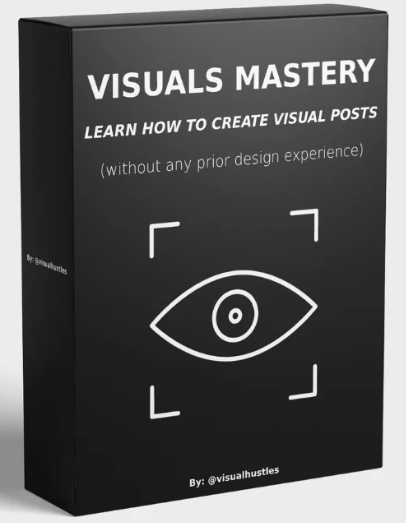
What Is Visual Hustles Visuals Mastery?
Scroll any self-improvement feed and you will see them: a silhouette climbing a mountain toward a trophy, a magnet pulling in bags of money, the words “I failed” crossed out and replaced with “I learned”. These are visual posts — simple Canva graphics that explain one idea faster than a paragraph ever could. Visuals Mastery is the course that teaches you to make them on purpose instead of by luck.
The program comes from Kunal, founder and face of Visual Hustles. In the welcome video he explains that he started the page in April 2023 and grew it from zero to over a million followers in seven months, and that he has spent four years building faceless theme pages with a combined network of over 3 million followers. The question his followers asked most was simple: how do you create these visual posts? This course is his answer.
The lessons themselves are taught by Ayush Baliga, the lead designer who worked one-on-one with Kunal on the Visual Hustles content for six months. Ayush grew his own page to nearly 20,000 followers in about a year of posting his own designs, and his most popular visual — shown inside the course — reached 750,000 likes and around 25 million people. You are learning from the person who actually builds the posts, not from a marketer describing them.
The format respects your time. Every lesson is five minutes or less, the whole course runs roughly two and a half hours, and the stated goal is a workflow that produces a finished visual in under 15 minutes of work per day. If you are building a skill set in graphics and content, this program sits naturally next to the rest of our design courses.
| Course | Visual Hustles — Visuals Mastery: Learn How To Create Visual Posts |
| Created by / taught by | Kunal (Visual Hustles founder) / Ayush Baliga (lead designer) |
| Format | 38 video lessons + Visuals Mastery Summary Sheet (PDF) |
| Structure | Start Here video + 5 modules |
| Total size | ≈ 774 MB |
| Tools used | Canva (free features), Flaticon, Instagram |
| Level | Beginner — no design experience required |
| Language | English |
Why Visual Posts Win Attention in 2026
Module 1 of Visuals Mastery makes the case before teaching a single click. A visual crosses language barriers, triggers emotion, and lands before a scrolling reader decides to move on. The course leans on the idea that attention online is roughly an eight-second window — and that a well-built visual delivers its message inside it while a block of text does not. It also shows why the skill is monetizable: brands and influencers need exactly this kind of content to build identity, promote products and connect with an audience on a personal level.
The Visuals Mastery rule you will keep coming back to: spend roughly 5–15 minutes per visual, and make it simple enough for your audience to process in under three seconds. If a visual takes longer than that to build, it is usually carrying too much.
The Idea Engine: 4 Places Every Visual Starts
Most beginners quit not because they can’t design, but because they run out of ideas. Module 2 of Visuals Mastery replaces inspiration with a daily content system — four habits that turn everyday life into a bank of post ideas. Ayush captures his in the notes app on his phone and builds them in Canva later.
From Idea to Post: The Build Formula for Each Idea Type
This is the part most Canva tutorials skip — and where Visuals Mastery earns its name. Module 3 does not stop at “here is the text tool” — four dedicated videos show how each idea type becomes a finished design, live in Canva:
| Idea type | How the course builds it | Example from the lessons |
|---|---|---|
| Emotion | Set up the situation → show the emotion with emojis → bridge the emotion to a lesson | “Working hard now while everyone parties — it will pay off” |
| Metaphor | Set up the situation → make the metaphor crystal clear → label each element and add one overarching message | “Your life” throwing a peel into “negativity”: don’t forget to dispose of it |
| Lesson | Show where the lesson was learned → expand it: what happens if you heed it, or if you don’t | Late for work → late for family → late for yourself |
| Personal experience | Extract the lesson, then express it as an emotion, metaphor or lesson visual | A figure climbing a mountain to a trophy: the toughest climbs have the best views |
Three formats that keep performing
Drawing on the Visual Hustles content bank, the course names three structures you can pour almost any idea into:
- Comparison — a big idea shrunk into small parts (“Think big, act small”: one large square split into colored blocks).
- Before & after — “All things are hard before they get easy”: a figure pushing uphill, then cruising downhill on a scooter.
- Popular belief vs. truth — the spotlight effect: everyone thinks they’re being watched, but each person is in their own spotlight.
Beginner, intermediate and advanced builds
You then watch three complete builds, each a step up. The beginner visual needs only text and one element — “I failed” slashed in red, an arrow, “I learned”. The intermediate one adds flipped elements, lightning effects and an elbow-line bracket: a magnet labelled “creating content online” pulling in “opportunities”. The advanced build brings in Flaticon silhouettes, recolored shape grids and size contrast in the text itself.
The Canva toolkit, without paying for Pro
Alongside the ideas, Module 3 covers the practical Canva skills: backgrounds, fonts and elements; using Flaticon for free icons and silhouettes instead of paid Pro elements; killing empty space by sizing elements and text up (around 35–40 for text rather than 19–20); centering, alignment and equal spacing with Canva’s guides; line styles, endpoints, curves, elbows, rotation and the attachment tool; and grouping and locking elements so your layout stays put. All of it is done in Canva with free features.
The 4-Step Touch-Up Checklist Before You Post
The final four videos of Module 3 are a quality filter every visual passes before it goes live — the difference between a post that looks homemade and one that looks like it came from a million-follower page:
- Design — everything aligned, equal sizes and gaps, nothing falling off the page.
- Coherence — one line weight across the visual (the demo standardizes on 8) and one consistent set of elements, not mismatched X’s and checks.
- Contrast — no yellow text on white, no gray icons that disappear; colors that let the eye read without effort.
- Cleanse — cut text to the minimum. A wall of words about skills, energy, money, love and time becomes a clean “probability you’ll get it back” chart: 100% for four, 0% for time.
Building the Theme Page: Logo, Style, Bio, Captions
Module 4 of Visuals Mastery turns your visuals into a brand. You design a minimal logo in Canva (the demo builds “Tree Visuals” around a tree icon), then pick a visual style that is genuinely yours. The course is blunt here: copying the black-and-white look of big pages makes you invisible among the dozens of pages already doing it. Ayush built his own page around a notebook background nobody else was using, paired with fonts like Pangolin and One Little Font.
You also get two copy formulas that work on their own:
- Bio formula: who you are → what the page does → a call to action (“follow for daily visuals”).
- Caption formula: a hook → an analogy or inspiration → the motivation or lesson, double-spaced for readability → hashtags below a separator line → a closing call to action.
The module closes with consistency: posting without filters that distort your Canva work, and using Instagram’s mobile scheduling (advanced settings) to batch a week of visuals on a free day so posts go out while you are at school, work or asleep. For deeper Instagram growth strategy, browse our marketing courses list.
Visuals Mastery Course Index — All Lessons
The original files are numbered rather than titled, so below is the full index with the topic of each lesson, taken from the course itself.
| Section | Lessons |
|---|---|
| Start Here | Welcome from Kunal, how to navigate the course |
| Module 1 — Understanding Why Visuals Work So Well On Social Media (6 videos) | 1. Welcome & course roadmap · 2. Meet your instructor · 3. Why Instagram visuals are blowing up · 4. The utility of visuals · 5. What makes visuals attractive · 6. Visual design statistics |
| Module 2 — How To Acquire & Collect Ideas For Your Visuals (5 videos) | 1. Observe & record emotions · 2. Note potential metaphors · 3. Gather lessons & tips · 4. Capture personal experiences · 5. Module recap: your idea system |
| Module 3 — Learning How To Create The Visual Designs With Your Ideas (18 videos) | 1. Canva basics: backgrounds, fonts, elements · 2. Free Pro-style elements with Flaticon · 3. Dealing with empty space · 4. Centering, alignment & spacing · 5. Lines, rotation & attachment tool · 6. Grouping & locking · 7. Three visual styles · 8. Beginner visual · 9. Intermediate visual · 10. Advanced visual · 11. Visualizing an emotion · 12. Visualizing a metaphor · 13. Visualizing a lesson · 14. Visualizing a personal experience · 15. Touch-up: Design · 16. Touch-up: Coherence · 17. Touch-up: Contrast · 18. Touch-up: Cleanse |
| Module 4 — Building Your Visuals Theme Page (5 videos) | 1. Designing your brand logo · 2. Creating a unique visual style · 3. Setting up the Instagram page & bio · 4. Writing captions & posting · 5. Scheduling posts for consistency |
| Module 5 — Conclusion (3 videos + PDF) | 1. Till we hustle again · 2. Summary Sheet walkthrough · Bonus module unlock video · Visuals Mastery Summary Sheet (PDF) |
Who Visuals Mastery Is For
- Beginners who want to start a faceless Instagram theme page and need a repeatable way to produce posts.
- Students, parents and 9-to-5 workers who can spare about 15 minutes a day, not hours.
- Creators and coaches who want carousel-style, idea-driven graphics for their own brand.
- Freelancers who want to offer visual content as a service to brands and influencers — the course stresses this as the most monetizable side of Visuals Mastery.
- Taught by the designer behind a million-follower visual page
- A real idea system, not just Canva button-clicking
- Lessons under 5 minutes; about 2.5 hours in total
- Works with free Canva features plus Flaticon
- Clear formulas for bio, captions and touch-ups
- Summary Sheet PDF for quick reference while designing
- Focused on Instagram; other platforms are not covered
- Bonus swipe files (Hustle 30 calendar, creator swipe file, 500 post ideas) are shown in the unlock video but not included in the files
- Some demo visuals are intentionally rough to fit the 5-minute format
- No paid ads or monetization deep-dive
Visuals Mastery FAQ
Do I need design experience or Canva Pro?
No. The course is built for people with zero design experience, and it shows how to replace paid Canva Pro elements with free icons and silhouettes from Flaticon.
How long does one visual take to make?
The course’s rule of thumb is about 5–15 minutes per visual. If it takes much longer, the design usually has too much on it.
What exactly do I get?
38 video lessons across a Start Here video and five modules, plus the Visuals Mastery Summary Sheet PDF — around 774 MB in total.
How is the course delivered?
Digital files. Crypto payment only. Fast delivery is handled manually after payment confirmation. Download links remain available for 7 days; save your files locally.
Visual Hustles Visuals Mastery is one of the most practical entry points into visual content: a daily idea system, a build formula for every idea type, a four-step quality check, and a ready plan for launching a theme page — all taught by the designer who made the posts behind a million-follower brand. If you have been scrolling past these visuals wondering how they are made, this is the shortest path to making your own.
Get it today through Courses On Budget, check the current coupon, and follow new arrivals on our updates page.
Browse the category: Design Courses · Design Courses Cheap List
Related category: Marketing Courses Cheap List
Recommended course stack:

Reviews
There are no reviews yet.