

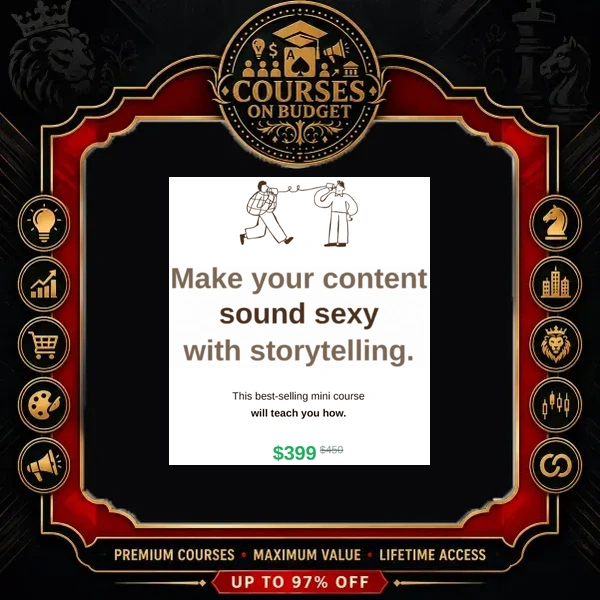
Why Storytelling Content Stops the Scroll
The course opens with a simple test. Two Instagram posts say exactly the same thing — why brides should hire a wedding planner. The first states it bluntly; the second tells it as a story. Only the second one makes you stop scrolling. That gap is what this mini course closes.
According to the first lesson, most creators struggle with storytelling content for one reason: they start writing before they set a clear goal. And the goal is not more likes, saves or shares. It is a human goal — the exact feeling you want a reader to have when they finish your post. Get the feeling right, and the numbers follow on their own.
“Vanity metrics follow real life emotions. If they feel motivated, then they will like it. If they feel like they learned something useful, then they will save it.” — Module 1, 6-Step Framework for Storytelling Content
The 6-Step Storytelling Content Framework
Everything in the Storytelling Content Mini Course runs on one loop. It works for carousels, Instagram Stories, captions and even Reels scripts.
Six Emotions, Six Types of Storytelling Content
Years of making content led the creator to six core feelings you can evoke. Each one maps to a specific content type:
| Feeling you want | Content type | Example from the lesson |
|---|---|---|
| Inspired | Inspirational | A motivational quote |
| Learning | Educational | Tips and guidelines |
| Joy | Entertaining | A funny meme |
| Realization | Problem-solving | “You’ve been doing your tax filing all wrong” |
| Belonging | Community-based | Someone voicing an opinion you share |
| Admiration | Branding story | A brand making products from recycled plastics |
Finding Topics Without Generic Idea Tools
Here the course openly breaks with standard advice. Tools like SEMrush or AnswerThePublic are fine, but if everyone uses the same idea generators, everyone ends up with the same mainstream topics — and the uniqueness is gone. Instead, you get four observation-based methods:
- Competitor comment sections — open the most popular posts of a big account in your niche and note the questions people ask.
- Your own audience — comments and DMs show what your current content fails to address.
- Observe yourself — picture yourself scrolling, list 15–30 ideas that would stop your scroll, then keep the best 5–10 as next week’s topics.
- The brunch conversation — explain your business face-to-face to friends or family who fit your audience, and write down every question they ask. In the course’s words, it’s “a gold mining of content ideas.”
What to Write vs. How to Write
What to write is one key message the reader should remember. In the wedding planner example: “Don’t worry about the stressful wedding things. Just focus on being the bride.” How to write is the angle plus the flow. You find the angle in four moves — take the message, pick keywords that trigger curiosity, imagine scenarios around them, choose the most interesting one. Then you write in a three-part flow: a title that states the angle, a body that elaborates the message, and an ending that delivers it as a catchy quote. If you want to go deeper on the short-form side, pair this with short-form storytelling training.
Case Study: How the Framework Built the Creator’s Most Viral Post
Module 3 is where the Storytelling Content Mini Course earns its trust. Instead of more theory, the creator reverse-engineers her own most viral post, one step at a time. The goal was an “aha” feeling, so the type became eye-opening educational content. The topic, however, didn’t come at the desk — it came after hours of creative block, in the shower, looking at an expensive bottle of shampoo and realizing she bought it because of how it made her feel.
That moment became the message: people don’t buy things, they buy feelings. For the body, she used her senses to find real-life examples — the huge apartment window, the city view, the sound of busy streets, the softness of her bed — then added a practical example of her teaching and closed with her signature powerline instead of a generic quote. Her point: observing yourself is “the birth of original content,” because no one else can discover those topics but you.
The Posting Routine Shown in the Lesson
- Start a poll on Instagram Stories before posting.
- Upload the carousel, write the caption and fill in the alt text, so the algorithm understands what the post is about.
- Stay active in the comments for the first 15–30 minutes — “game changing” for both community and reach.
- If comments are slow, engage with accounts you follow. Before the account grew, she interacted with 10–30 people every time she posted.
- Hours later, read the comments to check whether the goal was achieved — then repeat the same message with a new angle (her follow-up used coffee, and it worked well too).
“Learning generates you zero, but implementing can make you gain millions. Start creating the content now.” — closing words of Module 1
Storytelling Content Mini Course Index: What’s Inside
| Module | What you get |
|---|---|
| 1. The Framework | 6-Step Framework for Storytelling Content (video, 16m 24s) + 16 framework slides |
| 2. The Writing Guidelines & Templates | Tutorial Video on the Notion content system (4m 23s) + 2 guideline sheets + template access file |
| 3. Using the Framework | Using the Framework — viral post breakdown (video, 11m 56s) + reference slide |
| 4. The Carousel Design Templates | Tutorial Video Carousel (5m 00s) + 3 preview images + template access file |
| 5. Your Next Step | 2 closing slides |
Inside the Notion Storytelling Content System
You duplicate the system into your own Notion account, so it’s fully yours to edit. It has two sections. The content plan is a calendar: pick a date, title your idea, set the goal, type and format, then apply the content writing guideline — it turns a blank page into fill-in-the-blank prompts built on the 6-step framework, with tips behind every arrow. The calendar and writing cards stay in sync, and you can drag posts between creation statuses. The content templates section holds 100+ ready templates: swap the words in brackets for your own, and scroll down for worked examples across different niches and businesses.
Inside the Bingeable Carousel Templates
Six template packs, each with a font pairing cheat sheet, a colour pairing cheat sheet, sample content, an uncoloured version and alternative colour and font combinations. The design logic is explained element by element: the logo sits top-left because people read from top-left to bottom-right, the hook is sized to be scannable “but not too big that it sounds like you’re shouting,” a copyright element protects your work, an arrow on the cover invites the swipe, and the closing slide carries your photo or product, your powerline and a direct ask to follow. Recolouring is just copying hex codes from the colour sheet — “all done under one minute.” For more carousel strategy, see the Instagram carousel masterclass.
Who Should Get This Storytelling Content Course?
- Instagram creators and small business owners whose posts get scrolled past
- Coaches, service providers and personal brands who want carousels that read like stories
- Beginners who need a repeatable process instead of waiting for inspiration
- Marketers who already plan content in Notion and want ready-made templates
Not for: anyone looking for paid ads, hashtag tricks or growth hacks — this course is purely about writing and designing storytelling content.
- Clear 6-step framework for carousels, Stories, captions and Reels scripts
- Real case study of the creator’s own most viral post
- Notion content system with calendar and 100+ fill-in templates
- 6 carousel design packs with font and colour pairing sheets
- About 37 minutes — finish it in one sitting and post today
- A mini course: four videos, not a deep masterclass
- Examples are built around Instagram
- Success is measured through comments and DMs, not analytics dashboards
- A Notion account is needed to duplicate the content system
Storytelling Content Mini Course FAQ
What is Amanda and Rico’s Storytelling Content Mini Course?
It’s a short Instagram content course by Amanda and Rico that teaches a 6-step framework — goal, type, topic, write, post and analyze, repeat — for creating scroll-stopping storytelling content, plus a Notion content system and carousel design templates.
How long does it take to finish?
Four video lessons with a combined runtime of about 37 minutes, plus 24 slide images. Most people can watch everything in one evening and spend the rest of the time actually writing.
Does the framework work beyond carousels?
Yes. The course presents the three-part flow (title, body, ending) as a versatile strategy for carousels, Instagram Stories, captions and Reels scripts.
How is the course delivered?
Digital files. Crypto payment only. Fast delivery is handled manually after payment confirmation. Download links remain available for 7 days; save your files locally.
If your Instagram posts are informative but forgettable, this is the fastest fix in the catalog. The Storytelling Content Mini Course gives you a simple decision chain — feeling, type, topic, message, angle, flow — a real viral case study to copy, and ready-to-use Notion and carousel templates so you can apply it the same day. It’s short by design, and every minute is practical.
Grab it today through Courses On Budget and turn your next post into a story people stop for.
Browse the category: Marketing Courses · Marketing Courses Cheap List
Tool used in the course: Notion
Recommended course stack:

Reviews
There are no reviews yet.