

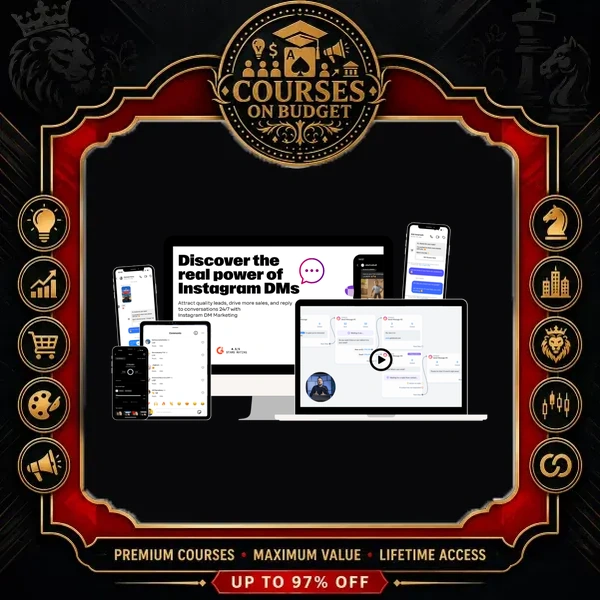
What DM Automation – Free Access Really Teaches
The creator is an affiliate marketer in the make-money-online niche who says Instagram took him to over 140,000 followers in a couple of months. His welcome video calls the core program the IG Profit Starter Kit, and the ManyChat lesson was originally sold as an add-on module. This package contains both: the traffic system, the affiliate system and the DM automation module that gives the course its name.
The logic is simple. Instagram does not pay you for content, so every view has to be moved off the platform and onto your email list. The course builds that path in six links, and each one is taught with a live screen walkthrough.
ManyChat DM Automation: The Module Behind the Name
The final module opens with an admission: the creator had only been using DM automation for about two months and was angry he hadn’t found it sooner. The problem it solves is manual work. Without it, you rely on the link in your bio and on answering every DM by hand. With it, a keyword triggers the whole conversation. In his bio he asks people to DM him the word “freedom,” and 15 to 25 people do that every day — each one gets the link automatically, plus a “did you get the link?” follow-up the next day.
The bigger win is comment automation. A Reel that ends with “comment the word guide and I’ll send it to you” does two jobs: the flood of comments pushes the Reel to more people, and ManyChat DMs every commenter the link. The lesson also notes a platform limit: this works on Instagram and Facebook, not on TikTok or YouTube.
“If you look at some of my reels, I have 500 comments, 1000 comments. There’s no way I could go in and manually follow up with all those leads.” — Module 3, ManyChat Is King
Before and After DM Automation: The Creator’s Numbers
| Daily metric | Before the bot | After the bot |
|---|---|---|
| Link clicks | 25–30 bio clicks + 10–20 manual DM replies | 500+ clicks, fully automated |
| Leads into the funnel | 30–40 | 150–250 actual sign-ups |
| Follow-up | By hand — “five, six, seven hours per day” at his comment volume | Automatic, next-day reminder with the link again |
The Three ManyChat Automations You Import
- Comments into sales — triggers on two keywords in comments on any post or Reel, or in a DM. The creator shows over 20,000 people clicking through this one.
- A second-offer flow — a duplicate pointed at another site; two Reels and one story promotion sent 1,700 people through it.
- Story replies — a 30-second delay, auto-like on replies, the link message, a one-day smart delay, then “did you check out the training?” with the link once more.
You import all three through share links, then change the keywords, the text and — most importantly — the link, “otherwise you will be sending traffic to me.” Setup needs a professional creator account, a Facebook page (only to connect Instagram, never used) and a laptop. One hard-won warning: leave public comment replies off. When he auto-replied to every comment for a few days, Instagram turned off his comment function.
The ManyChat Contact-Cost Trick
The tool starts on a free plan up to roughly 500–1,000 contacts, then the price rises at contact tiers (he mentions around 2,500 and 5,000). His fix: once or twice a month, bulk-delete every contact older than your longest automation. If your longest flow runs two days, anyone three days or older gets nothing more from the bot, so you stop paying for them. He says he never heard anyone else share this, and it keeps a DM automation setup at the minimum cost.
The Instagram Growth Engine That Feeds the Bot
Automation only pays off if people see your content, so Module 1 is the longest part of the course. It starts with setup: a brand-new creator account (not business, not personal), “upload in highest quality” and “recommend to other accounts” switched on, 24–48 hours of priming, and 10–15 minutes a day engaging only inside your niche. A simple rule of thumb: never follow more accounts than you have followers. Your bio follows a four-line structure — name plus niche keyword, what you do, social proof, call to action — backed by two Canva-made highlights, About Me and Results.
The Three Stages of a New Account
| Stage | Typical views per Reel | What moves you on |
|---|---|---|
| Stage 1 — new account | 200–600 | One Reel that pops — his first hit about 10K–15K views in 24 hours |
| Stage 2 | 1,000–3,000 low end | Same method; his first 50K and 100K Reels came within 7–10 days |
| Stage 3 — 5K–10K followers | 5,000–10,000 low end | Early follower engagement pushes Reels to hundreds of thousands or millions |
For the first 30–40 Reels, the only call to action is “follow for more,” always matched to the topic: “follow for more YouTube tips,” not a generic ask. Followers are the only thing you need at this stage.
Model What Works: Finding the Abnormal Reels
The main method is research, not creativity. Pick 10–15 competitor accounts — three to five small ones and seven to ten with 50,000 to 100,000+ followers — and log them in a spreadsheet. Scroll each Reels tab to learn the account’s low-end average, then look for the abnormal: a Reel at 60,000 or 100,000 views when the rest sit near 5,000, ideally from the last 30 days. Save the best few from every account and within about an hour you have 15–20 proven ideas to recreate. The lesson also demos a low-cost sorting tool that ranks any account’s Reels by views and date.
“We are modeling. Some would say that we are copying, but I would like to call it we are stealing like artists because we are going to change some things.” — Module 1, Main Method: Content Ideas, Video 1
Three Reel Formats, Batching and Stories
- Growth format — a 20–30 second mini tutorial with a strong hook; earns watch time and shares.
- Short format — a 6–7 second hook plus “read caption,” so the Reel loops while people read.
- Talking format — the tutorial style with your voice on top.
- Double down — every 9–10 Reels, repost your best one or a tweaked version. One of his Reels went from 1 million views to 5 million on the repost.
- Batch creation — shoot a month of personal B-roll in one go, research every Monday, and spend about 10 minutes a day posting.
- Consistency without overposting — he averages five Reels a week; “today, your reels need to breathe.”
- Stories — a yes/no poll two hours before a Reel, the Reel shared to Stories, occasional 24-hour breaks, and two promo stories a week.
The editing lesson shows the “5-minute model” in CapCut: download a high-performing tutorial Reel, swap the opening and closing shots for your own pointing footage, rebuild the text overlays, mute the original audio and add the same trending sound inside Instagram via “use sound,” so it isn’t logged as original audio. If you want more Reels-specific depth, Tina Lee’s Reels Rocketship pairs well with this module.
From DM to Commission: The Affiliate Funnel
Module 2 explains where the DM link should lead. The creator skips physical products (Amazon pays around 2–3% and is hard to get accepted into) in favor of digital courses, where about 50% commission is the industry standard. His specialty is high-ticket affiliate marketing: you send people to a $7–$9 front-end challenge, and the product owner’s upsells, advisors and sales closers do the rest. Because your affiliate cookie stays attached, you earn on whatever they buy later. He made his first $1,000 high-ticket commission about 14 days after he started promoting Legendary Marketer’s five-day challenge.
The lesson walks through his typical payout pattern on programs like this: $2–$3 on the front end, $30–$40 a few days later, $100–$200 from upsells, then $700–$800 about two weeks in. Offers covered include Legendary Marketer, Jonathan Montoya’s Freedom Breakthrough, ClickBank and Digistore24. For the Legendary Marketer owner’s own take on affiliate marketing, see David Sharpe’s Affiliate Marketing Business Blueprint.
The Systeme.io Two-Step Funnel
The tools lesson runs everything — pages, emails and automations — on Systeme.io, which he chose over his old ClickFunnels-plus-GetResponse stack. You install his shared bridge-page template, then edit two pages. The landing page collects the email. The thank-you page holds a short video (a script is provided) or a photo, plus two buttons carrying your affiliate link. The golden rule: never post an affiliate link on Instagram — every bio link, DM link and story link goes to the landing page first. He also recommends a custom domain (about $10 a year) attached in under 10 minutes.
Next you build an email campaign — day zero, then one day apart with an occasional two-day break — and link it with one automation rule: form subscribed → subscribe to campaign. When leads finish the sequence, you keep mailing them with weekly newsletters. One of his sequences runs over 90 days because he keeps adding emails and new offers.
“Not everyone will buy. In fact, 95% will not buy. That’s just how it is. It’s a numbers game.” — Module 2, Products to Promote
DM Automation Course Index: What’s Inside
| Module | Lesson | Format |
|---|---|---|
| 1. Traffic & Growth System | 1. Start Here | Video, 3m 39s |
| 2. Setup for Success | Video, 12m 23s + text notes | |
| 3. Main Method — Content Ideas | 2 videos, 14m 12s + 19m 08s + text lesson | |
| 4. Audio | Text lesson | |
| 5. Editing Secrets (5-Minute Model) | Video, 15m 24s + text lesson | |
| 6. Hooks, CTAs & Captions | Text lesson | |
| 7. Faceless | Text lesson | |
| 8. Plan of Attack | Text lesson | |
| 2. Affiliate Marketing | 1. Affiliate Marketing | Video, 15m 56s |
| 2. Products to Promote | Video, 15m 35s + text lesson | |
| 3. Tools You Need | Video, 22m 32s + text lesson | |
| 4. Plan of Attack | Text lesson | |
| 3. DM Automation | ManyChat Is King | Video, 21m 44s + text lesson |
The welcome video stresses that the text lessons matter as much as the videos — that’s where the creator keeps his links, templates, best posting times and the extra tips he refers to on screen.
Who Should Get This DM Automation Course?
- Beginners who want one complete path from a new Instagram account to an email list and affiliate commissions
- Creators drowning in comments and DMs who want ManyChat to send links for them
- Make-money-online and digital-marketing pages promoting courses or challenges
- Faceless or personal-brand accounts that want a repeatable Reels routine on about five posts a week
Not for: TikTok- or YouTube-first creators (the lesson says this DM automation doesn’t work there), anyone after advanced multi-step chatbot builds, or people who want paid-ads traffic instead of organic Reels.
- Full traffic-to-commission system, not just a chatbot tutorial
- Three ready-made comment and story-reply automations you import and edit
- Clear before/after numbers: 30–40 leads a day to 150–250
- A practical contact-cleanup trick to keep chatbot costs low
- Step-by-step Systeme.io funnel, email and automation-rule setup
- The ManyChat module is a single 21-minute video; most runtime covers growth and affiliate marketing
- Examples are built around the make-money-online niche
- The editing shortcut reuses other creators’ footage, which carries copyright and account risk — filming your own screen, also shown, is safer
- Results quoted are the creator’s own; he had used ManyChat for about two months when recording
DM Automation – Free Access FAQ
What is DM automation on Instagram?
It’s a chatbot that replies for you. When someone comments a keyword on your Reel, DMs you a word or replies to your Story, the bot sends them your link and can follow up a day later. This course uses ManyChat for it.
Do I need a Facebook page to use ManyChat with Instagram?
Yes, according to the lesson. You need an Instagram professional creator account and a Facebook business page to connect the two. You never have to post on that page, and the setup is done on a laptop.
Is the course only about ManyChat?
No. About two hours of video cover Instagram growth (account setup, the model-what-works method, Reel formats, CapCut editing, Stories) and affiliate marketing with a Systeme.io funnel. The DM automation module ties it all together at the end.
How long does it take to see results?
The creator is upfront: probably not in the first five days. For him, things took off after about 30 days, when his first Reel reached 100K views. Breaking out of stage one can take anywhere from five to 30 days.
How is the course delivered?
Digital files. Crypto payment only. Fast delivery is handled manually after payment confirmation. Download links remain available for 7 days; save your files locally.
If your Reels get comments but your link gets few clicks, this course fixes the gap from both ends. It shows how to earn the attention — research-driven Reels, a creator account primed for your niche, Stories that warm up followers — and then how to collect it with ManyChat, a two-step Systeme.io funnel and an email sequence that keeps selling. The DM automation module is short, but it ships with working flows and a cost trick you can use the same day.
Grab it today through Courses On Budget and let your comment section start sending you leads.
Browse the category: Marketing Courses · Marketing Courses Cheap List
Tool used in the course: ManyChat
Recommended course stack:



Reviews
There are no reviews yet.