Laura Sales – AI Creator Studio — Index Review: The Short Version
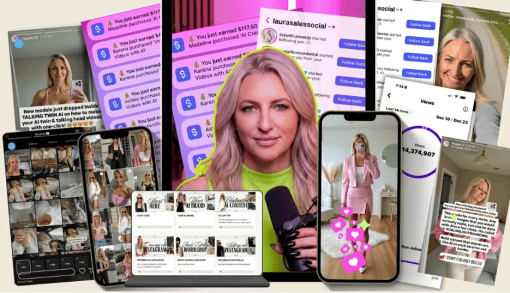
In brief, this AI Creator Studio index review finds a course built in three steps: create content with AI, get views and grow on Instagram, then turn attention into sales. The welcome lessons promise a system for posting without filming, and the sections that follow back it up with image tools, video tools, a growth framework and a selling module.
There is also a bonus circle with 29 videos on Meta ads, prompting and a YouTube vlog workflow. Nothing here needs technical skill, but it does ask for consistency. The instructor says plainly that going viral in the first week is not the norm, and that honest tone runs through the lessons and makes the plan feel realistic.
| Quick facts | |
|---|---|
| Format | 72 recorded videos in five sections, with 45 PDF guides |
| Main topics | AI images, AI twin, B-roll video, Instagram growth, DM automation, selling |
| Level | Beginner, no tech skills or filming required |
| Bonus | Co-Creators Circle with Meta ads, prompting 101 and a YouTube vlog series |
| Full index | See the full AI Creator Studio video index for every lesson title |
| Delivery and coupon | Fast delivery, one-time purchase, coupon on the coupons page |
What Is Inside AI Creator Studio: Content Overview
Instead of copying all 72 titles, this AI Creator Studio index review clusters the lessons by result. The full lesson list is on the course page, and every quote below comes word for word from the course transcripts.
Stage 1: Brand and set up your AI toolkit
Before any image is generated, the course talks about why branding matters when content is made with AI. The Importance of Branding with AI explains that posts need a brand wrapped around them to convert. Welcome to Higgsfield then tours the main platform, including credits and plans, and warns that plans change often. A student success story in the start section shows what consistency looked like for one follower account, which helps set expectations. It is a sensible place to begin, because a clear look and voice make every later image and reel consistent.
“this is really important because when you are creating content with AI, you have to wrap a brand around it in order for it to work.”
— from the video “The Importance of Branding with AI”
Stage 2: Create an AI twin and realistic images
The AI Content section has 16 lessons, and the image half is the most concrete. Creating an AI Twin, AI Images Seedream 4.5, AI Images no prompt and Creating an AI Avatar Not Twin show how to generate a consistent character and recreate photos you find on Pinterest. The lessons include honest asides, such as how hard it is to control body type, and tips for redoing an image rather than editing it. Since every other visual in the course builds on these characters, it is worth repeating this stage until the results feel consistent.
“If you want to change the body type, it’s pretty difficult to change the body type because AI does not want to listen when you describe the body type.”
— from the video “Creating an AI Avatar Not Twin”
Stage 3: Turn images into video and reels
Video comes next: Intro to B-roll AI Videos, Seedance 2.0, Kling Motion Control, Talking Head Videos, Mini Vlog Masterclass, UGC Style Content and Outfit of the Week. The instructor keeps returning to one rule, that the quality of your starting image decides the quality of the video. There are also practical tips such as lowering saturation in How to make reels so footage looks less glossy and more believable. Watching the same ideas repeated across different formats helps you learn what to adjust when a result looks off.
“So a couple tips I’ll tell you about talking head videos is again, it always comes back to your image is going to determine the quality of your video.”
— from the video “Talking Head Videos”
Stage 4: Grow an Instagram audience
The Instagram section begins with a welcome and a What To Expect lesson that sets honest goals. Then come the 7 Steps to Massive Growth Framework, The ONE Thing, Understanding The Algorithm, Anatomy of a Viral Reel, Viral Fonts and a Viral Secrets Masterclass built around viral reel research. Two bio lessons and a profile audit with Claude cover the page itself, while Viral Carousel Framework and How to Make a Carousel add a second format. The lessons keep returning to one idea, which is to make your content easy for the algorithm to understand.
“When Instagram sees content that looks and feels similar to content that’s already performing well, it favors that content because its entire job is to optimize for watch time.”
— from the video “Understanding The Algorithm”
Stage 5: Sell with DMs, email and a landing page
The seven selling lessons connect attention to revenue. Welcome To Selling on Instagram, My Instagram Funnel, Setting up DM Automations, Setting up ManyChat to Collect Emails, Setting up a landing page and Selling in Instagram Stories walk through the path from comment to email to checkout page. One useful caution says not to use DM automation on a brand new account, because it adds friction before you deliver any value. Each lesson is short, so you can build the whole funnel step by step and test it with your own email.
“Before you set up any automation, it’s really important to have a strategy in place that will help you motivate people to share their email with you.”
— from the video “Setting up ManyChat to Collect Emails”
Stage 6: Use the bonus circle
The Co-Creators Circle is the largest section at 29 videos. It includes Meta ads for beginners, with lessons on daily budgets, the pixel and warm audiences, a prompting 101 set, and a 16-lesson YouTube vlog series made with AI. Other lessons show a live B-roll stock footage session and how to add an affiliate link to Stan Store. These extras stretch the course beyond Instagram without changing its beginner tone. You can dip into whichever topic you need at the moment rather than watching everything in order.
“And we’re going to go to the web option because we’ll be adding your stand store or whatever the case is on here.”
— from the video “Create and Install Your Pixel”
That is the flow of this AI Creator Studio index review: brand, create, grow, sell, then extend with the bonus circle. The order makes sense because each stage feeds the next. For exact titles and counts per section, open the full AI Creator Studio video index.
Who Should Buy AI Creator Studio?
This AI Creator Studio index review suggests the course fits people who want to post consistently but do not want to film themselves. Coaches, small brand owners and side-hustlers who already have an Instagram account, or plan one, can follow the screen-recorded steps without design training. It also works for someone who has tried random posting and wants a framework for hooks, captions and a simple path to a sale.
Skip it if
you want a neutral, tool-independent theory course. The lessons use specific platforms such as Higgsfield, Kling and ManyChat, some of which need paid plans, and interfaces and algorithms change quickly. Results also depend on posting regularly, so this is not a fit if you will not publish.
AI Creator Studio vs Other Ways to Learn
Is it better to piece this together from free videos? This comparison sticks to what the section list actually shows.
| What matters | Free videos & blog posts | AI Creator Studio |
|---|---|---|
| Making content | Photoshoots, cameras and editing | AI twin, AI images and B-roll video lessons |
| Video quality | Trial and error with prompts | Dedicated lessons on talking heads, motion control and reels |
| Growth plan | Posting at random | A 7-step framework plus algorithm and viral reel lessons |
| Turning views into leads | Followers with no path | DM automation, ManyChat email capture and landing page |
| Extra skills | Separate courses | Meta ads, prompting 101 and a YouTube vlog series |
The real difference is that one course connects all four stages. Free tutorials are great for one trick, but this AI Creator Studio index review shows a sequence from image to reel to sale. Scan the full AI Creator Studio video index to see that order yourself.
AI Creator Studio Pros and Cons
- 72 screen-recorded videos across five sections
- Content, growth and sales covered in one place
- Bonus Meta ads, prompting and vlog lessons
- 45 PDF guides included
- Tool interfaces and social algorithms change quickly
- Results depend on posting consistently
- Some tools mentioned are paid subscriptions
Related Courses to Compare
If you want other creator programs after this AI Creator Studio index review, compare it with Creator Army – Fat Fellas AI Masterclass, Marketing Mafia – The AI UGC System or Dave Arena – AI Profit Machine. You can also read about Faisal Khan – AI Creator Academy, Anthony Gallo – The AI Creator Course and Madi Kobru – AI Creator Academy, or browse the whole AI courses cheap list.
How to Get AI Creator Studio With Fast Delivery
AI Creator Studio Index Review FAQ
Do I have to appear on camera?
No. The welcome video describes a system for making content without filming, using an AI twin, AI avatars and B-roll. This AI Creator Studio index review found no lesson that requires you to be on camera.
What do I need before starting?
In this AI Creator Studio index review the answer is simple: a phone or computer, an Instagram account and access to the AI tools shown. Some tools need paid plans, so check current pricing. The full AI Creator Studio video index lists which lessons use which platform.
Can I get a coupon for AI Creator Studio?
Yes, a coupon exists. Open the coupons page to find it and use it at checkout.
How is it delivered?
Fast delivery after checkout, as a one-time purchase with no subscription. See how to pay on site for help with crypto payment.
Final Verdict
Our AI Creator Studio index review ends with a simple verdict: it is a beginner-friendly system for making AI visuals, growing on Instagram and building a small sales funnel, all without filming. Its strength is the clear sequence, its limits are paid tools and fast-changing platforms.
If that sounds right, get it on Courses On Budget, use the coupon from the coupons page, and check the course updates page for new creator courses.