

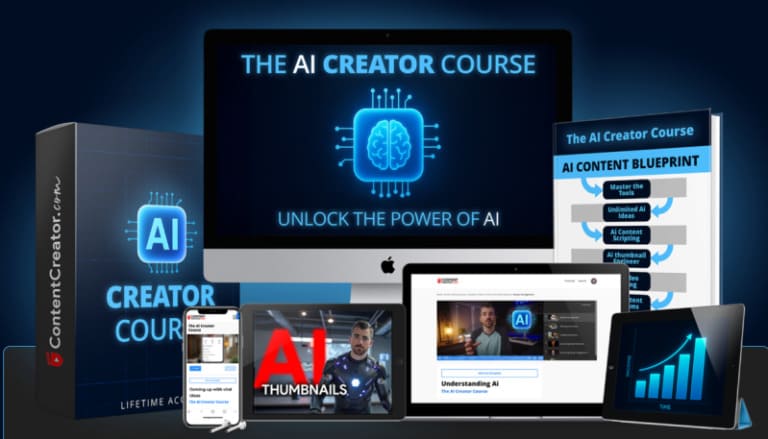
This review is built strictly from the attached course index and transcripts. Browse more verified learning material through Courses On Budget, the AI courses list, and the latest course updates.
Anthony Gallo – The Ai Creator Course Update 2 Index Review 2026: verified 2026 course overview
This Anthony Gallo AI Creator Course Index Review 2026 is grounded in the attached 168-file index and the provided transcript collection. The indexed package spans 26 folders and 38.01 GB, making it the broadest creator-focused library in this batch. It covers AI fundamentals, image generation, thumbnails, content planning and writing, video generation, video editing, AI clones, full project walkthroughs, bonus material and a separate viral video effects course.
Anthony introduces the program as an AI course built by content creators for content creators. The opening modules say the goal is to cut through noisy tool recommendations and focus on AI workflows that support real content production. The transcript set then follows that promise with lessons on ChatGPT, Claude and Gemini, image tools, thumbnail theory, scripts and ads, AI video workflows, voice, lip sync, editing and practical creator projects.
Verified index: files, folders and course size
| Verified index field | Attached course data |
|---|---|
| Folders | 26 folders |
| Files | 168 files |
| Indexed size | 38.01 GB |
| Product page | Anthony Gallo – The Ai Creator Course Update 2 |
AI Content Creation Library
Anthony Gallo – The Ai Creator Course Update 2
Verified index summary: 26 folders, 168 files, 38.01 GB. The review below uses the attached transcripts to explain what those files actually teach.
What the attached course structure actually covers
| Course area | Evidence in the attached files | What that means for the learner |
|---|---|---|
| AI foundations | ChatGPT overview, prompting, ChatGPT vs Claude vs Gemini, AI tool vs marketplace access | Builds a practical base before specialized creator workflows. |
| Images and thumbnails | ChatGPT images, Fal AI, Photoshop AI tools, Ideogram, product photography, Nano Banana, thumbnail theory | Connects image generation with creator-specific visual tasks. |
| Planning and writing | Training AI to write like you, ideas and titles, scriptwriting, profitable ads | Uses language models for ideation, scripting and marketing copy. |
| AI video | Five-step AI video workflow, lip sync, first/last frame videos, voiceovers, voice clone/swap, scene edits | Covers generation and transformation of creator video assets. |
| Editing | DaVinci Resolve, CapCut, horizontal-to-vertical conversion, viral effects across multiple editors | Adds conventional post-production around the AI-generated material. |
| Full walkthroughs and bonuses | AI ad, realtor reel, animated music video, AI clone action sequence, digital product launch | Shows complete projects instead of isolated tool features. |
The course starts by reducing tool confusion
In the chatbot comparison, Anthony frames ChatGPT, Claude and Gemini as capable tools with different strengths rather than completely different categories. ChatGPT is presented as versatile, Claude as strong for thoughtful writing, and Gemini as strong for research and Google-ecosystem integration. The larger lesson is that prompting skill and operator judgment matter more than chasing a single “perfect” chatbot.
The course is built around creator outputs, not abstract AI theory
The index repeatedly maps AI tools to creator deliverables: thumbnails, scripts, ads, website graphics, product photos, voiceovers, character consistency, clips, reels and full videos. The opening transcript explicitly says it is not intended as a broad college lecture on AI, but as a creator-focused training path.
Video receives unusually deep coverage
The package includes AI video generation plus conventional editing. There are dedicated DaVinci Resolve and CapCut trainings, horizontal-to-vertical conversion, lip sync, voice cloning and swapping, scene replacement, and viral-effects lessons repeated for CapCut desktop, CapCut mobile, Adobe Premiere Pro, DaVinci Resolve and Final Cut Pro.
The update policy is part of the curriculum
Anthony separates AI changes into “performance updates” and “process updates.” Performance changes can be noted in module descriptions, while process changes that make an old workflow obsolete are intended to trigger a replacement training. This is a practical response to the speed at which creator tools change.
Community use is also taught as a skill
The community lesson recommends searching existing questions before posting, asking specific feedback questions, contributing to other members and using live Q&A calls. That is course content in the attached transcript, not an assumption about the product page.
Who this course is best matched to
- Content creators who want AI applied to ideation, images, thumbnails, scripts, ads, video and editing.
- YouTubers, social-media creators, freelancers and business owners—the groups named in the course introduction.
- Creators who want both generative AI workflows and conventional editing lessons in tools such as DaVinci Resolve or CapCut.
- Learners who prefer full project walkthroughs such as an AI ad, realtor reel, animated music video or AI clone sequence.
If your goal is different, use the AI Courses Cheap hub or the AI & ChatGPT category to compare other course structures before buying.
Related Courses On Budget pages
Madi Kobru — AI Creator Academy
Faisal Khan — AI Creator Academy
Pros and considerations from the attached materials
- Very broad indexed package: 168 files, 26 folders and 38.01 GB.
- Covers the full creator chain from idea and script through visuals, AI video, editing and finished-project walkthroughs.
- Includes tool-comparison guidance and an explicit policy for handling fast-moving AI updates.
- The breadth is substantial, so learners may want to follow only the modules relevant to their content format instead of watching every editor and effect variant.
- Several tool-specific workflows can change over time; the course itself acknowledges this and distinguishes performance updates from process updates.
Anthony Gallo AI Creator Course FAQ
What does Anthony Gallo’s AI Creator Course cover?
The attached files cover AI foundations, images, thumbnails, planning and writing, video generation, editing, AI clones, full video walkthroughs and bonus creator content.
Is the course only about ChatGPT?
No. ChatGPT is covered, but the course also discusses Claude, Gemini and many image, video and editing tools.
Does it include video editing?
Yes. The index includes substantial DaVinci Resolve and CapCut training plus viral-effects lessons across CapCut, Premiere Pro, DaVinci Resolve and Final Cut Pro.
Does the course teach AI thumbnails and images?
Yes. There are dedicated image-generation modules and thumbnail theory plus step-by-step thumbnail creation lessons.
How does the course handle fast AI changes?
The attached update lesson separates performance updates from process updates and explains that major process changes can require refreshed training.
The attached materials support a clear conclusion about the course’s scope: This Anthony Gallo AI Creator Course Index Review 2026 is grounded in the attached 168-file index and the provided transcript collection. The indexed package spans 26 folders and 38.01 GB, making it the broadest creator-focused library in this batch. It covers AI fundamentals, image generation, thumbnails, content planning and writing, video generation, video editing, AI clones, full project walkthroughs, bonus material and a separate viral video effects course.
Use coupon code 5050 if it is active for your order, and confirm the current course page before checkout. You can also browse Courses On Budget, the AI course hub, and recent updates.
3 Anthony Gallo programs in one place — instant download, forever license, no subscription.
Browse all Anthony Gallo courses →


