

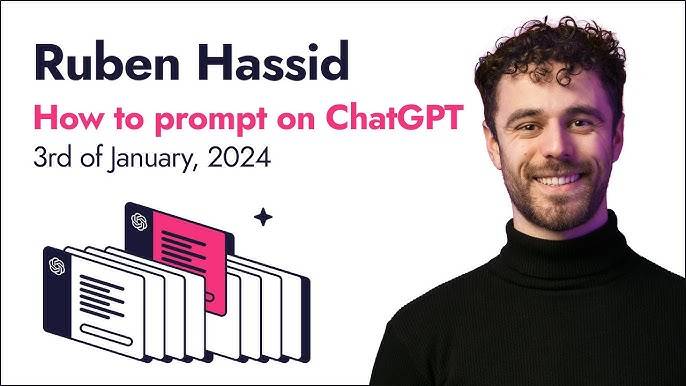
Ruben Hassid – How to Prompt ChatGPT in 2024 Index Review 2026
The supplied index records 13 files in total: nine MP4 lessons and four small text resources. The videos total approximately 1 hour, 17 minutes and 43 seconds. The largest files are the two “Create A Prompt With Me” demonstrations, which fits the teaching style in the transcripts: Hassid does not stop at defining techniques; he shows a prompt being built, corrected and extended live.
The course has a clear progression. It starts by defining AI, LLMs, GPTs, prompts, prompt engineering and token limits. Then it introduces example-based prompting, branching brainstorming, multimodal input, step-by-step task decomposition, conversational follow-ups and meta prompting. The final sessions combine several of those ideas while building a speech prompt and a tagline prompt. That structure makes the course more about thinking patterns than memorizing a single “perfect” prompt.
| Indexed package | 2 folders · 13 files · 5.20 GB |
| Video lessons | 9 MP4 files |
| Text resources | 4 TXT files |
| Video duration | Approx. 1h 17m 43s from the supplied transcripts |
| Core techniques | Zero-shot vs one/few-shot · tree of thoughts · multimodality · chain of thoughts · advanced follow-ups · meta prompting |
| Live demonstrations | Prompt-building session around a speech and another around taglines |
| Teaching emphasis | Give context/examples, break complex work into steps, iterate through chat |
| Time context | The course examples are explicitly framed around the 2024 ChatGPT environment |
How to Prompt ChatGPT Course Index: The Techniques Hassid Builds in Sequence
The course is short enough to finish in one sitting, but the ideas are layered. Each lesson adds a different way to control or explore an LLM response. The index below gives the learning map without exposing the instructor’s prompt assets.
| Area | What the index contains | Practical role |
|---|---|---|
| Start Here | AI/LLM/GPT vocabulary, prompting, token limits and course roadmap | Creates a shared language before introducing techniques. |
| Zero-Shot vs Few-Shot | No-example prompting compared with one or multiple examples | Shows how examples can narrow the task and improve alignment. |
| Tree of Thought Prompting | Branching options for brainstorming and refinement | Keeps human judgment in the loop while the model generates alternatives. |
| Multimodality | Using text plus files/images and other input types in the 2024 tool context | Broadens prompting beyond plain text-only interactions. |
| Chain of Thoughts | Breaking a complex task into explicit steps | Encourages planning before the final output. |
| Advanced Prompt Engineering | Follow-up prompts, correcting mistakes and acknowledging useful output | Treats ChatGPT as an iterative conversation, not a one-shot answer box. |
| Meta Prompting | Using a prompt-making system to upgrade a rough prompt into a stronger starting point | Reduces blank-page friction before manual refinement. |
| Create A Prompt With Me | Live build using an existing speech as a one-shot reference | Combines examples, structure, user context and follow-up questions. |
| Tagline live build | A second live prompt-building session focused on brand taglines | Shows the same framework applied to a different creative task. |
The biggest lesson is that examples change the task
In the zero-shot versus few-shot lesson, Hassid compares asking for an output with no example against giving the model a concrete example of the desired form. His LinkedIn-hook demonstration makes the point visually: without a model of what “good” looks like, the LLM must guess. With an example, the boundary is clearer. Hassid also says his own experience often favors one strong example when the target format is already well defined.
Tree-of-thought prompting keeps the user in the decision loop
The branching lesson is framed as a brainstorming technique. Instead of asking the model to choose a single “best” niche or idea, the model generates broad options; the user selects a direction; the model branches again; and the process continues until the result is specific enough. Hassid’s explanation is valuable because it assigns judgment to the human and variation-generation to the model.
Chain-of-thought is presented as task decomposition
For complex requests, Hassid argues against asking for the final artifact immediately. His article example breaks the work into a sequence: identify a specific topic, consider search-oriented terms, choose an angle and only then write. The broader principle is more useful than the example itself—make the model work through the prerequisite decisions before asking for the final deliverable.
The live sessions show why prompting is iterative
The speech and tagline demonstrations combine multiple techniques. Hassid starts from a rough goal, uses a stronger example as a reference, adds personal context, asks the model to process what it understood, and then refines through follow-up questions. The lesson is not that one giant prompt solves everything; it is that a good prompt creates a better starting point for a conversation.
This review does not reproduce Hassid’s complete prompt maker, prompt pack or the full live prompts. It summarizes the techniques and examples at a decision-making level so buyers can judge the course without replacing the training.
How to Apply Ruben Hassid’s Prompting Lessons in a 2026 Workflow
The course is explicitly tied to 2024 examples, but the transferable layer is the prompting logic: provide useful context, show an example when the target form is known, decompose complex work, branch when brainstorming and refine through conversation. Those are the parts to practice regardless of which current model or interface you use.
Use one strong example when you know exactly what “good” looks like
If the output has a clear format—such as a hook, tagline, short ad or style of explanation—start from a representative example rather than an abstract description. Hassid’s lesson is not that more examples are always better; he argues that one good example can reduce ambiguity while keeping the task efficient.
Use branching when you do not know the answer yet
When the goal is discovery rather than reproduction, switch mental modes. Ask for several broad directions, choose one yourself, then ask for another layer of options. The tree technique is useful precisely because it avoids asking the model to make a high-stakes judgment on your behalf.
Break complex production into visible stages
Before asking for a full article, speech or strategy, identify the decisions that must happen first. A stepwise prompt makes the dependencies explicit and gives you checkpoints where you can correct direction before the model spends tokens on a polished but wrong final output.
Treat follow-ups as part of the prompt, not as failure
The advanced lesson normalizes correction. Call out the mistake, tell the model when it got something right, and move forward. The two live builds reinforce that mindset: good prompting is iterative editing and context-building, not a contest to write the longest first message.
Who Is How to Prompt ChatGPT in 2024 Best For?
This course fits learners who already know how to open ChatGPT but feel their outputs are generic, inconsistent or too dependent on trial and error. It also suits creators and marketers who want compact conceptual tools they can reuse across many tasks.
- Beginners who want clear definitions of prompts, LLMs, token limits and common prompting techniques.
- Marketers and content creators who need better hooks, articles, speeches, taglines or brainstorming workflows.
- Users who tend to ask broad questions and want a method for adding examples, context and steps.
- People who learn best by watching a prompt being built and revised in real time.
- Anyone who wants a short masterclass rather than a multi-day automation program.
The course is not a 2026 tool-interface tutorial, and the transcripts explicitly discuss the platform state from 2024. Some model names, limits and capability examples therefore belong to that period. It is also not an agent-building or no-code automation course; its center of gravity is prompt design and conversational iteration.
Pros, Trade-Offs and Format Reality
- Compact: nine videos total about 1 hour 18 minutes.
- Covers multiple complementary techniques instead of a single prompt formula.
- Includes two substantial live prompt-building demonstrations.
- Uses concrete examples for LinkedIn hooks, brainstorming, article construction, speeches and taglines.
- Emphasizes human judgment and iterative follow-up rather than blind acceptance of the first model answer.
- Some ChatGPT capability and token-window examples are explicitly from the 2024 tool environment.
- The course is prompt-focused, not a broader automation or agent-building system.
- Learners still need to practice with their own context; techniques cannot remove the need to judge output quality.
- The file package is video-heavy, with only four small text resources alongside the lessons.
5-Question Knowledge Check
1. What is zero-shot prompting in Hassid’s explanation?
Answer: Asking the model without giving an example of the desired output.
Why: He contrasts this with one-shot and few-shot approaches that provide examples.
2. When does Hassid prefer one-shot prompting?
Answer: When he knows the target output clearly and can provide one strong example.
Why: He says one example can set useful boundaries without adding unnecessary material.
3. What problem is tree-of-thought prompting meant to solve?
Answer: Open-ended brainstorming and narrowing choices.
Why: The model generates branches while the human selects the direction at each step.
4. What is the key idea behind chain-of-thought in this course?
Answer: Break a complex task into prerequisite steps before asking for the final artifact.
Why: Hassid demonstrates this with a staged article workflow.
5. Why are the live sessions important to the course?
Answer: They show several techniques being combined and refined through follow-up conversation.
Why: The demonstrations make clear that the first prompt is a starting point, not necessarily the finished system.
How to Prompt ChatGPT in 2024 FAQ
How long is Ruben Hassid’s How to Prompt ChatGPT course?
The nine supplied video transcripts total approximately 1 hour, 17 minutes and 43 seconds.
How many files are included?
The index records 13 files: nine MP4 lessons and four TXT resources, totaling 5.20 GB.
Which prompting techniques are covered?
The course covers zero-shot versus one/few-shot prompting, tree-of-thought brainstorming, multimodality, chain-of-thought task breakdown, advanced follow-ups and meta prompting.
Does the course include practical demonstrations?
Yes. The final two long lessons build prompts live, one around a speech and one around brand taglines.
Is this a 2026 ChatGPT interface course?
No. The course title and examples are framed around 2024. The review therefore separates durable prompting principles from older platform-specific details.
Is the course suitable for beginners?
Yes, the opening lesson defines the core vocabulary before moving into techniques, but learners should still expect to practice by applying each idea to their own prompts.
Final Verdict: Ruben Hassid – How to Prompt ChatGPT in 2024
Ruben Hassid’s masterclass works because it keeps prompt engineering concrete. Instead of burying the learner in terminology, it repeatedly comes back to a few decisions: do you have an example, do you need branching or precision, what steps must happen before the final output, what context is missing, and how should you correct the model after the first answer? The live sessions then show those ideas working together.
The 2024 timestamp matters for interface-specific claims, but the course’s conceptual structure remains easy to apply as a prompting practice. If you want a short, example-driven introduction before moving into larger AI automation systems, this is a focused place to start. Compare it with other ChatGPT courses on Courses On Budget and use coupon code 5050 where applicable.
Browse the category: AI & ChatGPT Courses
Browse the full list: Course List
Latest additions: Courses On Budget Updates
Official external resource: OpenAI
Related course stack:


