

Derek Pierce – Unleashed The Clones — Index Review: The Short Version
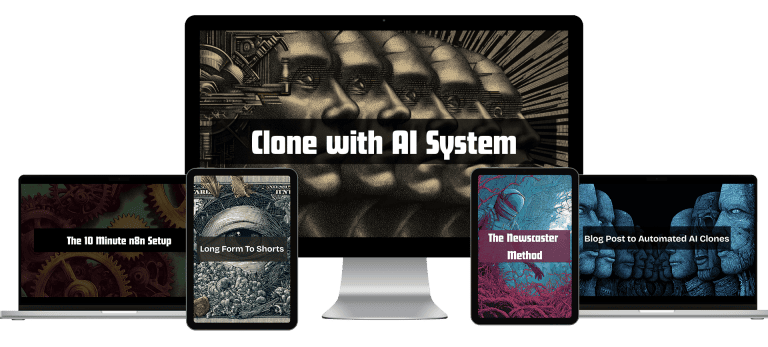
The short version of this Unleashed The Clones index review: it is a small, practical training for building an AI avatar clone and then automating the video process around it. You set up a cloned voice and video, pick an avatar look and make a first video by hand. Then three short videos install n8n, a basic workflow lesson shows how the pieces connect, and two workflow modules finish the job.
The promise is modest and clear: publish videos for your own brand or for clients without shooting, scripting and editing every time. That is also the limit. Twelve videos and a handful of documents cannot cover every platform, and the instructor is open about testing, tweaking and fixing things on screen. If you like watching a real setup with its small problems included, the tone is useful and honest.
| Quick facts | |
|---|---|
| Format | Twelve recorded videos plus six DOCX documents |
| Main topics | Avatar clone setup, manual video building, n8n automations, workflow templates |
| Level | Beginner to intermediate, no camera or scripts needed |
| Delivery | Fast delivery after checkout, one-time purchase, no subscription |
| Full index | See the full Unleashed The Clones video index for every lesson title |
| Coupon | A coupon is available on the coupons page |
What Is Inside Unleashed The Clones: Content Overview
Rather than copying the lesson list, this Unleashed The Clones index review groups the videos by the stage of the pipeline they build. The exact list stays on the course page, and every quote below is word for word from the transcripts.
Start with the goal and the toolset
The welcome video explains what the training is for: creating a realistic clone with the sound dialled in, then automating the process. It is candid about realism too, noting that a few details are visible only if you look very closely and most viewers will not. The lesson ends by moving straight into setup, so you know from the first minutes which tools you need and why. It works as a short briefing that keeps expectations realistic before any accounts are created or any money is spent on tools. The lesson is short and sets the tone for the rest.
“So the first thing that we’re going to do is start with setting up everything, all the AI tools that we’re going to be using.”
— from the video “Welcome”
Clone your voice and your look
Module one handles the two ingredients of an AI twin. The audio lesson covers cloning your own voice, and the instructor explains why he chose the tool he did after testing several. The video lesson shows the avatar setup and admits that early looks were redone because they did not look right. That kind of candour is helpful, because you learn what to reject as well as what to keep, and you finish with a voice and an avatar ready to use in the next module without further tinkering.
“I’ve tested a number of these and this is by far the simplest one to work with and also has the highest quality.”
— from the video “Setting up the audio”
Build a first video by hand
Before automating anything, module two makes you do the job manually. You choose the avatar look, including how to copy an avatar ID when you have several avatars in the system, and then create a video from a trending topic. The creation lesson also shows what happens when a source article is gone and how to redirect the request to another one. Doing it once by hand makes the later automation far easier to understand and to debug when something goes wrong. Expect plenty of clicking and naming, with nothing hidden.
“The way that you do that, you just hover over these, you hover over this little three buttons right there and you click copy avatar ID.”
— from the video “Selecting the Avatar look”
Install n8n without the headaches
Module three is the technical core. An overview introduces n8n as the tool that takes automation further, then three short videos labelled as a ten-minutes-or-less setup walk through the install, subdomain and final configuration. They are not polished: the instructor checks settings, asks an AI assistant for help with a screenshot and waits for the domain to sync. For non-technical viewers that honesty is reassuring, since it shows how to troubleshoot instead of pretending nothing breaks, and it keeps the technical step from feeling intimidating.
“Now, if you are not familiar with N8N, this is one of our favorite tools because this really takes automations to the next level.”
— from the video “Automations Overview”
Learn the basic workflows
A dedicated basic-workflows lesson opens one of the instructor’s own n8n installations and explains the fundamentals. You see how folders keep projects separate, how nodes connect and how a workflow is structured before it gets complicated. This is the bridge between the install videos and the finished templates, and it is worth watching slowly. Anyone who has never opened an automation canvas will understand what the later workflows are doing and how to adapt them to your own projects. Watch it with your own n8n window open and follow along.
“For starters, this is the advantage of having the folder, so you can sort of separate these by projects.”
— from the video “n8n Basic Workflows”
Turn blogs and news into finished videos
The last two modules hand you working pipelines. One takes a blog post and turns it into a video, and the other, the Newscaster Method, looks for trending stories in your niche and produces news-style clips. Each comes with a bonus workflow. The lessons also discuss controlling the audio and paying only for what you use through an API service. By the end you have a starting template to copy and adapt to your own brand or client work without starting from a blank canvas. Expect to adjust prompts and settings rather than press a single button.
“But instead of pulling from a blog post, we are actually looking for trending stories in our space.”
— from the video “The Workflow”
The arc of this Unleashed The Clones index review is simple: set up the clone, make one video manually, install the automation tool, then reuse templates for blogs and news. Each step depends on the one before. For precise lesson names, open the full Unleashed The Clones video index.
Who Should Buy Unleashed The Clones?
According to this Unleashed The Clones index review, the training is for marketers, course creators, freelancers and small agencies who want consistent video output without appearing on camera every time. If you are comfortable following a screen-share, pasting settings and testing tools, the pipeline is reachable even without coding. It also helps anyone who already publishes blog posts or news commentary, since two of the workflows turn that kind of content directly into video.
Skip it if
you want a broad marketing curriculum, guaranteed polish or a plan that needs no extra accounts. You will need access to avatar, voice and automation tools, realism depends on the settings you choose, and the course is small, so it teaches one focused system. The limit matters more than any promise in our Unleashed The Clones index review.
Unleashed The Clones vs Other Ways to Learn
How does this set of twelve lessons compare with assembling the same pipeline from free material? The table keeps to what the course shows.
| What matters | Free videos & blog posts | Unleashed The Clones |
|---|---|---|
| Starting point | Choosing between dozens of avatar tools yourself | A guided setup for one voice and video route, with reasons |
| First result | Weeks of trial and error | A manually built first video before any automation |
| Automation install | Scattered hosting guides that assume experience | Three short n8n setup videos, including troubleshooting |
| Ready workflows | Templates of unknown quality | Blog-to-video and Newscaster workflows, each with a bonus |
| Supporting files | Notes you write yourself | Six DOCX documents that accompany the lessons |
In this Unleashed The Clones index review, the practical advantage is sequence. Free tutorials explain individual tools, but the full path from clone to manual video to automated workflow is harder to find in one place. The full Unleashed The Clones video index shows that order.
Unleashed The Clones Pros and Cons
- Clear path from clone setup to automation
- Honest on-screen troubleshooting
- Two reusable workflows with bonus versions
- No camera, scripts or editing needed
- Requires accounts on avatar, voice and n8n tools
- Realism depends on your tools and settings
- Small course, a focused system not a broad curriculum
Related Courses to Compare
After this Unleashed The Clones index review, if you want more from the same teacher, look at Derek Pierce – SEO Time Machine with AI, Derek Pierce – SOAR and Derek Pierce – Super Affiliate Strategies Class. Other automation-minded courses include ROB LENNON N8n course, Kyle Herbel – CortexTools (AI Infrastructure with n8n) and Creator Army – Fat Fellas AI Masterclass, and you can browse the full AI courses cheap list.
How to Get Unleashed The Clones With Fast Delivery
Unleashed The Clones Index Review FAQ
What does Unleashed The Clones include?
Twelve videos across a welcome, five modules covering avatar clone setup, manual video building, n8n automations, blog post to video and the Newscaster Method, plus six DOCX files. The full Unleashed The Clones video index lists each title.
Do I need to be on camera?
No. The point is to build a clone so you do not have to shoot, script or edit each video yourself, though you still supply the source content.
Is there a coupon mentioned in this Unleashed The Clones index review?
Yes, a coupon exists. Open the coupons page and use it at checkout.
How is the course delivered?
Fast delivery after checkout as a one-time purchase with no subscription. The how to pay on site guide explains crypto payment.
Final Verdict
Our Unleashed The Clones index review ends with a clear view: it is a compact, hands-on course that shows one complete path from AI clone to automated video. Its strength is a real, working pipeline, its limit is scope and the need for several tool accounts.
If that fits your plan, get it on Courses On Budget, use the coupon from the coupons page and watch the course updates page for new additions.
3 Derek Pierce programs in one place — instant download, forever license, no subscription.
Browse all Derek Pierce courses →