

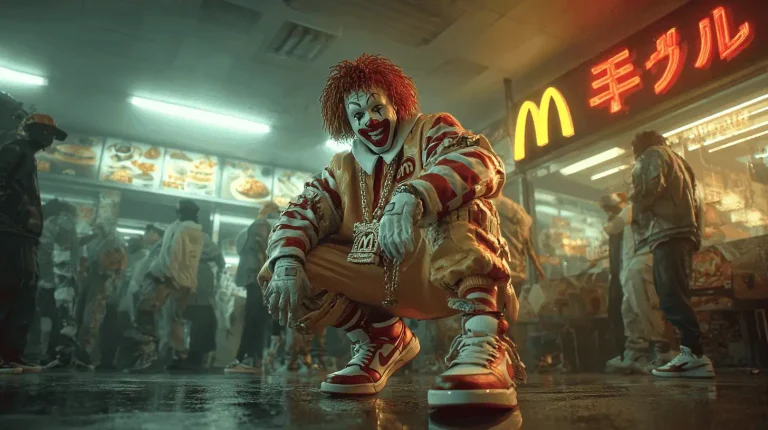
Jason R. Miller (Arcana Academy) – How to Generate a Viral Music Video — Index Review: The Short Version
The short version of this Viral Music Video index review: the course follows one project from start to finish, a rap-battle style video built with AI tools. The instructor, a visual effects artist with about fifteen years in film, walks through the song, the images, the video clips, lip-sync and finishing.
It is a compact workflow class, not a full curriculum. The first project reportedly took three days, and a second video made with the refined process took about a day and a half. The course page says the tools reflect August 2025, so some interfaces will look different today, but the ordering of steps stays useful.
| Quick facts | |
|---|---|
| Format | Six recorded videos with screen recordings of the tools, plus PDF guides |
| Main topics | Song generation, image prompts, JSON video prompts, lip-sync, cleanup and upscaling |
| Level | Intermediate, comfortable with AI image and video tools |
| Structure | Introduction, generation, lip-sync, post-production and outro |
| Delivery | Fast delivery after checkout, one-time purchase, no subscription |
| Full index | See the full Viral Music Video video index for every lesson title |
What Is Inside Viral Music Video: Content Overview
With only six videos, this Viral Music Video index review follows the production pipeline in order. The lesson list stays on the course page, and every quote below is copied word for word from the transcripts.
Understand the idea and why image-to-video wins
The introduction sets the scene with the instructor’s background in traditional visual effects and the argument that AI tools can replace months of specialised learning for effects like dust or collapsing buildings. You also see the viral clip that changed his approach and the inspiration for the music video: a rap battle between fast-food brands. It is part motivation and part context, so expect a story rather than clicks. Its practical value is seeing the finished result first, which makes the later steps easier to follow.
“And now you can prompt those exact things, and AI will create a dust particle system.”
— from the video “1 Introduction”
Generate the song and the images
In lesson two you create the audio first. The instructor uses ChatGPT to write and refine lyrics, then pastes them into Suno with a custom style prompt, and warns against naming real artists because Suno rejects them. Then comes Midjourney, where a photorealistic template describes a camera, lenses and teal-and-orange lighting, and a style reference keeps later images consistent. The preference for image-to-video over text-to-video is explained clearly. Failures are shown too, such as a clown mascot that kept defaulting to the wrong look, and you see how many attempts it took to get a usable image.
“I would never mention a real artist, never mention sounds like, because Suno has very strict rules where you cannot mention any artists that exists.”
— from the video “2 Image & Video Generation”
Write structured prompts with a custom GPT
The third lesson is the longest and starts production in VEO 3 using a custom GPT that outputs only JSON. The instructor walks through what a JSON prompt holds: scene, visual style, camera movement, subject action, background, lighting, audio, colours and dialogue. Two house rules stand out: always regenerate the whole JSON after each change, and never turn subtitles on. You upload a reference image, describe the shot and time the lyrics to the eight-second clip length, which is the key to the lip-sync process that follows.
“So I made it very clean and told ChatGPT, always create a new JSON prompt every time there’s a change, and that’s what it does.”
— from the video “3 Lipsync & Prompt Techniques”
Lip-sync, speed changes and continuing a shot
The same lesson shows the lip-sync method in action. Generated mouths are only partly in sync, so the instructor cuts away when they drift and speeds clips up or down to make the words fit. To continue a scene, you grab the last frame, use it as the first frame of the next shot and write the next dialogue prompt. A second music video is shown as a comparison, with notes on what worked and what went wrong. The message is honest: results are roughly right, and editing covers the rest.
“Part two is taking the last frame, or one of the last frames, and making that the first frame of your next shot, if you wanted to continue.”
— from the video “3 Lipsync & Prompt Techniques”
Clean up footage and upscale for delivery
Lesson four covers post-production. The instructor explains that AI video needs the same steps as any production: edit, retouch, sweeten audio, colour and export. He paints unwanted logos and text out of source images in Photoshop, and shows a masking trick in After Effects using a coloured box so an editing model can remove text or wires. He also prefers VEO 3 Fast for speed and upscales clips to 4K in Topaz before bringing them back to 1080p. Some of this needs paid software and editing skill.
“The other little hack that I like to do is not really a hack, but I use V-O-3 fast.”
— from the video “4 Post-Production & Upscale”
Finish with the creative mindset
The outro is short, about 270 words, and is more encouragement than technique. The instructor argues that AI is a creative multiplier, that you do not need decades of experience to start and that faster learning of these tools makes you more adaptable. He points to a link for one-on-one or group sessions, which is outside the course files. It is a fitting close, but the real value of the course sits in the middle lessons, so treat this video as a short recap and a prompt to start your own first project.
“So I hope you enjoy this little class and I hope you can take this workflow and incorporate it into your own.”
— from the video “5 Outro”
That is the complete pipeline in this Viral Music Video index review: concept, song, images, structured prompts, lip-sync, cleanup and export. For the exact lesson titles and numbering, open the full Viral Music Video video index.
Who Should Buy Viral Music Video?
This Viral Music Video index review shows the course suits creators who already understand basic AI image and video tools and want to see a full workflow rather than isolated tricks. If you make short videos, music visuals or branded content and keep getting stuck on inconsistent characters or drifting lip-sync, the lessons show one answer. It also helps editors who want to understand how a visual effects professional approaches AI footage.
Skip it if
you are a complete beginner, you want a long curriculum or you do not want to pay for AI tools. The course has six videos, the models shown reflect August 2025, following along requires paid access to several services, and some steps assume Photoshop or After Effects skills. You will also need your own rights to any music, brands or likenesses you use.
Viral Music Video vs Other Ways to Learn
AI video projects fail in the details. How does the course in this Viral Music Video index review compare with learning those details yourself? The table sticks to what the lessons show.
| What matters | Free videos & blog posts | Viral Music Video |
|---|---|---|
| Project scope | Isolated prompt experiments | One complete rap video from song to export |
| Song creation | Random royalty-free tracks | Lyrics with ChatGPT and a Suno style prompt without artist names |
| Prompt format | Loose text prompts | A custom GPT that writes structured JSON for VEO 3 |
| Mouth movement | Hoping lips line up | Eight-second lyric timing, cutaways and speed adjustments |
| Final polish | Publishing raw clips | Logo removal, masking, audio, colour and 4K-to-1080p upscaling |
Free tutorials can explain any single tool. The advantage in this Viral Music Video index review is that the steps hang together as one repeatable pipeline, which the full Viral Music Video video index shows.
Viral Music Video Pros and Cons
- One complete, repeatable workflow from idea to export
- Structured JSON prompt method for VEO 3
- Honest look at failures and lip-sync limits
- Practical post-production and upscaling tips
- Only 6 videos, so a focused workflow not a curriculum
- Models shown reflect August 2025 technology
- Needs paid AI tool access to follow along
Related Courses to Compare
After this Viral Music Video index review, for more AI video learning, compare this course with Samson – AI Filmmaker Academy, Rourke Heath – Universal AI Cinematic Automation or Lambros Lazopoulos – AI Content Creation Viral Video Masterclass. You can also look at Creator Army – Fat Fellas AI Masterclass, Andreis Ohneisser – The Visual System and Marketing Mafia – The AI UGC System, or browse the full AI courses cheap list.
How to Get Viral Music Video With Fast Delivery
Viral Music Video Index Review FAQ
Which tools does the Viral Music Video index review cover?
The lessons use ChatGPT, Suno for the song, Midjourney for images, a custom GPT with VEO 3 for video, Photoshop and After Effects for cleanup and Topaz for upscaling. See the full Viral Music Video video index for titles.
Is Viral Music Video good for beginners?
It is a practical walkthrough, but you should already be comfortable with basic AI image and video tools, because the lessons move quickly and assume some editing knowledge.
Is there a coupon for Viral Music Video?
Yes, a coupon exists. Open the coupons page to find it and use it at checkout.
How is the course delivered?
Fast delivery after checkout, as a one-time purchase with no subscription. See how to pay on site for help with crypto payment.
Final Verdict
Our Viral Music Video index review comes down to this: a short, focused and professional-minded workflow that shows how to go from a song to a polished AI music video. Its strength is sequence and honesty, its limit is size and dated tools.
If it matches your goals, get it on Courses On Budget, use the coupon from the coupons page, and check the course updates page. The Viral Music Video course page shows the full lesson list.
