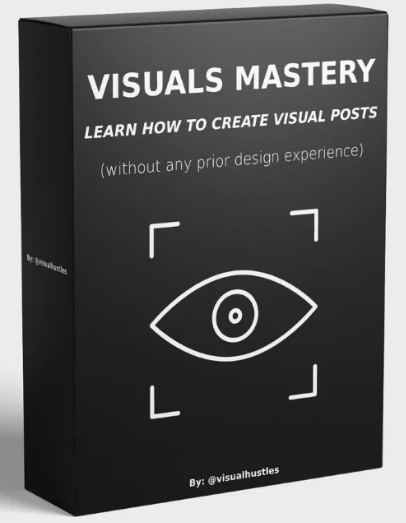
Visuals Mastery Review: The Verdict in 30 Seconds
Short answer: yes, it is worth it if you want to make idea-driven Canva graphics and grow an Instagram page with them. Visuals Mastery is not a general graphic design course. It is a narrow, practical system for one kind of content — the minimalist “visual post” that explains a single idea with a few shapes, icons and words — and it teaches that system better than most long courses teach anything.
| Best for | Beginners starting a faceless theme page, creators who want carousel-style idea graphics |
| Not for | Designers looking for branding, UI, print or advanced software skills |
| Total runtime | ≈ 2 h 38 min across 38 videos |
| Time per visual (course rule) | 5–15 minutes to build, under 3 seconds for the viewer to read |
| Tools | Free Canva features, Flaticon, Instagram mobile app |
| Strongest part | Module 3 — idea-to-visual builds and the 4-step touch-up checklist |
How We Made This Visuals Mastery Review
Course reviews usually repeat the sales page. This Visuals Mastery review is built from the course content itself. We worked through the full transcripts of all 38 lessons, timed every module, matched each numbered file to the topic it actually covers, and noted every concrete example, rule and formula the instructor uses. Where the course is strong, we say why. Where it overpromises or leaves something out, we say that too.
Who Is Behind Visuals Mastery?
Any honest Visuals Mastery review has to start with the people, because they are the proof. Two people, two roles. Kunal, the founder of Visual Hustles, opens the course: he says he launched the page in April 2023, passed one million followers seven months later, and has spent four years running faceless theme pages that together reach over 3 million followers. He built the course because one question kept landing in his inbox — how are these visual posts made?
The actual teaching is done by Ayush Baliga, a Chicago-based designer who spent six months producing visuals for the Visual Hustles page and grew his own page to nearly 20,000 followers in about a year. He openly introduces himself as a fresh high-school graduate heading to university. That might sound like a weakness; in practice it is the course’s honesty test. He shows his own numbers — one visual at roughly 750,000 likes and 25 million people reached — and every lesson is him building the thing live on screen.
The Watch-Time Map: Where the 2.5 Hours Actually Go
The file names in this course are just numbers, so a plain list tells you nothing. Instead, here is where the time goes and what you can do after each block. Notice the shape — the single most useful finding of this Visuals Mastery review: half of the course sits in one module.
| Block | Videos | Runtime | After this block you can… |
|---|---|---|---|
| Start Here | 1 | ≈ 4 min | Navigate the course in the intended order |
| Module 1 — Why visuals work | 6 | ≈ 25 min | Explain why visual posts beat text and why brands pay for them |
| Module 2 — Acquiring ideas | 5 | ≈ 19 min | Collect post ideas daily from four sources |
| Module 3 — Creating the visuals | 18 | ≈ 77 min | Use Canva confidently, build beginner to advanced visuals, turn any idea into a design, polish it |
| Module 4 — Theme page | 5 | ≈ 21 min | Launch a branded page with logo, style, bio, captions and a posting schedule |
| Module 5 — Conclusion | 3 + PDF | ≈ 12 min | Work from the one-page Summary Sheet instead of rewatching |
A realistic 3-session plan
- Session 1 (≈ 50 min): Start Here, Modules 1 and 2. Finish by writing ten ideas in your notes app using the four sources.
- Session 2 (≈ 80 min): Module 3. Build one visual for each idea type as you watch.
- Session 3 (≈ 35 min): Modules 4 and 5. Create the logo, write the bio, schedule your first week of posts.
Want to see all 38 lessons by name before buying? The product page lists the full lesson-by-lesson index, module by module.
Visual Hustles Course Covered in This Review
Beginner
Visual Hustles — Visuals Mastery: Learn How To Create Visual Posts
A complete beginner system for idea-driven Instagram graphics: where ideas come from, how to build them in Canva, how to polish them, and how to grow a theme page around them. 38 short video lessons plus the Visuals Mastery Summary Sheet PDF.
- Module 1 — Understanding Why Visuals Work So Well On Social Media
- Module 2 — How To Acquire & Collect Ideas For Your Visuals
- Module 3 — Learning How To Create The Visual Designs With Your Ideas
- Module 4 — Building Your Visuals Theme Page
- Module 5 — Conclusion + Visuals Mastery Summary Sheet (PDF)
5 Lessons That Make Visuals Mastery Worth It
1. Ideas come from your day, not from inspiration
The course’s best idea is that you never wait for creativity. You watch your own emotions (working on a Friday night while friends party), spot metaphors (a banana peel tossed in the trash becomes “dispose of negativity”), collect lessons (a talk from your boss about lateness) and borrow personal stories (a teammate’s line that the toughest climbs have the best views). Ayush calls the last one his favorite source, because it happens constantly.
2. Every idea type has a build recipe
Most Canva courses teach tools. This one teaches translation. An emotion visual follows situation → emotion → bridge to a lesson. A metaphor visual needs a crystal-clear metaphor, labels on each element and one overarching message. A lesson visual expands the consequence of following or ignoring the advice: late for work becomes late for family, then late for yourself.
3. Contrast is not optional
In the contrast lesson, Ayush puts it bluntly: “No contrast, no visual growth, no Instagram page, no nothing.” The demo fixes yellow text on a white background and gray icons that vanish, turning the X marks red so the eye reads them as “wrong” instantly. It is one of the most useful five minutes in the course.
4. Don’t copy the black-and-white look
The course argues that dozens of smaller pages copy the big pages’ black background and white elements and stay invisible because nobody can tell them apart. Ayush built his own page on a notebook-paper background nobody else used. The takeaway: your background and font pairing is your brand.
5. The rule of five to three
From the Summary Sheet: spend around 5–15 minutes making a visual, and design it so the audience gets it in under three seconds. If you are spending much longer, the visual is usually carrying too much — the “cleanse” step exists to cut it back.
Try It Now: Your First Visual in 15 Minutes
Here is the beginner visual from Module 3, condensed so you can test the method today — the best way to finish a Visuals Mastery review is to try the method yourself. It needs only text and one or two elements.
- Open Canva → Create a design → Instagram Post. Pick one background color.
- Type the limiting belief in the center: “I failed”. Choose a handwriting-style font and give it an effect.
- Add a slash element across it in red, then flip a copy to make an X.
- Add an arrow (search “arrow” in Elements, or grab a free one from Flaticon).
- Type the reframe after the arrow: “I learned”, in a contrasting color such as green.
- Run the four touch-up checks: Design (aligned, nothing off the page), Coherence (same line weights and element style), Contrast (readable at a glance), Cleanse (delete every word you don’t need).
That is the whole loop at its simplest. The intermediate and advanced builds in the course add metaphors, silhouettes, brackets and color grids — and the four idea-to-visual videos show how to go from a moment in your day to a finished post.
Visuals Mastery Review Reality Check: What It Doesn’t Do
- Treat the statistics as motivation, not science. Module 1 quotes a visual-processing figure as 72 times faster in one lesson and 62 times in another. The point — visuals land faster than text — stands; the exact numbers are not the reason to buy.
- It is Instagram-only. Other platforms, video content and paid ads are not covered.
- The bonus swipe files are not part of the files. The unlock video shows a Hustle 30 calendar, a creator swipe file and 500 post ideas, but the delivered package contains the video and the Summary Sheet PDF, not those bonus files.
- Some demos are rough on purpose. Lessons are capped at five minutes, so a few example visuals are built quickly rather than polished.
Which Visual Content Course Is Right for You?
- You want to post daily idea graphics and grow a page: Visual Hustles — Visuals Mastery.
- You are comparing visual-system programs: read our The Visual System index review and the AI Visual Mastery index review.
- You want AI help with Instagram content: see the ChatGPT for Instagram index review.
- You want more visual-thinking courses: Jack Butcher — How To Visualize Value and Janis Ozolins — Explain Ideas Visually.
- You want everything in one place: browse the design courses list or the Design category.
- Taught live by the designer behind the Visual Hustles posts
- Daily idea system solves the “what do I post” problem
- Clear build recipe for each idea type
- Short lessons, finishable in three sessions
- Works with free Canva features plus Flaticon
- Ready formulas for bio and captions
- Narrow scope: one content style, one platform
- Statistics in Module 1 are inconsistent
- Bonus swipe files not included in the files
- No monetization or ads deep-dive
Visuals Mastery Review FAQ
How long does Visuals Mastery take to finish?
About 2 hours 38 minutes of video across 38 lessons — comfortably three sessions.
Is Visuals Mastery good for complete beginners?
Yes. It starts from creating a blank Instagram post in Canva and builds up step by step from a two-element visual.
Do I need Canva Pro?
No. The course shows how to use free Canva features and get free icons and silhouettes from Flaticon.
How do I get the course?
Digital files. Crypto payment only. Fast delivery is handled manually after payment confirmation. Download links remain available for 7 days; save your files locally.
Our Visuals Mastery review comes down to this: the course does one thing and does it well — it turns “I want to post visuals” into a daily routine of finding an idea, building it in Canva and polishing it in minutes. The idea system and the build recipes are the real product; the theme page module gets you live. Go in knowing it is Instagram-focused and that the bonus swipe files are not part of the package, and it is one of the fastest ways to start creating visual posts with confidence.
Get it now through Courses On Budget, check the current coupon, and follow new course drops on our updates page.
Browse the category: Design Courses Cheap · Design Category
More reviews: Design Posts
External resource: flaticon.com
Recommended course stack: