
What Is AI Film Mastery?
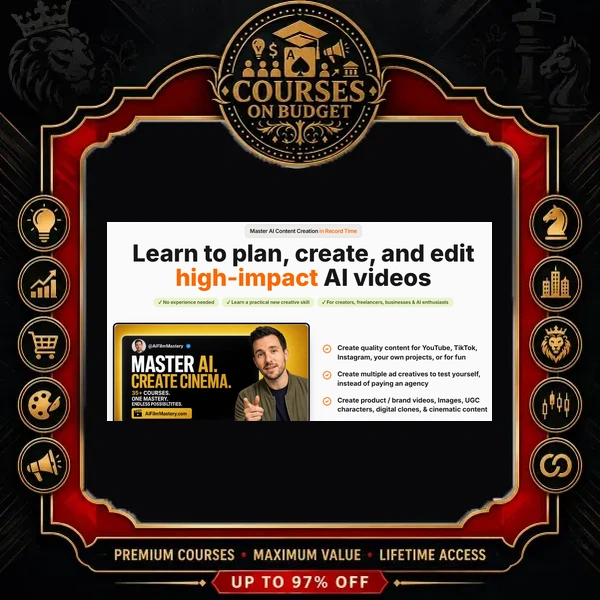
AI Film Mastery is a hands-on program for creators, marketers and agency owners who want studio-looking video without a studio. The course trailer sets the promise plainly: turn an idea into “a Hollywood-grade movie scene, ad, or scroll-stopping social media content” by learning how to guide the AI tools correctly. Instead of vague inspiration, the package is organised into tool-specific tracks, camera and lighting references, master prompts and a large prompt vault with finished example clips.
The real problem most people hit with AI video is not access to the tools; it is inconsistency. Characters change faces between shots, ads look cheap, and prompts produce random results. AI Film Mastery attacks that problem from three sides: a shared camera vocabulary (angles, shot sizes, movements, lighting), repeatable prompt structures (including a 6-Factor Prompt Formula and JSON prompting with Gemini), and character-locking workflows such as reference sheets and the Elements feature in Seedance 2.0.
The result is a practical toolkit you can use for your own brand or sell as a service. If you are comparing options, browse our full list of AI courses or the AI & ChatGPT course category.
AI Film Mastery Verified Package Facts
| Detail | What the verified package shows |
|---|---|
| Format | Video lessons and demo clips, written guide pages (.mhtml), DOCX reference sheets and example images |
| Video files | 105 MP4 videos (plus 1 .ts scene clip) |
| Transcribed audio | 65 clips with speech, 18m 04s in total — most videos are short finished outputs; step-by-step instructions live in the written guides |
| Files / folders | 237 files in 67 folders |
| Package size | 4.81 GB |
| Supporting materials | 67 guide pages, 6 DOCX files (6-Factor Prompt Formula, Lighting Types Reference, Quick Reference Table & Prompting Cheat Sheets), 57 images, 1 voice-clone audio sample |
| Tools covered | Kling 3.0, Veo 3.1, Seedance 2.0 in Higgsfield, Nano Banana / Nano Banana Pro, GPT Image 2, Gemini, ElevenLabs, CapCut |
| Skill level | Beginner-friendly intro track through to advanced ads, VFX and short films |
| Delivery | Digital download, fast manual delivery after crypto payment confirmation |
What You Will Learn Inside AI Film Mastery
The trailer describes the program as “25 plus courses”. In the verified index those courses sit in clear tracks, so you can jump straight to the tool or result you need.
1. Kling 3.0 & Veo 3.1 Foundations (7 Modules)
This is the entry point of AI Film Mastery. You start with “Intro to Creating AI Videos — Become an Expert in Hours, Not Days”, where a finished trailer is broken into individual shots: a close-up, a red-button scene, a frontier town and a dragon sequence. From there the track moves into AI VFX and dynamic transitions (a Nano Banana foundation image animated into a Kling 3.0 VFX morph), character design and identity consistency, AI self-cloning with a headshot and voice sample, Kling motion control and character morphing, “AI Mega Characters”, and voice consistency for AI films.
2. Seedance 2.0 Production Inside Higgsfield (10 Modules)
The largest track in AI Film Mastery. It opens with the production architecture: where to find Seedance 2.0 in the Higgsfield video menu, how to upload images or video as references, how the Elements feature locks a character, and why first and last frames must be described in the prompt. The following masterclasses cover re-creating viral videos, professional advertising images and videos, product images and videos, reference sheets for characters and props, advanced character consistency, 15-second short-ad formulas, the time-stop visual effect, storyboard-to-commercial production and high-converting UGC content.
3. Camera Language, Lighting & Visual Styles
Good AI video starts with directing vocabulary. The camera cheatsheet comes with labelled example images so you can see each term before you prompt it:
- 9 camera angles: Dutch, eye level, ground level, high, low, over-the-shoulder, POV, selfie and worm’s-eye.
- 10 shot sizes: extreme wide, wide, full, cowboy, medium long, medium, medium close-up, close-up, extreme close-up and macro.
- Camera movements and image & video visual styles lessons.
- Camera Library page plus the Lighting Types Reference, the 6-Factor Prompt Formula and the Quick Reference Table & Prompting Cheat Sheet.
4. Prompt Engineering & Master Prompts
Two cheatsheets teach the fundamentals: a complete guide to creating image prompts and “JSON Prompt Engineering — Structured AI Video & Image Prompts with Gemini”. Four master prompts then scale the work: a Cinematic Master Prompt for trailers and short films, a campaign master prompt for going from single clips to complete ad campaigns, a Narrator Master Prompt for professional voice-over, and a Viral Reels Master Prompt for TikTok and Instagram content that feels real.
5. Advanced Level: Short Films, Agency Ads & Viral UGC
The AI Film Mastery advanced block shows complete projects. “Hollywood Quality Short Films” includes a narrated trailer built from multiple AI scenes. “How to Create Agency-Grade AI Ads You Can Sell to Clients” walks through a finished eyewear ad ending on the line “Perspective refined”. “How to Create Viral UGC Videos That Stop the Scroll” breaks down a comedic character skit designed for comments and shares.
6. AI Tool Cheatsheets
Five quick-reference lessons, each with a video and a written page: CapCut editing, Kling 3.0, Nano Banana Pro, Veo 3.1 and ElevenLabs Voice tips and tricks. These are the pages you will keep open while you work.
7. Bonus Prompt Vault
This is the Prompt Packs part of AI Film Mastery. The vault holds 10 image prompt pages and 21 video prompt entries, and every video entry is paired with the finished clip it produced — from a Viking berserker and a cowboy duel to a jazz club walk, a giant on the Champs-Élysées, a boxing match, streetball kids and viral UGC examples. You see the result first, then reuse the prompt.
“Gone are the days of needing a million-dollar studio to make your wildest creative visions come to life.”
— from the lesson “AI Film Mastery” (course trailer)
“When creating content that can go viral, it’s all about the attention mechanism.”
— from the lesson “Masterclass: Re-Creating Viral Videos with AI”
“Before writing a single word of your prompt, look directly inside the prompt text box and locate the element button.”
— from the lesson “Seedance 2.0 Advanced Character Consistency”
Real Workflow Example From the Course
Here is the product-showcase workflow demonstrated in “Product Images & Videos in Higgsfield with Seedance 2.0”. It shows how AI Film Mastery chains image and video models into one brand-ready asset:
- Pick the image model. Choose Nano Banana or GPT Image 2 inside Higgsfield.
- Generate the product image. Use a prompt written specifically for product images, with your brand guidelines added.
- Add a model. Feed that generated image back in as a reference to create a fictional model wearing the shirt.
- Move to video. Upload both images to Seedance 2.0.
- Run the product video prompt. The course provides the exact prompt used to turn the two stills into a product showcase video.
The 15-second ad formula follows the same logic. You select Seedance 2.0, lock your character with the Elements function, then generate the ad prompt with a Gemini master prompt where you only change the input data. You adjust the output slightly and generate. One showcased variant uses a frozen-time hook — “When the world moves too fast, you just need to slow it down” — because, as the lesson explains, the effect “really captures attention”.
Who AI Film Mastery Is For
- Content creators who need scroll-stopping reels, UGC-style videos and viral recreations for TikTok and Instagram.
- Agency owners and freelancers who want to offer AI ads, product videos and short commercials to clients.
- E-commerce brands that need product images, try-on videos and 15-second ads on demand.
- Aspiring AI filmmakers who want trailers, short films, VFX morphs and time-stop effects.
- Prompt-focused learners who want proven image and video prompts with the finished results attached.
Not ideal if you want long, lecture-style video explanations: most of the teaching in AI Film Mastery is delivered through written guide pages with short demo clips. Access to Higgsfield, Kling, Veo and the other platforms is not part of the package.

Reviews
There are no reviews yet.