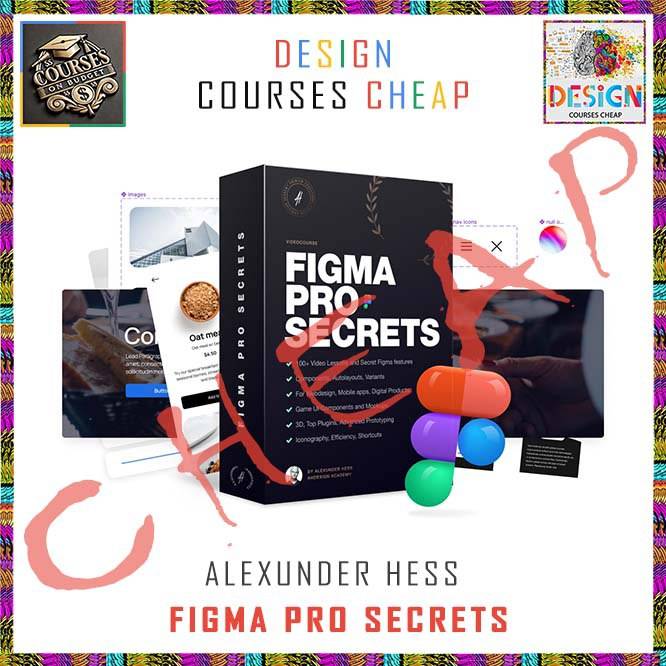
Alexunder Hess – Figma Pro Secrets
Alexunder Hess Figma Pro Secrets is a broad Figma training library with 74 files totaling 10.97 GB. The index begins with essential and advanced Figma fundamentals, then expands into graphic design, content-creator workflows, efficient web design, mobile-app design and isometric design.
The scope is wider than a basic interface tour. The curriculum includes Auto Layout, components, component properties, variants, interactive components and styles, followed by applied projects such as patterns, icons, presentations, social content, web style guides and isometric illustration.
What You’ll Learn
- Build a solid Figma foundation with frames, shapes, grids, fills, text, masks and export.
- Use Auto Layout, components, properties, variants, interactive components and styles.
- Apply Figma to graphic design, content-creator assets and efficient web-design systems.
- Explore mobile-app fundamentals and a dedicated isometric-design masterclass.
Verified Course Structure
| Focus area |
What the verified curriculum includes |
| Core Figma |
Interface, frames, grids, fills, text, pen, masks and export |
| Advanced systems |
Auto Layout, components, properties, variants and styles |
| Applied design |
Patterns, icons, presentations and content-creator assets |
| Specialized workflows |
Web design, mobile apps and isometric design |
Best for: Designers who want one large Figma library covering both tool mastery and multiple applied design workflows.
Full Course Index
The expandable index below follows the supplied course package so visitors can inspect the actual lessons and files before purchasing. Open each section to see its contents.
📂 1. FIGMA PRO SECRETS COURSE
📄 Figma Pro Secrets. Introduction video.mp4 (103.14 MB)
📄 welcome.webp (177.04 KB)
📂 2. ESSENTIAL FIGMA FUNDAMENTALS
📄 M1-1 Introduction to Figma.mp4 (20.89 MB)
📄 M1-10 Fill with Images and Videos.mp4 (143.02 MB)
📄 M1-11 Figma plugins Add and run.mp4 (141.69 MB)
📄 M1-12 Stroke parameters.mp4 (262.97 MB)
📄 M1-13 Effects parameters Where how and why.mp4 (229.82 MB)
📄 M1-14 Export File type scale and inclusion.mp4 (126.35 MB)
📄 M1-15 Constraints Become more efficient.mp4 (154.51 MB)
📄 M1-16 Text toolText Advanced Settings.mp4 (168.36 MB)
📄 M1-16_2 Text toolText Advanced Settings.mp4 (265.22 MB)
📄 M1-17 Boolean groups and how to use them.mp4 (187.34 MB)
📄 M1-18 Pen tool. From timeline to a logo.mp4 (182.37 MB)
📄 M1-19 Masks. The window to the view.mp4 (142.21 MB)
📄 M1-2 Figma Interface.mp4 (167.50 MB)
📄 M1-3 Shape tools.mp4 (178.74 MB)
📄 M1-4 Frames and Groups.mp4 (157.97 MB)
📄 M1-5 Frame sizes for Websites Apps Print.mp4 (108.93 MB)
📄 M1-6 Nudge amount for Mobile apps.mp4 (86.22 MB)
📄 M1-7 How to create Grids in Figma.mp4 (156.75 MB)
📄 M1-8 Shape parameterssome secrets.mp4 (153.52 MB)
📄 M1-9 Fill parameter colours and gradients.mp4 (216.63 MB)
📂 3. ADVANCED FIGMA FUNDAMENTALS
📄 M1-20 Autolayout The most powerful tool.mp4 (253.01 MB)
📄 M1-21 Components The 2nd most powerful Figma tool.mp4 (197.74 MB)
📄 M1-22 Component Properties 10x your efficiency.mp4 (153.97 MB)
📄 M1-23 Variants One component multiple options.mp4 (139.00 MB)
📄 M1-24 Interactive Components Microinteractions.mp4 (181.18 MB)
📄 M1-25 Alignment and DistributionHidden trick.mp4 (163.34 MB)
📄 M1-26 Styles The base of a Design System.mp4 (213.97 MB)
📂 4. GRAPHIC DESIGN WITH FIGMA
📄 27_Intro to Graphic Design with Figma.mp4 (85.15 MB)
📄 28_Magazine cover with Figma.mp4 (117.45 MB)
📄 29_Dot Pattern.mp4 (82.58 MB)
📄 30_Dot Pattern 2.mp4 (59.35 MB)
📄 31_Triangle Pattern.mp4 (103.97 MB)
📄 32_Text or Logo Pattern.mp4 (120.47 MB)
📄 33_Luxury Brand Pattern.mp4 (126.69 MB)
📄 34_How to create Complex Pattern Special technique.mp4 (135.85 MB)
📄 35_How to create ANY icon.mp4 (148.61 MB)
📄 36_How to create Google-style illustrations.mp4 (275.11 MB)
📄 37_How to create Presentations Part 1.mp4 (539.20 MB)
📄 38_Seamless AppStore Screenshot Lane.mp4 (151.29 MB)
📄 39_How to create Gradient Backgrounds and Adjustment Layers.mp4 (71.83 MB)
📄 40_How to create Line Backgrounds.mp4 (80.87 MB)
📄 41_How to create Golden Text.mp4 (69.52 MB)
📄 42_How to create Circular Text.mp4 (79.73 MB)
📄 43_How to create Logo with Figma.mp4 (192.33 MB)
📄 44_Mask Text EffectHow to use it.mp4 (115.29 MB)
📄 45_Embossed and Debossed Text Effect.mp4 (206.64 MB)
📂 5. FIGMA SECRETS FOR CONTENT CREATORS
📄 46_Figma for Content Creators Introduction.mp4 (69.08 MB)
📄 47_Seamless Instagram Carousel.mp4 (116.22 MB)
📄 48_Text Gradient.mp4 (97.15 MB)
📄 49_Text Animation.mp4 (166.15 MB)
📂 6. EFFICIENT WEB DESIGN WITH FIGMA
📄 50_Efficient Web Design w Figma Introduction.mp4 (23.68 MB)
📄 51_Website Anatomy.mp4 (113.18 MB)
📄 52_Webpage Anatomy.mp4 (140.17 MB)
📄 53_Webdesign Strategic Thinking and Efficient Mindset.mp4 (391.69 MB)
📄 54_How to create a Perfect Typography Styleguide for any website.mp4 (454.48 MB)
📄 55_How to create a Perfect Color Styleguide for any website.mp4 (416.61 MB)
📄 56_How to create Effects Styles for Webdesign.mp4 (531.38 MB)
📂 7. MOBILE APPS FIGMA PRO SECRETS
📄 57_Introduction to Mobile Apps with Figma.mp4 (26.01 MB)
📄 58_Mobile Apps Fundamentals Android iOS Crossplatform.mp4 (180.38 MB)
📂 8. ISOMETRIC DESIGN MASTERCLASS
📄 59_Introduction to the Isometric Design masterclass.mp4 (61.90 MB)
📄 60_Where to use Isometric Designsillustrations.mp4 (113.07 MB)
📄 61_The history of Isometric drawings.mp4 (69.41 MB)
📄 62_The fundamentals of Isometric DesignMath behind it.mp4 (79.96 MB)
📄 63_Isometric Design – Old Methods.mp4 (79.12 MB)
📄 64_How to create simple Isometric illustrationsicons.mp4 (144.69 MB)
📄 65_How to create complex Isometric illustrations.mp4 (104.76 MB)
📄 66_How to create complex Isometric illustrations.mp4 (101.25 MB)
📄 67_How to create Isometric Typography.mp4 (78.65 MB)
📄 68_How to create 3D Glass Isometric shape Manual method.mp4 (94.28 MB)
📄 69_How to create 3D Glass Isometric shape Using plugin.mp4 (86.31 MB)
📄 70_How to create 3D Deep Shadow Manual method.mp4 (27.86 MB)
📄 71_How to create 3D Deep Shadow Using plugin.mp4 (49.84 MB)
Course Samples
The existing product page already includes the following sample links, so they are preserved in this rebuilt description:
Related Courses on Courses On Budget
Useful External Resources
For additional platform or subject documentation, these authoritative resources complement the course material:
Final Course Verdict
Alexunder Hess – Figma Pro Secrets is best evaluated by its actual curriculum: Designers who want one large Figma library covering both tool mastery and multiple applied design workflows. The complete file map above shows exactly what is included in this package.
Purchase through Courses On Budget and use the active discounts page to check the offers currently available.






Reviews
There are no reviews yet.