


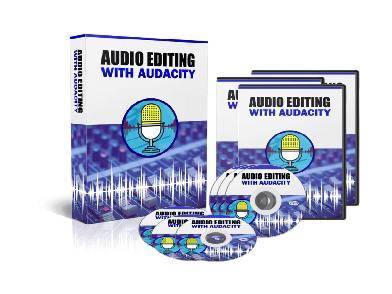
What is Audio Editing With Audacity + OTO for Cheap?
About the course:
Audacity is a powerful, free tool for audio editing, but its interface can feel like a labyrinth to the uninitiated. Audio Editing with Audacity + OTO aims to be your guide, but before you hit “record” on this program (and any potential upsells), let’s make sure it hits the right notes:
Mastering Audacity for Your Needs:
- Beyond the Basics: A worthwhile course will go beyond the software’s basic functions. Look for in-depth training on noise reduction, equalization, mastering techniques, and advanced editing features that elevate your audio quality.
- Project-Based Learning: Dry tutorials can be a snooze. The program should incorporate practical, project-based lessons that simulate real-world audio editing scenarios, whether it’s podcasting, music production, or voiceovers.
- Workflow Efficiency: Audacity has a reputation for being powerful but clunky. The program should teach you efficient workflows, keyboard shortcuts, and time-saving techniques to streamline your editing process.
Remember, mastering audio editing, like any skill, requires practice and patience. Evaluate Audio Editing with Audacity + OTO based on its ability to provide you with a clear understanding of the software, practical editing techniques, and ongoing support to unleash your audio creativity.
Audio Editing With Audacity + OTO Index:
📄 Personal License.pdf
📂 Mp3 Audios
📄 1 – Overview.mp3
📄 10 – Labeling Tracks.mp3
📄 11 = Adding Metadata.mp3
📄 12 – Using Track View Features.mp3
📄 13 – Adding Tracks.mp3
📄 14 – Noise Reduction and Normalization.mp3
📄 15 – Doing Simple Edits.mp3
📄 16 – Splitting Tracks.mp3
📄 17 – Adjusting Audio Speed.mp3
📄 18 – Exporting Audio – Part 1.mp3
📄 19 – Exporting Audio – Part 2.mp3
📄 2 – Download and Install.mp3
📄 20 – Conclusion – Line In Audio.mp3
📄 3 – Audacity Toolbar – Part One.mp3
📄 4 – Audacity Toolbar – Part Two.mp3
📄 5 – Hardware Needed.mp3
📄 6 – Importing Content.mp3
📄 7 – Audio From Mp4.mp3
📄 8 – Using Projects and Project Files.mp3
📄 9 – Creating A Simple Recording.mp3
📂 Mp4 Videos
📄 1 – Overview.mp4
📄 10 – Labeling Tracks.mp4
📄 11 = Adding Metadata.mp4
📄 12 – Using Track View Features.mp4
📄 13 – Adding Tracks.mp4
📄 14 – Noise Reduction and Normalization.mp4
📄 15 – Doing Simple Edits.mp4
📄 16 – Splitting Tracks.mp4
📄 17 – Adjusting Audio Speed.mp4
📄 18 – Exporting Audio – Part 1.mp4
📄 19 – Exporting Audio – Part 2.mp4
📄 2 – Download and Install.mp4
📄 20 – Conclusion – Line In Audio.mp4
📄 3 – Audacity Toolbar – Part One.mp4
📄 4 – Audacity Toolbar – Part Two.mp4
📄 5 – Hardware Needed.mp4
📄 6 – Importing Content.mp4
📄 7 – Audio From Mp4.mp4
📄 8 – Using Projects and Project Files.mp4
📄 9 – Creating A Simple Recording.mp4
💬 Feel free to reach out to our CHAT support for personalized assistance and detailed information tailored to your needs. We’re here to help!








Reviews
There are no reviews yet.