

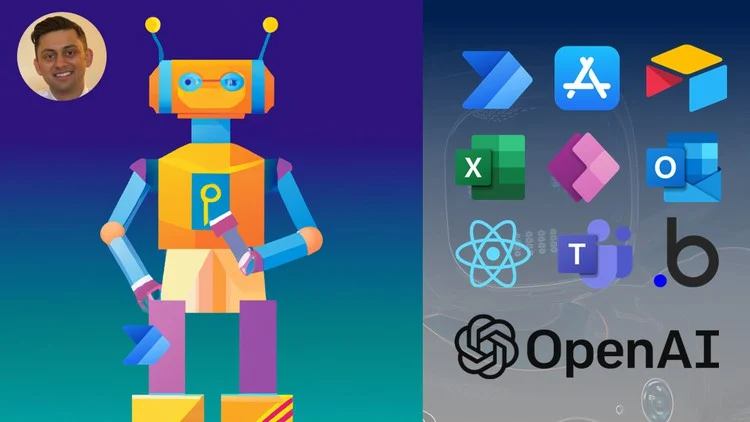
ChatGPT Masterclass – Build Solutions and Apps with ChatGPT is presented here from the verified curriculum data available for this product. This is the deepest technical archive in the requested ChatGPT set. It includes environment setup, serverless OpenAI APIs, Microsoft automation tools, Bubble and Airtable integrations, plus multiple complete application projects. Browse the full AI Courses Cheap catalog or the latest Courses On Budget updates for more releases.
What ChatGPT Build Solutions and Apps Covers
This is the deepest technical archive in the requested ChatGPT set. It includes environment setup, serverless OpenAI APIs, Microsoft automation tools, Bubble and Airtable integrations, plus multiple complete application projects. The strongest buying signal is the curriculum itself: you can compare the included topics with your goal before purchasing instead of relying on broad sales claims.
Course Evidence
Key Indexed Lessons / Tracks
- 1. Introduction.mp4
- 2. Make front end changes.mp4
- 3. Certificate.mp4
- 9. Create Microsoft 365 E5 account.mp4
- 1. Build your Office add-in environment.mp4
- 5. Reference material used.html
Course Fit at a Glance
| Primary focus | building ChatGPT-powered solutions through APIs, Azure, Power Automate, Power Apps, Outlook, Bubble and Airtable |
| Best suited to | builders who want project-based exposure to ChatGPT integrations and app workflows |
| Delivery | Fast delivery after payment |
| Access point | ChatGPT Masterclass – Build Solutions and Apps with ChatGPT |
| Catalog | AI Courses Cheap |
Full Verified Course Structure
| ▶ |
See a real lesson from this course
Unedited sample from the actual files. No login, no signup.
|
The structure below preserves the supplied or verified course index. File names and sizes are kept where available. For large archives, sections are collapsed to make the product page easier to scan.
0 How to download Mega files without transfer quotas (1 items)
- 0 How to download Mega files without transfer quotas.txt (942.00 B)
1. Introduction (18 items)
- 1. Introduction.mp4 (69.76 MB)
- 1. Introduction.srt (7.93 KB)
- 2. Course roadmap.mp4 (14.76 MB)
- 2. Course roadmap.srt (7.21 KB)
- 3. Examples of ChatGPT apps and solutions.mp4 (9.93 MB)
- 3. Examples of ChatGPT apps and solutions.srt (2.68 KB)
- 4. Tech stack of a ChatGPT app or solution.mp4 (20.02 MB)
- 4. Tech stack of a ChatGPT app or solution.srt (10.04 KB)
- 5. Instructor overview.mp4 (5.11 MB)
- 5. Instructor overview.srt (2.76 KB)
- 6. Ways to reach out.mp4 (3.63 MB)
- 6. Ways to reach out.srt (2.70 KB)
- 7. Keys to success.mp4 (3.64 MB)
- 7. Keys to success.srt (3.28 KB)
- 8. Leave a rating.mp4 (4.53 MB)
- 8. Leave a rating.srt (1.26 KB)
- 9. Watch in 1080p.mp4 (5.13 MB)
- 9. Watch in 1080p.srt (1.49 KB)
10. TravelPlan – create ChatGPT application (12 items)
- 1. Set up the front-end.mp4 (32.43 MB)
- 1. Set up the front-end.srt (6.81 KB)
- 2. Create the second page.mp4 (9.60 MB)
- 2. Create the second page.srt (2.59 KB)
- 3. Create workflows to enable ChatGPT.mp4 (18.63 MB)
- 3. Create workflows to enable ChatGPT.srt (5.19 KB)
- 4. Link pages together and test.mp4 (26.88 MB)
- 4. Link pages together and test.srt (8.06 KB)
- 5. Add ImageAI and photos through OpenAI.mp4 (30.57 MB)
- 5. Add ImageAI and photos through OpenAI.srt (6.46 KB)
- 6. Test ChatGPT app with text and photos.mp4 (6.70 MB)
- 6. Test ChatGPT app with text and photos.srt (2.44 KB)
11. PolitelySayNo – create ChatGPT application (14 items)
- 1. Set up Outlook environment.mp4 (16.15 MB)
- 1. Set up Outlook environment.srt (4.57 KB)
- 2. Make front end changes.mp4 (49.99 MB)
- 2. Make front end changes.srt (3.57 KB)
- 3. Create ChatGPT ‘function on back end.mp4 (122.43 MB)
- 3. Create ChatGPT ‘function on back end.srt (11.32 KB)
- 4. Modify back end to run body.mp4 (54.09 MB)
- 4. Modify back end to run body.srt (7.49 KB)
- 5. Add in email body to API.mp4 (25.16 MB)
- 5. Add in email body to API.srt (4.34 KB)
- 6. Add in reply box.mp4 (26.80 MB)
- 6. Add in reply box.srt (3.86 KB)
- 7. Extend application with ChatGPT mood options.mp4 (185.92 MB)
- 7. Extend application with ChatGPT mood options.srt (12.00 KB)
12. CoverLetterCreator – create ChatGPT application (8 items)
- 1. Introduction to app.mp4 (1.12 MB)
- 1. Introduction to app.srt (415.00 B)
- 2. Create cover letter screen.mp4 (72.79 MB)
- 2. Create cover letter screen.srt (9.32 KB)
- 3. Link API and create workflow.mp4 (130.51 MB)
- 3. Link API and create workflow.srt (13.01 KB)
- 4. Test ChatGPT app with different descriptions.mp4 (25.38 MB)
- 4. Test ChatGPT app with different descriptions.srt (4.48 KB)
13. StockPhotoPPT – create ChatGPT application (8 items)
- 1. Use the Image API DALLE.mp4 (189.73 MB)
- 1. Use the Image API DALLE.srt (14.16 KB)
- 2. Create front end.mp4 (108.13 MB)
- 2. Create front end.srt (8.73 KB)
- 3. Link ChatGPT API to front end using Power Automate.mp4 (39.20 MB)
- 3. Link ChatGPT API to front end using Power Automate.srt (4.85 KB)
- 4. Run stock photo generator.mp4 (17.77 MB)
- 4. Run stock photo generator.srt (4.40 KB)
14. Conclusion (6 items)
- 1. Congratulations.mp4 (29.01 MB)
- 1. Congratulations.srt (3.38 KB)
- 2. Conclusion and next steps.mp4 (4.05 MB)
- 2. Conclusion and next steps.srt (2.12 KB)
- 3. Certificate.mp4 (5.49 MB)
- 3. Certificate.srt (1.55 KB)
15. Bonus (2 items)
- 1. Bonus.mp4 (6.79 MB)
- 1. Bonus.srt (2.35 KB)
2. Crash Course on ChatGPT and OpenAI (16 items)
- 1. Introduction.mp4 (766.69 KB)
- 1. Introduction.srt (231.00 B)
- 2. Using ChatGPT to answer problems.mp4 (46.63 MB)
- 2. Using ChatGPT to answer problems.srt (12.35 KB)
- 3. Introduction to OpenAI and ChatGPT.mp4 (16.64 MB)
- 3. Introduction to OpenAI and ChatGPT.srt (7.25 KB)
- 4. GPT3 models, their advantages, and disadvantages.mp4 (18.31 MB)
- 4. GPT3 models, their advantages, and disadvantages.srt (5.85 KB)
- 5. GPT3 Davinchi capabilities.mp4 (16.08 MB)
- 5. GPT3 Davinchi capabilities.srt (4.39 KB)
- 6. Prompt optimization.mp4 (76.84 MB)
- 6. Prompt optimization.srt (8.75 KB)
- 7. Tokens.mp4 (18.31 MB)
- 7. Tokens.srt (6.08 KB)
- 8. Temperature.mp4 (6.07 MB)
- 8. Temperature.srt (3.10 KB)
3. Environment Setup (18 items)
- 1. Environment setup.mp4 (864.91 KB)
- 1. Environment setup.srt (216.00 B)
- 2. Sign up for an OpenAI API account.mp4 (38.74 MB)
- 2. Sign up for an OpenAI API account.srt (4.05 KB)
- 3. Create an Azure account.mp4 (63.20 MB)
- 3. Create an Azure account.srt (9.44 KB)
- 4. Create an Azure functions resource.mp4 (14.33 MB)
- 4. Create an Azure functions resource.srt (4.44 KB)
- 5. Install python.mp4 (89.78 MB)
- 5. Install python.srt (3.99 KB)
- 6. Install Visual Studio Code.mp4 (16.03 MB)
- 6. Install Visual Studio Code.srt (3.70 KB)
- 7. Configure Visual Studio Code.mp4 (32.98 MB)
- 7. Configure Visual Studio Code.srt (8.87 KB)
- 8. Run python and pip on terminal.mp4 (15.77 MB)
- 8. Run python and pip on terminal.srt (4.28 KB)
- 9. Create Microsoft 365 E5 account.mp4 (117.00 MB)
- 9. Create Microsoft 365 E5 account.srt (10.79 KB)
4. Create serverless ChatGPT and OpenAI API (18 items)
- 1. Introduction.mp4 (863.81 KB)
- 1. Introduction.srt (216.00 B)
- 2. Using Python to access OpenAI API.mp4 (81.27 MB)
- 2. Using Python to access OpenAI API.srt (12.68 KB)
- 3. Managing ChatGPT response.mp4 (24.01 MB)
- 3. Managing ChatGPT response.srt (5.64 KB)
- 4. Create a basic Azure function.mp4 (34.33 MB)
- 4. Create a basic Azure function.srt (6.40 KB)
- 5. Test and deploy an Azure function.mp4 (113.31 MB)
- 5. Test and deploy an Azure function.srt (11.68 KB)
- 6. Use Postman to test serverless functions.mp4 (38.80 MB)
- 6. Use Postman to test serverless functions.srt (4.22 KB)
- 7. Integrate OpenAI ChatGPT with Azure functions.mp4 (121.51 MB)
- 7. Integrate OpenAI ChatGPT with Azure functions.srt (9.67 KB)
- 8. Test OpenAI ChatGPT locally.mp4 (28.05 MB)
- 8. Test OpenAI ChatGPT locally.srt (3.87 KB)
- 9. Deploy OpenAI ChatGPT to Azure functions.mp4 (100.03 MB)
- 9. Deploy OpenAI ChatGPT to Azure functions.srt (5.96 KB)
5. Integrate Power Automate and ChatGPT (10 items)
- 1. Introduction.mp4 (1.41 MB)
- 1. Introduction.srt (436.00 B)
- 2. Create a Power Automate flow.mp4 (50.99 MB)
- 2. Create a Power Automate flow.srt (4.83 KB)
- 3. Add OpenAI ChatGPT to HTTP request.mp4 (54.80 MB)
- 3. Add OpenAI ChatGPT to HTTP request.srt (6.82 KB)
- 4. Create a Teams chatbot using OpenAI ChatGPT.mp4 (74.20 MB)
- 4. Create a Teams chatbot using OpenAI ChatGPT.srt (7.38 KB)
- 5. Test Teams ChatGPT chatbot and publish.mp4 (63.03 MB)
- 5. Test Teams ChatGPT chatbot and publish.srt (7.29 KB)
6. Integrate Power Apps and ChatGPT (6 items)
- 1. Create a basic Power Apps.mp4 (25.67 MB)
- 1. Create a basic Power Apps.srt (5.53 KB)
- 2. Add ChatGPT OpenAI to your Power Apps.mp4 (45.48 MB)
- 2. Add ChatGPT OpenAI to your Power Apps.srt (4.14 KB)
- 3. Run the Power Apps Q and A bot.mp4 (23.11 MB)
- 3. Run the Power Apps Q and A bot.srt (7.18 KB)
7. Integrate Outlook and ChatGPT (16 items)
- 1. Build your Office add-in environment.mp4 (66.10 MB)
- 1. Build your Office add-in environment.srt (6.76 KB)
- 1.1 Outlook section.zip (1.76 KB)
- 2. Create a Office Outlook project.mp4 (91.34 MB)
- 2. Create a Office Outlook project.srt (7.45 KB)
- 3. Launch your Outlook add-in.mp4 (68.92 MB)
- 3. Launch your Outlook add-in.srt (6.08 KB)
- 4. Running the ChatGPT API from Outlook.mp4 (159.91 MB)
- 4. Running the ChatGPT API from Outlook.srt (11.89 KB)
- 5. Resolving CORS or security errors.mp4 (219.16 MB)
- 5. Resolving CORS or security errors.srt (20.99 KB)
- 6. Transfer body of email to ChatGPT.mp4 (137.43 MB)
- 6. Transfer body of email to ChatGPT.srt (13.18 KB)
- 7. Paste response in Outlook add-in.mp4 (152.33 MB)
- 7. Paste response in Outlook add-in.srt (10.50 KB)
- 8. Reference material used.html (56.00 B)
8. Integrate Bubble and ChatGPT (6 items)
- 1. Create a Bubble application.mp4 (20.60 MB)
- 1. Create a Bubble application.srt (5.06 KB)
- 2. Connect ChatGPT API to Bubble.mp4 (97.85 MB)
- 2. Connect ChatGPT API to Bubble.srt (10.83 KB)
- 3. Modify the prompt dynamically.mp4 (12.16 MB)
- 3. Modify the prompt dynamically.srt (4.40 KB)
9. Integrate Airtable with ChatGPT (9 items)
- 1. Set up Airtable context.mp4 (18.32 MB)
- 1. Set up Airtable context.srt (3.86 KB)
- 2. Create the script that calls ChatGPT API.mp4 (74.37 MB)
- 2. Create the script that calls ChatGPT API.srt (11.13 KB)
- 3. Modify ChatGPT prompt based on variables.mp4 (57.49 MB)
- 3. Modify ChatGPT prompt based on variables.srt (8.49 KB)
- 4. Test ChatGPT marketing email generator.mp4 (14.67 MB)
- 4. Test ChatGPT marketing email generator.srt (4.95 KB)
- 5. Reference material used.html (63.00 B)
Why This Course Can Be a Strong Match
- The curriculum has a clear concentration on building ChatGPT-powered solutions through APIs, Azure, Power Automate, Power Apps, Outlook, Bubble and Airtable.
- The product includes a visible index or verified curriculum map, so buyers can inspect the learning path before purchase.
- The package is substantial, with 168 indexed items in the verified package data used for this rewrite.
- Several lessons depend on third-party tools, platforms or technical environments shown in the curriculum.
- The archive is large; following the section order will be easier than browsing individual files at random.
Related AI Courses
ChatGPT for Data Science and Machine Learning
Chethan – Build End-to-End Products in Cursor without CodingBrowse all AI Courses CheapSee latest course updates
Choose ChatGPT Build Solutions and Apps if the verified curriculum above matches what you want to learn now. The page is designed around the actual index rather than invented outcomes, making it easier to compare scope before checkout. Purchase through the official Courses On Budget product page for fast delivery after payment.
Before checkout, check whether coupon 5050 is active on the coupon page. You can also return to the Courses On Budget homepage.

Reviews
There are no reviews yet.