

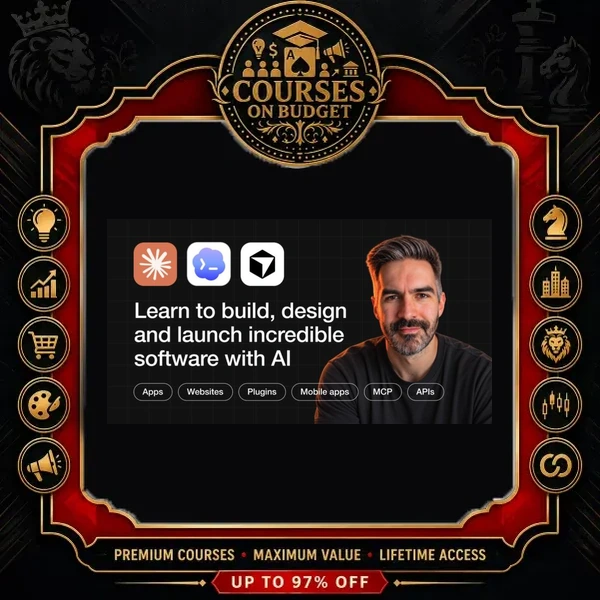
What Is Chris Ashby AI Product Academy?
Chris Ashby AI Product Academy is the classroom of Chris Ashby’s community (the saved lesson pages are titled “AI App Builders Academy”). In the Claude Code lesson he introduces himself simply: for the last 15 years he has been designing apps and advising startups on product and design. That product-designer background shapes the whole curriculum — planning and validation come before a single prompt is sent to a builder.
The core path of Chris Ashby AI Product Academy is the 21 Day Idea to App Roadmap, split into four stages: Foundations, Plan, Build and Launch. In the welcome video Chris explains why the Plan stage matters: people often jump straight into Lovable or Bolt and forget to validate the idea or plan it properly. After the roadmap, separate tracks cover Cursor, native mobile apps, app design, growth, testing, AI agents and Claude Code, plus 22 recorded weekly calls.
If you are comparing several AI courses for app building, this one stands out for covering the unglamorous parts that decide whether an app becomes a business: database and authentication, payments and tax, security audits, testing, deployment and customer acquisition. Browse more titles in the AI & ChatGPT course category.
Chris Ashby AI Product Academy — Verified Package Facts
| Detail | What the package contains |
|---|---|
| Format | Pre-recorded video course + saved classroom lesson pages |
| Video lessons | 113 MP4 lessons across 14 video modules |
| Total runtime | 33h 29m (all 113 lessons transcribed) |
| Files / folders | 252 files in 16 folders |
| Package size | 16.52 GB |
| Supporting materials | 138 saved HTML lesson pages, incl. Founder’s Frameworks and Member App Directory |
| Main tools taught | ChatGPT, Bolt, Cursor, Claude Code, Convex, Supabase, Polar, Vercel, Netlify, Vibecode, Rork, RevenueCat |
| Skill level | Beginner to intermediate — no coding knowledge assumed |
| Delivery | Digital files, fast manual delivery after payment confirmation |
What You Will Learn Inside Chris Ashby AI Product Academy
1. Foundations: The AI App Opportunity and Business Models
The Chris Ashby AI Product Academy Foundations module explains what an app is (web, desktop and mobile) and why solo builders now have an edge. Chris describes three business models he sees working: the solo startup that solves one big problem, the “MicroMaster” who runs several small apps and takes multiple bets, and the business builder who creates apps that solve specific business problems.
“Solo companies and very small teams can now have the same amount of code output and idea quality as teams of hundreds.”
— from the lesson “Why Build Apps (The Big AI Opportunity)”
2. Plan: Idea, Validation, MVP, Pricing and First Prompt (Days 1–9)
In Chris Ashby AI Product Academy, the planning days run inside a single ChatGPT conversation. You map your own work processes to find tedious tasks worth solving, validate demand, then ask AI to pick “the single most impactful feature” and write a one-feature PRD for your MVP. Day 5 sets a pricing model with only one or two tiers; Day 8 covers design style and logo; Day 9 picks the tech stack.
“The best problems for us to solve are the ones that we already know really, really well.”
— from the lesson “Day 1 – How to Choose the Right Idea”
The Chris Ashby AI Product Academy pricing advice is practical: if the product has AI features, a subscription usually fits better than a one-off payment, because AI usage keeps costing you money after the sale.
“The purpose for charging money when we launch our app is to validate that people would be willing to pay for the thing.”
— from the lesson “Day 5 – Choose the Right Pricing Model”
3. Build with Bolt: From First Prompt to Deployed Web App (Days 10–20)
The longest module builds a working app step by step in Bolt.new; Chris notes the same lessons apply to Lovable. You set up database and authentication, add payments, build features, fix bugs, design the interface and a landing page, test, run a security audit, connect GitHub, add analytics and deploy. Payments use Polar instead of plain Stripe — Polar acts as merchant of record and handles international sales tax.
His prompt framework fits on one line: context, user journey, technology and design direction — one task or feature per prompt.
“AI coding tools can’t read our minds, we need to be clear and specific about what we want to build.”
— from the lesson “How to Prompt AI Coding Tools”
4. Build with Cursor: The Same 21-Day Path for a Coded Stack
Chris Ashby AI Product Academy adds a parallel 16-lesson track that repeats Days 10–20 in Cursor: app structure, Git setup, running backend and frontend, environment variables, database and authentication testing, account management, payments (Polar, with Convex as the backend), subscription management, design, testing and deployment to Vercel. The Day 15 payments lesson alone runs over 45 minutes.
5. Build Mobile Apps: Vibecode, Rork and the App Store
The 17-lesson Chris Ashby AI Product Academy mobile track explains why native apps differ from web apps (React Native instead of React), then covers Apple and Google developer accounts, app structure, a build workflow, App Store imagery and icons, Vibecode (iOS only), Rork, Supabase, RevenueCat payments, App Store Connect, complex features in Cursor and publishing to the App Store.
6. Launch, Grow and Design
In Chris Ashby AI Product Academy, Day 21 walks through a Product Hunt submission. The Grow module builds on three pillars — content, outbound and community — with lessons on waitlists, short-form video, communities and automated cold outreach using Apollo, Instantly, LinkedIn and HeyReach. The App Design module shows how to build a design system from Dribbble references, add a front-end design skill to Claude Code, and design screens with Replit Designer, Superdesign and Krea Nodes.
7. Advanced, Agents, Claude Code and Live Calls
Extra Chris Ashby AI Product Academy lessons cover testing your entire codebase before deployment, AI agents with n8n and the OpenAI Agents SDK, and a 35-minute Claude Code setup inside Cursor. A one-hour VIP workshop, “Get Your First Customers (Dec 2025)”, and 22 weekly call recordings (July–November 2025) show real member questions answered live.
Real Workflow Example From Chris Ashby AI Product Academy: The 6-Step Bug Fix Ladder
Every AI builder hits the “AI bug doom loop”. In the Day 14 lesson of Chris Ashby AI Product Academy, Chris lays out escalating fixes to try in order before hiring a developer:
- Change the prompt. Switch to chat mode and ask the AI to investigate why the error happens and propose a plan — a research task instead of a fix task.
- Recreate and inspect the error. Open the preview in a new tab, press F12, reproduce the action and paste the console logs back to the AI, one error at a time.
- Try a different or bigger model. For example move from Sonnet to Opus, or switch providers such as Gemini.
- Start a clean chat. Tools over-weight chat history; a fresh session lets the AI work it out from scratch.
- Move the code to another tool. Sync to GitHub and open the project in Cursor or Claude Code, which behave differently.
- Revert or rebuild the feature. Roll back to a GitHub version, or remove the feature and rebuild it — accepting some leftover code.
His estimate: these steps cover around 95% of cases; the remaining few may need someone with more technical knowledge. That honest, step-by-step style runs through the whole of Chris Ashby AI Product Academy.
How to Get Chris Ashby AI Product Academy
Who Chris Ashby AI Product Academy Is For
- Beginners who have an idea but no coding experience and want to build with Bolt or Lovable
- Builders who keep getting stuck in bug loops and need a repeatable fixing process
- Developers-in-training who want to move to Cursor, Convex, Vercel and Claude Code
- Creators planning an iOS or Android app with Vibecode, Rork, Supabase and RevenueCat
- Founders who need launch and growth playbooks: Product Hunt, waitlists, content and cold outreach
- Agency owners or freelancers who want to build apps for business clients
Chris Ashby AI Product Academy is not ideal if you are an experienced software engineer looking for deep architecture or algorithm training — the course is designed so that AI tools write the code while you plan, prompt, test and sell.

Reviews
There are no reviews yet.