

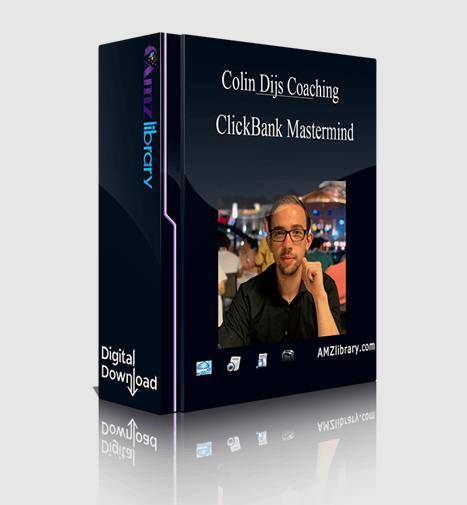
Colin Dijs ClickBank Mastermind is a ClickBank affiliate training that promises methods for finding profitable niches, choosing high-converting offers and driving targeted traffic, organised as technical preparation, Facebook weeks, native weeks and Q&A. Get it with fast delivery and lifetime access at Courses On Budget, and check the coupon page before you pay.
Colin Dijs ClickBank Mastermind 2020: Week-by-Week ClickBank Affiliate Training
ClickBank is a huge marketplace, and that is exactly the problem: without a method, picking offers and buying traffic becomes expensive guesswork. The product page describes this mastermind as the insider playbook for affiliate success and groups it around three ideas: going from clicks to commissions by finding niches, offers and targeted traffic; mastering the affiliate game through audience-building, conversion content and scaling; and removing affiliate frustration with roadmaps, support and accountability. The package itself replaces guesswork with a sequence: technical preparation, Facebook traffic in weekly blocks, native traffic and Q&A recordings.
The preparation section is unusually concrete. File names show lessons on signing up to ClickBank, setting up Voluum, Amazon S3, Voluum DSP, Facebook assets and the Facebook pixel, plus an introduction to Adplexity Native. Then comes a ClickBank theory block: dashboard, reporting, account and vendor settings, marketplace, Hoplinks, Gravity, attributes, offer stats and the ClickBank API. A long run of lessons walks through the marketplace categories one by one.
The Facebook part runs across six weeks, covering ad creation, landing pages, campaign setup, scaling strategies and team building according to the page, with file names showing topics such as the ads dashboard, cash flow management, what makes a good ad, affiliate and non-affiliate ad examples and warming up ad accounts. A separate native section also runs for six weeks, covering native ad dashboards, campaign setup, landing pages, optimization and scaling, and an HTML template for a Facebook ClickBank quiz lander is included. The structure ends with four weekly Q&A sessions. For other affiliate programs, browse our Ecommerce category or the ecommerce courses list.
How to Get Colin Dijs – ClickBank Mastermind in 4 Steps
Colin Dijs – ClickBank Mastermind: Course at a Glance
| Detail | Value |
|---|---|
| Video lessons | 107 |
| Files | 151 |
| Folders | 27 |
| Total size | 3.57 GB |
| Delivery | Fast delivery after payment |
| Access | Lifetime access, one-time price |
Inside the ClickBank Mastermind: What You Will Study
These areas come directly from the real folder and file names in the package:
- ClickBank fundamentals: signing up, dashboard, reporting, vendor settings, Hoplinks, Gravity and offer stats, across about 50 preparation lessons.
- Marketplace categories: a lesson per category, from Health and Fitness to Software and Services.
- Tracking setup: Voluum and Voluum DSP, Amazon S3 and the Facebook pixel inside ClickBank.
- Facebook traffic: six weekly blocks covering ad creation, landing pages, campaign setup, scaling and team building.
- Native traffic: a separate six-week section on native ad dashboards, campaign setup, landing pages, optimization and scaling, plus a lesson on Adplexity Native.
- Quiz lander template: an HTML template for a Facebook ClickBank quiz lander.
- Weekly Q&A: four Q&A sessions in the Weekly Q&A folder.
Colin Dijs – ClickBank Mastermind: Full File Index
The full folder and file index is shown below with the original names:
1. Technical Preparation · 58 files
- 1. Welcome Message.ts
- 10. Using Adplexity Native.docx
- 10. Using Adplexity Native.ts
- 11. Adjusted 3 Day Rule.ts
- 12. A Little Reminder.ts
- 13. Theory Intro.ts
- 14. Introduction to clickbank.ts
- 15. Signing Up As A Affiliate.ts
- 16. Clickbank Dashboard.ts
- 17. Clickbank Reporting.ts
- 18. Account Settings.ts
- 19. Clickbank Vendor Settings.ts
- 2. Signing up to Clickbank.docx
- 2. Signing up to Clickbank.ts
- 20. Categories Employment _ Jobs.ts
- 21. Clickbank Resources.ts
- 22. Clickbank Resources.ts
- 23. Clickbank Partner Offers.ts
- 24. Clickbank Blog.ts
- 25. Clickbank Marketplace Explained.ts
- 26. Categories As Seen On TV.ts
- 27. Categories Arts Entertainment.ts
- 28. Categories Business _ Investing.ts
- 29. Categories Computers Internet.ts
- 3. Intro to Clickbank.ts
- 30. Categories E-Business _ E-Marketing.ts
- 31. Categories E-Business _ E-Marketing.ts
- 32. Categories Fiction.ts
- 33. Categories Food, Wine _ Cooking.ts
- 34. Categories Games.ts
- 35. Categories Green Products.ts
- 36. Categories Health _ Fitness.ts
- 37. Categories Languages.ts
- 38. Categories Mobile.ts
- 39. Categories Parenting _ Families.ts
- 4. Setting up Voluum.docx
- 4. Setting up Voluum.ts
- 40. Categories Politics _ Current Events.ts
- 41. Categories References.ts
- 42. Categories Self Help.ts
- 43. Categories Software _ Services.ts
- 44. Categories Spirituality, New Age _ Alternative Beliefs.ts
- 45. Categories Sports.ts
- 46. Categories Betting Systems.ts
- 47. Categories Travel.ts
- 48. Introduction to Hoplinks.ts
- 49. Introduction to Gravity.ts
- 5. Setting up Amazon S3.docx
- 5. Setting up Amazon S3.ts
- 50. Introduction to Attributes.ts
- 51. Introduction to Offer Stats.ts
- 52. Using Clickbank API.ts
- 6. Sign up for Voluum DSP.docx
- 6. Sign up for Voluum DSP.ts
- 7. Intro to Voluum DSP.docx
- 7. Intro to Voluum DSP.ts
- 8. Setting up your Facebook Assets.ts
- 9. Add Facebook Pixel inside of Clickbank.ts
2. Facebook · 64 files
- 1. Week 1
- 1. Understanding the Facebook Ads dashboard and basic ad metrics.ts
- 2. Facebook Cashflow Management.ts
- 3. What makes a good Facebook Ad.ts
- 4. Examples of Affiliate Ads.ts
- 5. Examples of Non-affiliate Ads.ts
- 6. Warming up ad accounts.ts
- 7. FB Ads DIY Live Build Campaign.docx
- 7. FB Ads DIY Live Build Campaign.ts
- 2. Week 2
- 1. How to Make Facebook Ads.ts
- 2. How to Outsource Facebook Ads.ts
- 3. Types of Landing Pages.ts
- 3. Week 3
- 1 Setting up your Facebook Lander.ts
- 2. The Facebook Pixel.ts
- 3. Setting up The Facebook Pixel.ts
- 4. FB – Sports – Live Build Campaign.ts
- 5. Setting up FB Campaign Adsets.ts
- 6. Setting up your Facebook Campaign + Ads.ts
- 7. Download FB Clickbank Quiz Lander HTML Template
- __MACOSX
- ._manifest-template
- manifest-template._css
- manifest-template._js
- manifest-template
- ._.DS_Store
- ._Contact.html
- ._Privacy-Policy.html
- ._Terms-of-Service.html
- ._images
- ._index.html
- css
- ._custom.css
- ._font-awesome.min.css
- ._lander.css
- images
- ._.DS_Store
- ._background_image.jpg
- ._banner-image.png
- ._down-icon.png
- ._facebook-ads-template (2).png
- js
- ._application.js
- ._custom.js
- ._lander.js
- ._pushcrew.js
- manifest-template
- Contact.html
- Privacy-Policy.html
- Terms-of-Service.html
- index.html
- css
- custom.css
- font-awesome.min.css
- lander.css
- images
- background_image.jpg
- banner-image.png
- down-icon.png
- facebook-ads-template (2).png
- js
- application.js
- custom.js
- lander.js
- pushcrew.js
- __MACOSX
- 4. Week 4
- 1. Survival – Live Build Campaign.ts
- 2. Creating Custom Audiences LLA s.ts
- 3. Scaling – Phase 1.ts
- 5. Week 5
- 1. Scaling – Phase 2.ts
- 2. Ad Account Mindset.ts
- 3. FB – Spying on Other Affiliates.ts
- 4. Dealing with Ad Account Bans.ts
- 6. Week 6
- 1. Building a Team Part 1.ts
- 2. Building a Team Part 2.ts
- 3. Building a Team Part 3.ts
- 4. Facebook Mastermind Wrap Up Summary.ts
3. Native · 25 files
- 1. Week 1
- 1. Understanding the Native dashboard and basic ad metrics.ts
- 2. Native Cashflow Management.ts
- 3. Native Ads Game Rules.ts
- 4. 3 Steps of Native Ads.ts
- 5. Clickbank Offers Suitable for Native.ts
- 6. Examples of Affiliate Ads and Non Affiliate Ads.ts
- 2. Week 2
- 1. Live Campaign setup DIY Niche.ts
- 2. HTML Landing Page Templates.ts
- 3. How to make Native Ads Banners.ts
- 3. Week 3
- 1. Types of Native landing pages.ts
- 2. Testing Native Ads Part 1.ts
- 3. Testing Native Ads Part 2.ts
- 4. Feeding Other Pixels.ts
- 5. Optimisation Part 1.ts
- 4. Week 4
- 1. Optimisation Part 2.ts
- 2. Scaling Part 1.ts
- 3. Scaling Part 2.ts
- 5. Week 5
- 1. Live Banner Build Lottery.ts
- 2. Live Build Clickbank Nutra.ts
- 2. Live Build Clickbank Nutra.txt
- 3. Traffic Potential on Native.ts
- 6. Week 6
- 1. Building a Team Part 1.ts
- 2. Building a Team Part2.ts
- 3. Building a Team Part 3.ts
- 4. Native Mastermind Wrap up Summary.ts
4. Weekly Q_A · 4 files
- 1. Live Q A – 1.ts
- 2. Live Q _ A – 2.ts
- 3. Live Q _ A – 3.ts
- 4. Live Q _ A – 4.ts
Colin Dijs ClickBank Mastermind vs. Picking ClickBank Offers Blindly
ClickBank rewards process, not luck. Here is how a structured mastermind differs from going alone:
| Factor | This mastermind | Going alone |
|---|---|---|
| Structure | Preparation, theory, Facebook weeks, native weeks | Random tutorials |
| Format | Mostly video, plus documents and a lander template | Mixed sources |
| Size | About 3.57 GB, 151 files | Unknown |
| Tracking | Voluum, S3 and pixel setup lessons | Set up by trial and error |
| Delivery | Fast delivery after payment | Not applicable |
| Price on Courses On Budget | One-time price + coupon available | Wasted ad spend while learning |
Colin Dijs – ClickBank Mastermind
A ClickBank affiliate mastermind: technical preparation, ClickBank theory, six weeks of Facebook traffic, six weeks of native traffic and weekly Q&A.
- 1. Technical Preparation and ClickBank theory
- 2. Facebook: six weekly blocks
- 3. Native: six weekly blocks
- 4. Weekly Q&A folder
Who Should Get Colin Dijs – ClickBank Mastermind?
- Beginners who want to understand ClickBank before spending on ads.
- Affiliates who want a tracker setup walkthrough.
- Marketers who want Facebook and native traffic in one package.
- Learners who prefer week-by-week structure.
Colin Dijs – ClickBank Mastermind: Pros and Cons
- Clear preparation, theory and weekly structure
- Category-by-category marketplace lessons
- Tracking and lander template included
- Fast delivery and lifetime access
- Self-study files: recorded Q&A sessions, no live mastermind access included
- Large package of about 3.57 GB
- The 2020 material means platform screens may differ today
Colin Dijs – ClickBank Mastermind: Your Questions Answered
What is the ClickBank Mastermind?
A ClickBank affiliate training with technical preparation, ClickBank theory and six-week blocks for Facebook and native traffic, plus four weekly Q&A sessions.
How big is it?
151 files across 27 folders, about 3.57 GB.
Does it cover tracking?
Yes. File names include Voluum, Voluum DSP and Amazon S3 setup lessons, plus adding the Facebook pixel.
How do I pay and can I get help?
The site accepts cryptocurrency, takes about five minutes and needs no account verification. Chat support is available if you have questions.
Is there a discount?
Yes. A discount coupon is available; apply it at checkout.
Is there related content from the same author?
See Colin Dijs September Mastermind and the ecommerce courses cheap list.
Courses to Pair With Colin Dijs – ClickBank Mastermind
Colin Dijs September Mastermind
Another mastermind package from the same author name on Courses On Budget.
Practical ClickBank Affiliate Marketing
More ClickBank affiliate training to compare.
If you want a structured way into ClickBank affiliate marketing, this package gives you the order: prepare, learn the platform, then test traffic week by week. The tracker and lander template lessons save setup time.
Get it through Courses On Budget, use the coupon for an extra discount and start with the Technical Preparation folder.
Track new releases on our Updates page.
Browse the category: Ecommerce Courses Cheap
External resource: ClickBank (Wikipedia)
Recommended course stack:

Reviews
There are no reviews yet.