
How to Run TikTok Ads: From Pixel Setup to Scroll-Stopping Creative
TikTok rewards ads that do not look like ads. Brands that treat it like another feed of polished banners burn budget; those that understand hooks, sounds and native style earn attention cheaply.
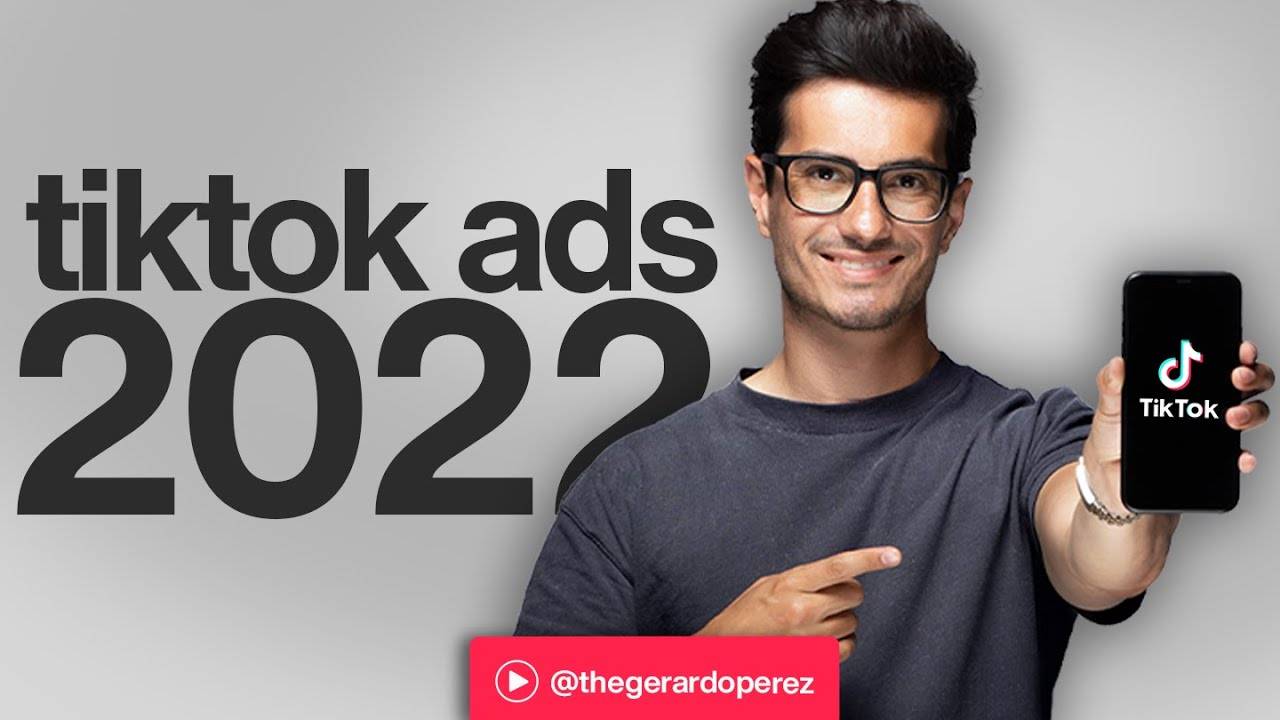
Gerardo Perez builds the program in the right order: first the machinery (Business Manager, pixel, campaign structure, ad groups and the Assets tab), then the creative (frameworks, visual and verbal hooks, scripting), and finally an organic section the course calls the secret sauce. That order matters, because great creative on a broken setup still fails.
Gerardo Perez How to Run TikTok Ads at a glance
| Item | Details |
|---|---|
| Course | Gerardo Perez – How to Run TikTok Ads |
| Author / provider | Gerardo Perez, Foundr |
| Niche | Ecommerce / TikTok advertising |
| Format | 45 video lessons plus supporting files |
| Language | English |
| Files | 224 files, about 5.19 GB, in 4 sections |
| Delivery | Fast delivery after payment |
| Support | Chat support available on the site |
The Three Parts of the TikTok Ads Program
Full course file structure
- 84 supporting files
- Bonus Part III Organic (aka the Secret Sauce) – Foundr – 1920×1080 4146K
- 01
- Lesson 01 Intro – Foundr – 1920×1080 3990K
- + 2 supporting files
- 02
- Lesson 02 The For You Page – Foundr – 1920×1080 4048K
- + 2 supporting files
- 03
- Lesson 01 Establishing Your Content Pillars – Foundr – 1920×1080 4050K
- Lesson 02 Your Brand’s Style – Foundr – 1920×1080 4099K
- Lesson 03 Posting Cadences – Foundr – 1920×1080 4043K
- Lesson 06 Duets and Stitches – Foundr – 1920×1080 4083K
- Lesson 08 TikTok Live – Foundr – 1920×1080 4073K
- + 4 supporting files
- 04
- Anatomy of a Viral Video – Foundr – 1920×1080 4181K
- Bonus 2 – Scoping the Creator Marketplace from Foundr – 1920×1080 4087K
- How to Work with Creators – Foundr – 1920×1080 4112K
- + 1 supporting file
- + 24 supporting files (PDF, text, images)
- 01
- Lesson 00 Intro – Foundr
- Lesson 01 Business Manager – Foundr
- Lesson 02 Pixel Overview – Foundr
- Lesson 03 Installing Your Pixel – Foundr – 1920×1080 3605K
- 02
- + 3 supporting files
- 03
- Lesson 01 The Complete Ad Group Walkthrough – Foundr
- Lesson 02 How to Determine Your Budget – Foundr
- Lesson 03 Learning Phase – Foundr
- Lesson 04 Ad Level Walkthrough – Foundr
- 04
- Lesson 02 Creatives – Foundr – 1920×1080 3541K
- Lesson 04 Catalogs – Foundr – 1920×1080 3555K
- Lesson 05 Comments – Foundr – 1920×1080 3531K
- Lesson 06 Instant Pages – Foundr – 1920×1080 3553K
- + 2 supporting files
- 05
- Lesson 01 Customer Journey – Foundr – 1920×1080 3565K
- Lesson 02 Complete Campaign Setup – Foundr – 1920×1080 3638K
- Lesson 03 Tips for Running a Campaign – Foundr – 1920×1080 3981K
- + 2 supporting files
- + 23 supporting files (PDF, text, images)
- 01
- Lesson 01 Introduction to Part 2 – Foundr – 1920×1080 4458K
- Lesson 02 The Difference Between Ads and Organic Content – Foundr – 1920×1080 4491K
- Lesson 05 TikTok Creative Best Practices – Foundr – 1920×1080 4400K
- Lesson 06 Understanding safe zones – Foundr – 1920×1080 4286K
- Lesson 08 Solid Ad Structure – Foundr – 1920×1080 4396K
- + 3 supporting files
- 02
- Lesson 02 Testimonials – Foundr – 1920×1080 4458K
- Lesson 04 Comment Planting – Foundr – 1920×1080 4495K
- Lesson 05 TikTok Made Me Buy It – Foundr – 1920×1080 5163K
- Lesson 06 What I bought vs what I got – Foundr – 1920×1080 4449K
- Lesson 07 Ads that don’t feel like ads – Foundr – 1920×1080 4990K
- + 2 supporting files
- 03
- Lesson 01 Ad Frameworks – Foundr – 1920×1080 4431K
- Lesson 02 Visual Hooks – Foundr – 1920×1080 4501K
- Lesson 03 Verbal Hooks – Foundr – 1920×1080 4422K
- Lesson 04 Pain Points – Foundr – 2560×1440 7703K
- Lesson 05 Showcasing Your Product – Foundr – 1920×1080 4458K
- Lesson 06 Call to Action – Foundr – 1920×1080 4477K
- Lesson 08 Building Our First Ad – Foundr – 1920×1080 4540K
- Lesson 09 In-App Features – Foundr – 1920×1080 5484K
- Lesson 10 Closing Thoughts for Part 2 – Foundr – 1920×1080 4499K
- + 1 supporting file
- + 26 supporting files (PDF, text, images)
Organic TikTok vs. TikTok ads: what this course covers
| Topic | Paid ads (Parts I and II) | Organic (Bonus Part III) |
|---|---|---|
| Goal | Targeted traffic and conversions | Profile growth and community |
| Skills | Campaign setup, audiences, hooks, scripting | Content pillars, cadence, hashtags, Live |
| Tools | Business Manager, pixel, Assets tab | Algorithm, trends, duets and stitches |
| Link between them | Linking ads to organic is its own lesson | Creator marketplace lessons in the extras |
Before checkout, visit the coupon page. Payment is in crypto, and the how to pay on site guide covers each step.
TikTok Ads Course FAQ
What does Gerardo Perez How to Run TikTok Ads cover?
Part I covers ads setup, campaign structure, ad groups, the Assets tab and the customer journey. Part II covers creative: hooks, frameworks, scripting and ad styles. Bonus Part III covers organic TikTok.
How big is the course?
The file index shows 45 videos and 224 files in total, about 5.19 GB, in four sections.
Does it teach organic TikTok too?
Yes. Bonus Part III covers profile types, the algorithm, For You Page, content pillars, hashtags, duets, stitches and TikTok Live.
How do payment and delivery work?
You pay in crypto and delivery is fast. See the how to pay guide and the simple ways to buy crypto.
TikTok advertising pays off when setup and creative work together. This program teaches both, with an organic bonus on top. Grab a coupon, open Courses On Budget and build your first ad around a strong hook.

Reviews
There are no reviews yet.