

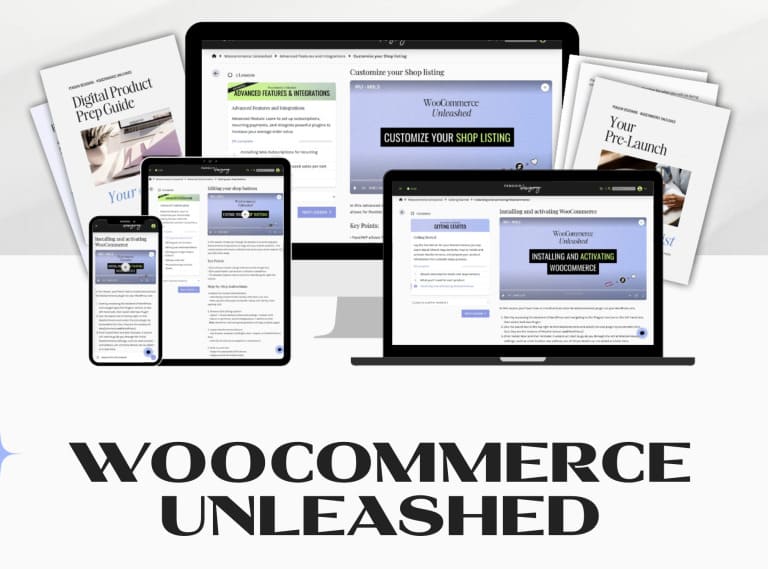
Build and manage a complete online store on WooCommerce with Ingrid Urena – Woocommerce Unleashed, a step-by-step program delivered as downloadable files with fast delivery.
Ingrid Urena – Woocommerce Unleashed: WooCommerce Course Overview
Ingrid Urena – Woocommerce Unleashed is a WooCommerce course that teaches how to build and manage a successful online store with the leading ecommerce plugin for WordPress. The program combines video lessons, downloadable resources and quizzes across multiple modules, so you can move from first install to a store that is ready to sell.
The page describes coverage of WooCommerce installation and setup, product management, categorization and inventory, payment gateway configuration such as PayPal and Stripe, shipping methods and dynamic calculations, extensions and add-ons, ecommerce marketing and SEO, store analytics, performance optimization, and troubleshooting resources. Additional advanced sections address customization through CSS and PHP, affiliate program setup, conversion rate optimization, subscription integration and abandoned cart recovery.
The course index below lists 12 sections and 91 files, from Getting Started and Creating Your Store to Advanced Code Snippets and Customizations. It is written for both beginners and experienced users and includes downloadable checklists and resources. Everything is yours to study at your own pace, in the order that fits your project.
How it works
What You Will Learn in Woocommerce Unleashed
Ingrid Urena – Woocommerce Unleashed
A complete walkthrough for launching and running a WooCommerce store, with video lessons, downloadable checklists and resources.
- 12 indexed sections and 91 files
- Beginner-friendly and advanced topics
- Payments, shipping, SEO and CRO
- Affiliate program and code snippets
- Downloadable checklists and resources
Course Index
42 video files · 91 files in total · Sorted by section. Original file names are kept.
- 01-Welcome to the Party Lets Set Some Ground Rules.pdf
- 02-Showit subscription levels and requirements.mp4
- 02-Showit subscription levels and requirements.pdf
- 03-Product-Prep-Checklist—WooCommerce-Unleashed–Penguin-Designing.pdf
- 03-What youll need for each product.pdf
- 04-Installing and activating WooCommerce.mp4
- 04-Installing and activating WooCommerce.pdf
- 01-General WooCommerce Settings.mp4
- 01-General WooCommerce Settings.pdf
- 02-The essential WooCommerce pages.mp4
- 02-The essential WooCommerce pages.pdf
- 03-Your Shop page.mp4
- 03-Your Shop page.pdf
- 04-Your Cart page.mp4
- 04-Your Cart page.pdf
- 05-Your Checkout page.mp4
- 05-Your Checkout page.pdf
- 06-Single product page template creation.mp4
- 06-Single product page template creation.pdf
- 07-Custom category pages.mp4
- 07-Custom category pages.pdf
- 08-The My Account page.mp4
- 08-The My Account page.pdf
- 01-Adding and managing products.mp4
- 01-Adding and managing products.pdf
- 02-Creating product categories and tags.mp4
- 02-Creating product categories and tags.pdf
- 03-Optimizing products for conversions.mp4
- 03-Optimizing products for conversions.pdf
- 04-Order management.mp4
- 04-Order management.pdf
- 01-Configuring payment gateways.mp4
- 01-Configuring payment gateways.pdf
- 02-Setting up shipping zones and methods.mp4
- 02-Setting up shipping zones and methods.pdf
- 03-Tax calculations and settings.mp4
- 03-Tax calculations and settings.pdf
- 01-Creating and managing discount codes.mp4
- 01-Creating and managing discount codes.pdf
- 02-Email marketing integration.mp4
- 02-Email marketing integration.pdf
- 01-Required legal pages.mp4
- 01-Required legal pages.pdf
- 02-Pre-launch checklist.mp4
- 02-Pre-launch checklist.pdf
- 02-Your-Pre-launch-checklist—WooCommerce-Unleashed.pdf
- 00-Advanced Customization.pdf
- 01-Editing your shop buttons.mp4
- 01-Editing your shop buttons.pdf
- 02-Editing your cart buttons.mp4
- 02-Editing your cart buttons.pdf
- 03-Editing your checkout buttons.mp4
- 03-Editing your checkout buttons.pdf
- 04-Editing your Single Product buttons.mp4
- 04-Editing your Single Product buttons.pdf
- 05-Adding a side cart.mp4
- 05-Adding a side cart.pdf
- 06-Troubleshooting common issues.mp4
- 06-Troubleshooting common issues.pdf
- 01-Adding Breadcrumbs.mp4
- 01-Adding Breadcrumbs.pdf
- 02-SEO best practices for products.mp4
- 02-SEO best practices for products.pdf
- 03-Optimizing images for site speed.mp4
- 03-Optimizing images for site speed.pdf
- 04-Updates and Maintenance.mp4
- 04-Updates and Maintenance.pdf
- 01-Installing Woo Subscriptions for recurring payments.mp4
- 01-Installing Woo Subscriptions for recurring payments.pdf
- 02-Integrating plugins for increased sales per cart.mp4
- 02-Integrating plugins for increased sales per cart.pdf
- 03-Customize your Shop listing.mp4
- 03-Customize your Shop listing.pdf
- 01-Choosing an affiliate plugin.mp4
- 01-Choosing an affiliate plugin.pdf
- 02-Setting up commission structures.mp4
- 02-Setting up commission structures.pdf
- 01-AB testing strategies for WooCommerce.mp4
- 01-AB testing strategies for WooCommerce.pdf
- 02-Implementing abandoned cart recovery.mp4
- 02-Implementing abandoned cart recovery.pdf
- 03-Optimizing the checkout process.mp4
- 03-Optimizing the checkout process.pdf
- 01-Understanding targeting in CSS.mp4
- 01-Understanding targeting in CSS.pdf
- 02-Using Woo in catalog mode.mp4
- 02-Using Woo in catalog mode.pdf
- 03-How to add custom PHP.pdf
- 04-Exclude products from searches.zip
- 04-Exclude products in blog searches.mp4
- 04-Exclude products in blog searches.pdf
Who Is This WooCommerce Course For?
This course suits anyone who wants to run an online store on WordPress, whether you are installing WooCommerce for the first time or refining an existing shop. According to the page, it offers step-by-step guidance for beginners and experienced users.
- New store owners who need a clear setup path
- Sellers improving payments, shipping and product management
- Store owners who want SEO, analytics and conversion optimization
- Users who want to customize their shop with CSS and PHP snippets
- Covers the full path from installation to optimization
- Includes advanced customization, affiliate and CRO sections
- Downloadable checklists and resources
- Fast delivery after payment
- Digital files only, so study is self-paced
- Requires your own WordPress hosting and time to implement
- No live coaching included in the files
Frequently asked questions
What does Woocommerce Unleashed teach?
Is it suitable for beginners?
Does it cover customization?
How is the course delivered?
Ingrid Urena – Woocommerce Unleashed is a practical, structured way to learn WooCommerce from installation to optimization. If you want one organized program for building a WordPress store, it is a strong fit. Browse more ecommerce programs on Courses On Budget and pair it with a marketing course to grow traffic.
Browse the category: Ecommerce Courses
Latest updates: Courses On Budget Updates · How to pay on site
External resource: WooCommerce developer documentation
Recommended course stack:

Reviews
There are no reviews yet.