

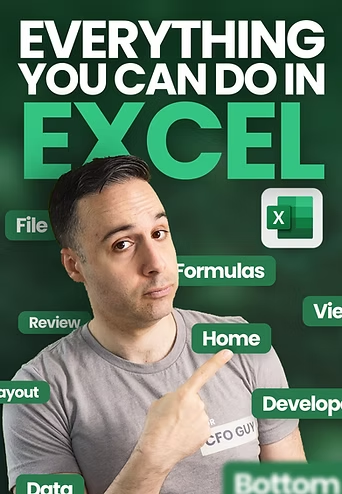
What is a Josh Aharonoff Everything You Can do in Excel Course for Cheap?
Learn all of Excel’s features to buy back your time
Everything You Can Do In Excel is your quick path to Excel mastery, whether you’re a beginner or have some experience.
If you’ve only used the Home tab or tried to learn Excel but got confused, this course will help you break through.
We start from the basics and teach you every single feature inside Excel.
By the end, you’ll know Excel inside and out. You’ll work faster, make better decisions using data, and get the most output from this powerful tool.
❌ If you think memorizing every formula is the answer, you’d be wrong
❌ If you believe you need to be a “numbers person,” you’d still be wrong.
❌ And if you thought spending hours watching countless boring tutorials was the key, you couldn’t be further from the truth.
✅ Here’s the reality: learning Excel doesn’t have to be complicated.
Whether you’re:
-
An ambitious professional climbing the corporate ladder
-
A manager overseeing teams and projects
-
A freelancer juggling projects
-
A business owner making data-driven decisions
-
A fractional CFO presenting financial data to stakeholders
-
Or you are just about to enter the workforce
Your career success increasingly relies on your ability to use the power of Excel.
▶️ SAMPLE:
▶️ SAMPLE:
Josh Aharonoff Everything You Can do in Excel Course Index:
📄 0. Proof.pdf (385.83 KB)
📄 09.11 – External Links_Answers.xlsx (59.32 KB)
📄 09.11 HW External Links_Question.xlsx (25.48 KB)
📄 09.12 Custom Sort_Answers.xlsx (241.08 KB)
📄 09.12 Custom Sort_Question.xlsx (236.01 KB)
📄 09.16 Group, Ungroup, Subtotal_Questions.xlsx (65.23 KB)
📄 09.16 HW Group, Ungroup, Subtotal_Answers.xlsx (65.39 KB)
📄 1.01 Course Intro.mp4 (18.01 MB)
📄 1.01 Course Intro.pdf (155.83 KB)
📄 1.01 Mega File.zip (149.50 MB)
📄 1.02 Meet Your Instructor.mp4 (17.62 MB)
📄 1.03 How To Use This Course.mp4 (22.98 MB)
📄 1.03 How To Use This Course.pdf (155.02 KB)
📄 10.01 Excel Ribbons – Review.png (583.51 KB)
📄 10.01 Introduction to Review.mp4 (8.20 MB)
📄 10.02 Proofing.mp4 (7.90 MB)
📄 10.03 Accessibility, Insights, and Language.mp4 (10.11 MB)
📄 10.04 Changes.mp4 (8.55 MB)
📄 10.05 Comments & Notes.mp4 (10.15 MB)
📄 10.06 Protect Section.mp4 (9.35 MB)
📄 10.07 Hide Ink_Answer.xlsx (37.81 KB)
📄 10.07 Hide Ink_Question.xlsx (37.29 KB)
📄 10.07 Ink Section.mp4 (6.87 MB)
📄 10.08 HW – Stay protected.mp4 (10.38 MB)
📄 10.08 HW – Stay protected.pdf (145.83 KB)
📄 10.08 HW Protect_Answer.xlsx (23.13 KB)
📄 10.08 HW Protect_Question.xlsx (22.83 KB)
📄 10.09 HW – Comments & Notes.mp4 (5.89 MB)
📄 10.09 HW – Comments & Notes.pdf (121.26 KB)
📄 10.09 HW Notes _ Comments_Answer.xlsx (38.30 KB)
📄 10.09 Notes _ Comments_Question.xlsx (34.95 KB)
📄 11.01 Introduction To View.mp4 (7.58 MB)
📄 11.01 Introduction To View.png (562.79 KB)
📄 11.02 Sheet View.mp4 (9.09 MB)
📄 11.03 Workbook Views.mp4 (8.12 MB)
📄 11.04 Show & Zoom.mp4 (16.13 MB)
📄 11.05 Window.mp4 (35.75 MB)
📄 11.06 Macros.mp4 (1.61 MB)
📄 11.07 HW – Staring Out The Window.mp4 (17.94 MB)
📄 11.07 HW – Staring Out The Window.pdf (145.96 KB)
📄 11.07 Staring Out the Window_Answer.xlsx (61.54 KB)
📄 11.07 Staring Out the Window_Question.xlsx (60.66 KB)
📄 12.01 Introduction To Developer.mp4 (12.17 MB)
📄 12.01 Introduction To Developer.png (433.60 KB)
📄 12.02 Code.mp4 (7.24 MB)
📄 12.03 Add-Ins.mp4 (6.32 MB)
📄 12.04 Controls.mp4 (9.99 MB)
📄 12.06 Create a Basic Macro_Solution.xlsm (31.45 KB)
📄 12.06 HW – Create A Basic Macro.mp4 (24.30 MB)
📄 12.06 HW – Create a Basic Macro_Question.xlsx (54.22 KB)
📄 12.07 HW – Create Chart Buttons.mp4 (4.96 MB)
📄 12.07 HW – Create Chart Buttons.pdf (129.14 KB)
📄 12.07 HW Chart Buttons_Answers.xlsx (584.76 KB)
📄 12.07 HW Chart Buttons_Question.xlsx (583.51 KB)
📄 12.08 HW – Month End Close Checklist.mp4 (21.08 MB)
📄 12.08 HW – Month End Close Checklist.pdf (133.65 KB)
📄 12.08 HW Month End Close Checklist_Answers.xlsx (149.24 KB)
📄 12.08 HW Month End Close Checklist_Question.xlsx (135.66 KB)
📄 13.01 Help & Community.mp4 (7.21 MB)
📄 14.01 Course Wrap Up & Next Steps.mp4 (34.94 MB)
📄 14.01 Course Wrap Up & Next Steps.pdf (241.12 KB)
📄 14.02 18 Excel Functions for Accountants.png (5.81 MB)
📄 14.02 Bonus 1 – 18 Excel Functions for Accountants.mp4 (83.42 MB)
📄 14.02 Your CFO Guy – 18 Excel Functions for Accountants.xlsx (144.57 KB)
📄 14.03 25 Excel Tips _ Tricks.png (13.94 MB)
📄 14.03 Bonus 2 – 25 Excel Tips & Tricks.mp4 (119.71 MB)
📄 14.03 Your CFO Guy – 25 Excel Tips.xlsx (499.47 KB)
📄 2.01 Everything You Can Do in Excel.png (7.08 MB)
📄 2.01 What Is An Excel Spreadsheet.mp4 (14.26 MB)
📄 2.01 What Is An Excel Spreadsheet.pdf (43.10 KB)
📄 2.02 File Extensions.mp4 (14.29 MB)
📄 2.02 File Extensions.pdf (58.62 KB)
📄 2.03 Different Versions Of Excel.mp4 (9.42 MB)
📄 2.03 Different Versions Of Excel.pdf (150.95 KB)
📄 2.04 Excel Objects.mp4 (51.15 MB)
📄 2.04 Excel Objects.pdf (167.27 KB)
📄 2.05 Getting To Know Our Excel File.mp4 (30.46 MB)
📄 2.06 Navigating Through The Tabs.mp4 (14.97 MB)
📄 2.06 Navigating Through The Tabs.pdf (129.42 KB)
📄 3.01 Cell Navigation.mp4 (14.33 MB)
📄 3.01 Cell Navigation.pdf (134.78 KB)
📄 3.02 Cell Formulas.mp4 (19.64 MB)
📄 3.02 Cell Formulas.pdf (129.23 KB)
📄 3.02 Excel Formulas Cheat Sheet.png (4.22 MB)
📄 3.03 Absolute References.mp4 (11.17 MB)
📄 3.03 Absolute References.pdf (146.16 KB)
📄 4.01 File Overview.mp4 (14.59 MB)
📄 4.01 File Overview.pdf (155.65 KB)
📄 4.02 Excel Options.docx (107.25 KB)
📄 4.02 Options.mp4 (33.14 MB)
📄 4.02 Options.pdf (152.87 KB)
📄 5.01 Excel Ribbons – Home.png (1.33 MB)
📄 5.01 Introduction To Home Ribbon.mp4 (10.67 MB)
📄 5.01 Introduction To Home Ribbon.pdf (337.45 KB)
📄 5.02 Clipboard.mp4 (13.48 MB)
📄 5.02 Clipboard.pdf (471.46 KB)
📄 5.02 Paste Special.jpg (3.77 MB)
📄 5.02 Your CFO Guy – Paste Special.xlsx (225.47 KB)
📄 5.03 Font.mp4 (6.18 MB)
📄 5.03 Font.pdf (118.42 KB)
📄 5.04 Alignment.mp4 (8.97 MB)
📄 5.04 Alignment.pdf (100.68 KB)
📄 5.05 Custom Formatting.png (6.11 MB)
📄 5.05 Number.mp4 (11.91 MB)
📄 5.05 Number.pdf (459.75 KB)
📄 5.05 Your CFO Guy – Custom Formatting.xlsx (733.75 KB)
📄 5.06 Everything you need to know about CONDITIONAL FORMATTING.png (6.55 MB)
📄 5.06 Styles.mp4 (17.67 MB)
📄 5.06 Styles.pdf (457.07 KB)
📄 5.06 Your CFO Guy – Conditional Formatting.xlsx (1.66 MB)
📄 5.07 Cells.mp4 (8.75 MB)
📄 5.07 Cells.pdf (170.68 KB)
📄 5.08 Editing.mp4 (20.60 MB)
📄 5.08 Editing.pdf (142.39 KB)
📄 5.09a Analyze Data.mp4 (6.93 MB)
📄 5.09a Analyze Data.pdf (143.20 KB)
📄 5.09b Add – Ins.mp4 (5.95 MB)
📄 5.10 10 HW – Home_Answers.xlsx (140.86 KB)
📄 5.10 10 HW – Home_Questions.xlsx (136.80 KB)
📄 5.10 HW – Home Ribbon.mp4 (7.84 MB)
📄 5.11 HW – Be Special Answers.pdf (712.07 KB)
📄 5.11 HW – Be Special Answers.xlsx (46.71 KB)
📄 5.11 HW – Be Special.mp4 (15.51 MB)
📄 5.11 HW – Be Special.pdf (159.82 KB)
📄 5.11 Hw – Be Special Question.xlsx (45.66 KB)
📄 5.12 HW – Create A KPI Box Answers.xlsx (22.61 KB)
📄 5.12 HW – Create A KPI Box Assignment.pdf (719.32 KB)
📄 5.12 HW – Create A KPI Box.mp4 (42.16 MB)
📄 5.12 HW – Create A KPI Box.pdf (169.88 KB)
📄 5.12 Hw – Create A Kpi Box.xlsx (19.65 KB)
📄 5.13 HW – Create Vertical Date Headers Answers.xlsx (50.49 KB)
📄 5.13 HW – Create Vertical Date Headers.mp4 (17.95 MB)
📄 5.13 HW – Create Vertical Date Headers.pdf (156.21 KB)
📄 5.13 HW – Vertical Date Headers.pdf (722.75 KB)
📄 5.13 Hw – Create Vertical Date Headers.xlsx (50.39 KB)
📄 5.14 HW – Add Arrows To Your Text Answers.xlsx (59.12 KB)
📄 5.14 HW – Add Arrows To Your Text.mp4 (24.23 MB)
📄 5.14 HW – Add Arrows To Your Text.pdf (169.44 KB)
📄 5.14 HW – Add Arrows To Your Text_.pdf (824.07 KB)
📄 5.14 Hw – Add Arrows To Your Text.xlsx (59.07 KB)
📄 5.15 HW – Highlight Best Vs Worst Answers.xlsx (19.19 KB)
📄 5.15 HW – Highlight Best Vs Worst.mp4 (15.38 MB)
📄 5.15 HW – Highlight Best Vs Worst.pdf (153.38 KB)
📄 5.15 HW – Highlight Best Vs Worst_.pdf (691.66 KB)
📄 5.15 Hw – Highlight Best Vs Worst.xlsx (19.08 KB)
📄 5.16 HW – Select All Assumption Cells Answers.xlsx (26.04 KB)
📄 5.16 HW – Select All Assumption Cells.mp4 (7.63 MB)
📄 5.16 HW – Select All Assumption Cells.pdf (153.95 KB)
📄 5.16 Hw – Select All Assumption Cells.xlsx (25.97 KB)
📄 5.16 Select All Assumption Numbers.pdf (824.84 KB)
📄 6.01 Excel Ribbons – Insert.png (1.04 MB)
📄 6.01 Introduction To Insert Ribbon.mp4 (5.45 MB)
📄 6.02a Everything you need to know about Excel Tables.jpg (4.20 MB)
📄 6.02a Tables.mp4 (46.04 MB)
📄 6.02a Your CFO Guys_Tables Worksheet.xlsx (3.97 MB)
📄 6.02b PivotTable Cheat Sheet.png (18.76 MB)
📄 6.02b PivotTables.mp4 (23.59 MB)
📄 6.02b Your CFO Guy_PivotTables Worksheet Solutions.xlsx (325.66 KB)
📄 6.02b Your CFO Guy_PivotTables Worksheet.xlsx (2.58 MB)
📄 6.03 Illustrations.mp4 (5.19 MB)
📄 6.04 Charts.mp4 (30.31 MB)
📄 6.04 Excel Charts.png (4.69 MB)
📄 6.04 Your CFO Guy – Every Excel Chart.xlsx (5.63 MB)
📄 6.04 Your CFO Guy – Starting Point_Every Excel Chart.xlsx (1.70 MB)
📄 6.05 Tours.pdf (15.60 KB)
📄 6.06 Sparklines.mp4 (10.34 MB)
📄 6.07 Filters.mp4 (6.49 MB)
📄 6.08 Links & Comments.mp4 (7.56 MB)
📄 6.09 Text, Equations & Symbols.mp4 (19.91 MB)
📄 6.10 HW – Insert Ribbon.mp4 (7.62 MB)
📄 6.10 HW – Insert_Answers.xlsx (852.79 KB)
📄 6.10 HW – Insert_Questions.xlsx (90.05 KB)
📄 6.11 HW – The Power Of Tables_.pdf (741.21 KB)
📄 6.11 HW – The Power of Tables Answers.xlsx (25.86 KB)
📄 6.11 HW – The Power of Tables.mp4 (40.21 MB)
📄 6.11 HW – The Power of Tables.pdf (163.81 KB)
📄 6.11 HW – The Power of Tables.xlsx (21.03 KB)
📄 6.12 HW – PivotTable Profit & Loss.mp4 (89.05 MB)
📄 6.12 HW – PivotTable Profit & Loss.pdf (158.82 KB)
📄 6.12 HW – PivotTable Profit _ Loss Answers.xlsx (78.39 KB)
📄 6.12 HW – PivotTable Profit _ Loss.xlsx (50.07 KB)
📄 6.12 HW – Pivottable Profit _ Loss.pdf (727.74 KB)
📄 6.13 HW – Create A Cover Dashboard Answers.xlsx (718.72 KB)
📄 6.13 HW – Create A Cover Dashboard.mp4 (30.90 MB)
📄 6.13 HW – Create A Cover Dashboard.pdf (153.13 KB)
📄 6.13 HW – Create A Cover Dashboard.xlsx (21.51 KB)
📄 6.13 HW – Create A Cover Dashboard_.pdf (727.85 KB)
📄 6.14 HW – Chart Dashboards Answers.xlsx (80.66 KB)
📄 6.14 HW – Chart Dashboards.mp4 (108.02 MB)
📄 6.14 HW – Chart Dashboards.pdf (169.40 KB)
📄 6.14 HW – Chart Dashboards.xlsx (47.50 KB)
📄 6.14 HW – Chart Dashboards_.pdf (793.96 KB)
📄 6.15 HW – Sparkline P&L.mp4 (12.26 MB)
📄 6.15 HW – Sparkline P&L.pdf (159.17 KB)
📄 6.15 HW – Sparkline P_L Answers.xlsx (27.08 KB)
📄 6.15 HW – Sparkline P_L.pdf (796.72 KB)
📄 6.15 HW – Sparkline P_L.xlsx (26.29 KB)
📄 7.01 Excel Ribbons – Page Layout.png (1.00 MB)
📄 7.01 Introduction To Page Layout.mp4 (5.84 MB)
📄 7.02 Themes.mp4 (10.80 MB)
📄 7.03 HW – Tell Me I_M Pretty.mp4 (9.94 MB)
📄 7.03 HW – Tell Me I_M Pretty.pdf (136.54 KB)
📄 7.03 HW Tell me I-m Pretty_Answer.xlsx (19.38 KB)
📄 7.03 HW Tell me I-m Pretty_Question.xlsx (20.68 KB)
📄 7.04 Create a Theme_Answer.xlsx (586.63 KB)
📄 7.04 Create a Theme_Question.xlsx (70.25 KB)
📄 7.04 HW – Create A Theme.mp4 (23.74 MB)
📄 7.04 HW – Create A Theme.pdf (135.80 KB)
📄 7.05 Page Setup.mp4 (16.76 MB)
📄 7.06 Scale To Fit & Sheet Options.mp4 (7.85 MB)
📄 7.07 – Print a Board Deck_Answer.pdf (654.90 KB)
📄 7.07 HW – Print A Board Deck.mp4 (14.15 MB)
📄 7.07 HW – Print A Board Deck.pdf (166.60 KB)
📄 7.07 HW Print a Board Deck_Answer.xlsx (87.58 KB)
📄 7.07 HW Print a Board Deck_Question.xlsx (89.35 KB)
📄 7.08 Arrange.mp4 (13.14 MB)
📄 7.09 HW – Arrange Them.mp4 (12.16 MB)
📄 7.09 HW – Arrange Them.pdf (140.22 KB)
📄 7.09 HW Arrange Them_Answer.xlsx (77.05 KB)
📄 7.09 HW Arrange Them_Question.xlsx (76.62 KB)
📄 7.10 HW – Align Them.mp4 (4.86 MB)
📄 7.10 HW – Align Them.pdf (113.83 KB)
📄 7.10 HW Align Them_Answer.xlsx (57.85 KB)
📄 7.10 HW Align Them_Question.xlsx (57.74 KB)
📄 8.01 Excel Ribbons – Formulas.png (1.00 MB)
📄 8.01 Introductions To Formulas Ribbon.mp4 (11.57 MB)
📄 8.02 Excel Functions Cheat Sheet.png (4.16 MB)
📄 8.02 Insert Function & Function Library.mp4 (10.47 MB)
📄 8.03 Defined Names.mp4 (15.58 MB)
📄 8.04 Formula Auditing.mp4 (33.52 MB)
📄 8.05 Calculation.mp4 (19.84 MB)
📄 8.06 HW – My 4 Favorite Functions.mp4 (35.36 MB)
📄 8.06 HW My 4 Favorite Functions_Answer.xlsx (42.94 KB)
📄 8.06 HW My 4 Favorite Functions_Question.xlsx (41.00 KB)
📄 8.07 HW – Give it a name.mp4 (43.56 MB)
📄 8.07 HW – Give it a name.pdf (122.77 KB)
📄 8.07 HW – Give it a name_Answers.xlsx (51.01 KB)
📄 8.07 HW – Give it a name_Instructions.docx (20.86 KB)
📄 8.07 HW – Give it a name_Questions.xlsx (50.35 KB)
📄 8.08 Excel Errors.png (2.45 MB)
📄 8.08 HW – QA An Error.mp4 (11.72 MB)
📄 8.08 HW – QA An Error.pdf (420.51 KB)
📄 8.08 HW QA the Error_Answer.xlsx (28.63 KB)
📄 8.08 HW QA the Error_Question.xlsx (28.64 KB)
📄 8.09 HW – Change Calculation Options For Data Tables.mp4 (5.80 MB)
📄 8.09 HW – Change Calculation Options For Data Tables.pdf (148.17 KB)
📄 8.09 HW – Change Calculation Options_Answer.xlsx (40.51 KB)
📄 8.09 HW – Change Calculation Options_Question.xlsx (40.48 KB)
📄 9.01 Excel Ribbons – Data.png (717.11 KB)
📄 9.01 Introduction To Data Ribbon.mp4 (16.88 MB)
📄 9.02 Get & Transform Data.mp4 (28.45 MB)
📄 9.03 Queries & Connections.mp4 (31.44 MB)
📄 9.04 Data Types.mp4 (8.91 MB)
📄 9.04 Data Types.xlsx (197.81 KB)
📄 9.05 Sort & Filter Option.mp4 (16.92 MB)
📄 9.06 Data Tools – Pt I.mp4 (20.54 MB)
📄 9.07 Consolidate.xlsx (281.70 KB)
📄 9.07 Data Tools – Pt II.mp4 (36.99 MB)
📄 9.08 9 Ways To Forecast.jpg (9.59 MB)
📄 9.08 Forecast.mp4 (14.55 MB)
📄 9.09 Outline.mp4 (22.89 MB)
📄 9.10 01APMay2023.xlsx (12.73 KB)
📄 9.10 02APJune2023.xlsx (12.63 KB)
📄 9.10 03APJuly2023.xlsx (11.66 KB)
📄 9.10 04APAugust2023.xlsx (11.64 KB)
📄 9.10 8 things you can do in power query.png (6.33 MB)
📄 9.10 Exchange Rates.xlsx (20.46 KB)
📄 9.10 HW – Powerquery Accounts Payable.mp4 (104.60 MB)
📄 9.10 HW – Powerquery Accounts Payable.pdf (424.32 KB)
📄 9.11 HW – External Links.mp4 (11.14 MB)
📄 9.11 HW – External Links.pdf (162.32 KB)
📄 9.12 Hw – Custom Sort.mp4 (27.35 MB)
📄 9.13 HW – Create A Scenario.mp4 (7.63 MB)
📄 9.13 HW Create a Scenario_Answer.xlsx (28.95 KB)
📄 9.13 HW Create a Scenario_Question.xlsx (28.82 KB)
📄 9.14 HW – Find The Optimal Price.mp4 (1.53 MB)
📄 9.14 HW – Find The Optimal Price.pdf (112.46 KB)
📄 9.14 HW Find the Optimal Price_Answer.xlsx (27.71 KB)
📄 9.14 HW Find the Optimal Price_Question.xlsx (28.14 KB)
📄 9.15 HW – Showcase 3 scenarios in 1 view_Answer.xlsx (40.49 KB)
📄 9.15 HW – Showcase 3 scenarios in 1 view_Question.xlsx (40.50 KB)
📄 9.15 Showcase 3 Scenarios In 1 View.mp4 (9.11 MB)
📄 9.16 HW – Group, Ungroup, And Subtotals.mp4 (22.38 MB)
📄 9.16 HW – Group, Ungroup, And Subtotals.pdf (156.99 KB)
📄 9.17 Data Validation.jpg (2.12 MB)
📄 9.17 HW – Get Validated.mp4 (35.85 MB)
📄 9.17 HW – Get Validated.pdf (427.53 KB)
📄 9.17 HW Get Validated_Answer.xlsx (422.69 KB)
📄 9.17 HW Get Validated_Question.xlsx (420.88 KB)
💬 Feel free to REACH OUT to our CHAT support for personalized assistance and detailed information tailored to your needs. We’re here to help!



Reviews
There are no reviews yet.