Matt D’Avella – Master YouTube teaches you how to build a YouTube channel with a clear strategy, from algorithm basics to monetization. Digital files. Crypto payment only. Browse more premium learning at Courses On Budget.
Master YouTube by Matt D’Avella: Build A Channel With Strategy
Posting videos and hoping the algorithm notices you is slow. Master YouTube by Matt D’Avella gives you a structured way to build a channel: crafting attention-grabbing videos, understanding how YouTube works and building real connections with your audience.
The course is made of 27 video lessons and a set of working files. It draws on Matt D’Avella’s experience building a YouTube presence with millions of subscribers, and it emphasises data-driven decisions, practical exercises and case studies. You move from your first idea to naming and setting up the channel, through gear, production workflow, titles, storytelling, filming and thumbnails, to audience growth and monetization.
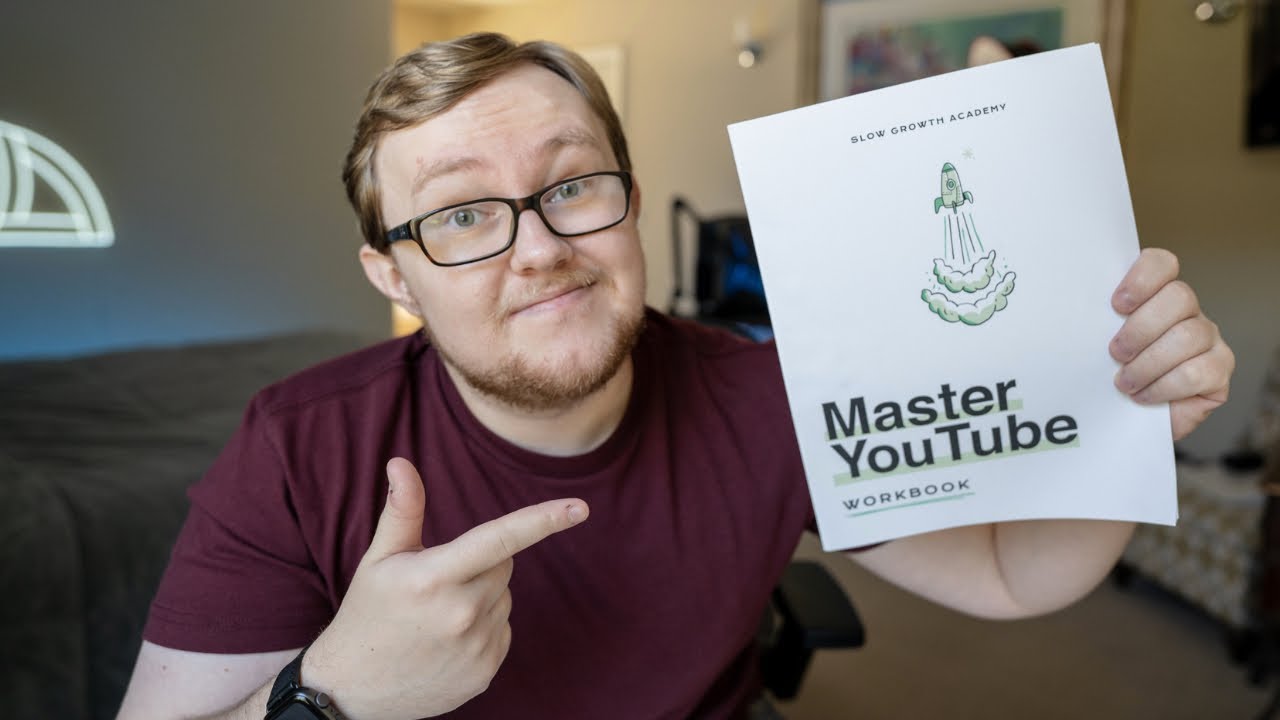
Alongside the lessons you get the Master YouTube Workbook, a one-pager, production checklists, an Essential Gear guide, watermark assets and color grading LUT files, so each lesson comes with something you can use straight away.
What Is Inside Master YouTube
Matt D’Avella – Master YouTube
A 27-lesson YouTube course for creators and entrepreneurs, with a workbook, checklists, a gear guide and editing assets.
- 27 video lessons – from getting started to celebrating your progress.
- Master YouTube Workbook and One Pager as PDFs.
- Production checklists – YouTube Production Checklist and My Checklist for Making Videos.
- Essential Gear guide and digital toolkit lessons.
- Assets – YouTube watermarks and two color grading LUT files.
Foundations: Algorithm, Mindset And Channel Setup
The course opens with How I got started on YouTube and how to get the most from the course. It then covers how to beat the algorithm, the 3 Keys to Success, creating your inner circle, developing your content strategy, naming your channel, setting up your channel and a YouTube Studio tour.
Production: Gear, Workflow And Storytelling
Next come Essential Gear and building your digital toolkit, followed by the simple production workflow, how to come up with original video ideas and how to create effective titles. Storytelling lessons include 6 Rules for Effective Storytelling and turning good ideas into great videos, then everything you need to know about filming yourself. A checklist for making videos supports the process.
Thumbnails, Editing, Growth And Monetization
You learn to create compelling thumbnails and see how Matt edits his own, then how to edit videos twice as fast. Growth lessons include a beginner’s guide to audience growth and how he got over 3 million subscribers. The final lessons cover monetizing your channel with intention, how much is enough, and what to take with you. Support files include a monetization framework and an editing optimisation resource.
From Idea To Income: The Course Path
| Stage | Lessons you get | Matching resource |
|---|---|---|
| Setup | Algorithm, 3 Keys to Success, channel naming and setup, YouTube Studio tour | Master YouTube One Pager |
| Strategy | Inner circle, content strategy | Develop your content strategy PDF |
| Production | Essential Gear, digital toolkit, production workflow, filming yourself | Essential Gear PDF, YouTube Production Checklist |
| Creation | Original ideas, titles, storytelling rules, thumbnails, editing twice as fast | My Checklist for Making Videos, editing PDF |
| Growth | Audience growth, 3 million subscribers lesson | Master YouTube Workbook |
| Monetization | Monetize with intention, how much is enough | Monetization PDF, color grading LUTs and watermarks |
Files Included
Total: 40 files
- 📄 1 – How I got started on YouTube
- 📄 2 – Get the most from this course
- 📄 3 – How to beat the algorithm
- 📄 4 – The 3 Keys to Success
- 📄 5 – Create your inner circle
- 📄 6 – Develop your content strategy
- 📄 7 – Name your channel
- 📄 8 – Set up your channel
- 📄 9 – YouTube Studio Tour
- 📄 10 – Essential Gear
- 📄 11 – Build your digital toolkit
- 📄 12 – The Simple Production Workflow
- 📄 13 – How to come up with original video ideas
- 📄 14 – Create effective titles
- 📄 15 – My checklist for making videos
- 📄 16 – 6 Rules for Effective Storytelling
- 📄 17 – Turning good ideas into great videos
- 📄 18 – Everything you need to know about filming yourself
- 📄 19 – Create compelling thumbnails
- 📄 20 – How I edit my thumbnails
- 📄 21 – How to edit your videos twice as fast
- 📄 22 – A beginner’s guide to audience growth
- 📄 23 – How I got over 3 million subscribers
- 📄 24 – Monetize your channel with intention
- 📄 25 – How much is enough?
- 📄 26 – Take these things with you
- 📄 27 – Let’s celebrate!
- 📄 Master YouTube Workbook.pdf
- 📄 Master YouTube One Pager.pdf
- 📄 YouTube Production Checklist.pdf
- 📄 My Checklist for Making Videos.pdf
- 📄 YouTube Watermarks.zip
- 📄 Fuji ETERNA 250D Kodak 2395 (by Adobe).cube
- 📄 Fuji3513 – Rec709.cube
- 📄 How I got started on YouTube (image)
- 📄 Develop your content strategy
- 📄 Essential Gear
- 📄 Build your digital toolkit
- 📄 How to edit your videos twice as fast
- 📄 Monetize your channel with intention
Why Choose Master YouTube
- 27 concise video lessons covering the whole channel journey
- Workbook, one-pager and production checklists included
- Gear guide, watermarks and color grading LUT files
- Clear focus on strategy rather than only on tricks
- Built around one creator’s approach to YouTube
- Does not replace your own consistent publishing
- Digital files only, crypto payment only
If you want a structured, creator-led path from channel setup to monetization, Matt D’Avella – Master YouTube delivers lessons, checklists and assets in one package. Digital files, crypto payment only, fast delivery handled manually after payment confirmation, and download links available for 7 days, so save your files locally.
Get it now through Courses On Budget and see the latest additions on our updates page.
Browse the category: Ecommerce Courses · Ecommerce Courses Cheap List
Related courses:


Reviews
There are no reviews yet.