

Verified Course Package
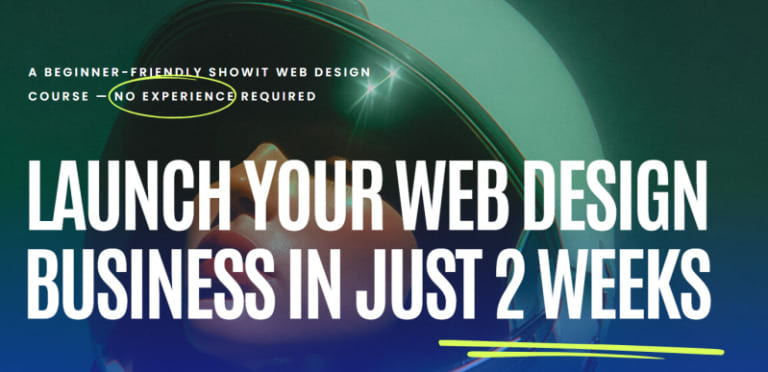
Melissa Lunt – Launch Your Web Design Business is available through Courses On Budget. A 10-day web-design business launch path that starts with niche selection, business naming and branding, then moves into Showit setup, client-site design, workflow, portfolio, pricing, client acquisition, social marketing and launch. The supplied index contains 61 files totaling 3.21 GB, including 27 MP4 lessons plus worksheets, prompts, checklists, PDFs and bonus documents.
Melissa Lunt – Launch Your Web Design Business is available through Courses On Budget. A 10-day web-design business launch path that starts with niche selection, business naming and branding, then moves into Showit setup, client-site design, workflow, portfolio, pricing, client acquisition, social marketing and launch. The supplied index contains 61 files totaling 3.21 GB, including 27 MP4 lessons plus worksheets, prompts, checklists, PDFs and bonus documents.
What You Get in Melissa Lunt – Launch Your Web Design Business
This page is built from the current product information and the supplied file index. The goal is simple: show you what is actually inside the package, how the curriculum is organized, and who will get the most value from it—without padding the description with invented lessons or unsupported claims.
61Indexed files
27Video files
3.21 GBIndexed package size
Why This Course Stands Out
Structured learning10 instructional days from foundations through business launch
Practical package27 MP4 lessons plus prompts, workbooks, checklists and bonus documents
Clear applicationShowit, WordPress blogging, Canva, Instagram, Pinterest and Facebook Groups appear in the indexed material
What You Can Learn and Apply
- Choose a niche and create a basic brand direction
- Build and customize a Showit portfolio/client site
- Create a client workflow and onboarding process
- Set prices, pitch prospects and market through social channels
Best for: New web designers who need both website-building instruction and the service-business steps around portfolio, pricing, booking and launch.
Structured Course vs. Piecing Together Random Tutorials
| Dimension | This Package | Fragmented Learning |
|---|---|---|
| 10-day structure | ✓ Included | Often scattered across separate resources |
| 27 MP4 lessons | ✓ Included | Often scattered across separate resources |
| Business + design workflow | ✓ Included | Often scattered across separate resources |
| Launch and client-acquisition modules | ✓ Included | Often scattered across separate resources |
Free Video Sample
| ▶ |
See a real lesson from this course
Unedited sample from the actual files. No login, no signup.
|
Watch onTelegram →
Complete Course Index
Open the sections below to inspect the supplied curriculum and resources file by file.
Course Files
📄 01-Bonus.docx (749.55 KB)
01-Day 1 Laying the Foundation
📄 01-Bonus.docx (749.55 KB)
📄 01-Welcome How to Take this Course.mp4 (12.66 MB)
📄 01-Welcome How to Take this Course.pdf (24.23 KB)
📄 02-Niche_Finder_Worksheet_-_Superhero_Design.pdf (68.41 KB)
📄 02-Research choose your Niche.mp4 (195.29 MB)
📄 02-Research choose your Niche.pdf (21.62 KB)
📄 03-Choose your business name.mp4 (165.46 MB)
📄 03-Choose your business name.pdf (22.26 KB)
📄 04-Create your logo brand.mp4 (471.77 MB)
📄 04-Create your logo brand.pdf (24.09 KB)
02-Day 2 Setting Up Your Website
📄 01-Bonus.docx (749.55 KB)
📄 01-Set up your Showit account.mp4 (48.34 MB)
📄 02-Install your website template.mp4 (108.14 MB)
📄 02-Superhero_Website_Designer_Client_Sites.pdf (89.04 KB)
📄 02-Superhero_Website_Designer_Portfolio_Site.pdf (89.83 KB)
📄 03-Create website copy.mp4 (238.43 MB)
📄 03-Website_Copywriting_Prompts_for_you.rtf (5.46 KB)
📄 04-Branding your website template.mp4 (514.42 MB)
03-Day 3 Designing in Showit
📄 01-Bonus.docx (749.55 KB)
📄 01-Showit Basics.mp4 (214.86 MB)
📄 02-Designing a client site Concept Home Page.mp4 (236.00 MB)
📄 03-AI_Prompts_for_SEO.txt (2.01 KB)
📄 03-Finalizing a client site launch.mp4 (126.04 MB)
04-Day 4 Learning Showit – Advanced Features
📄 01-Animation Effects.mp4 (153.18 MB)
📄 01-Bonus.docx (749.55 KB)
📄 02-Showit WordPress Blogging.mp4 (159.32 MB)
📄 03-Contact Forms Galleries Ecommerce.mp4 (105.30 MB)
05-Day 5 Client Process Workflow
📄 01-Bonus.docx (749.55 KB)
📄 01-Client process from start to finish.mp4 (61.24 MB)
📄 01-Client process from start to finish.pdf (113.67 KB)
📄 01-Client_Process_Checklist_-_Superhero_Design.pdf (82.90 KB)
📄 02-Contract onboarding.mp4 (79.38 MB)
06-Day 6 Building Your Portfolio
📄 01-Bonus (1).docx (749.55 KB)
📄 01-Bonus.docx (749.55 KB)
📄 01-ChatGPT_Prompt_for_Writing_Mock_Project_Descriptions.rtf (4.57 KB)
📄 01-Create mock projects add to your website.mp4 (80.19 MB)
📄 01-Create mock projects add to your website.pdf (30.75 KB)
07-Day 7 Pricing Customization
📄 01-Bonus.docx (749.55 KB)
📄 01-Set your prices with confidence.mp4 (15.09 MB)
📄 02-Customize templates in Canva.mp4 (55.66 MB)
08-Day 8 Booking Your First Clients
📄 01-Bonus.docx (749.55 KB)
📄 01-Day_8_Workbook_How_to_Book_Your_First_Clients_Even_Without_an_Audience_.pdf (866.85 KB)
📄 01-How to book your first 13 clients.mp4 (42.50 MB)
📄 01-How to book your first 13 clients.pdf (22.47 KB)
📄 02-Create your pitch paragraph.mp4 (31.66 MB)
📄 02-Create your pitch paragraph.pdf (35.49 KB)
📄 02-Day_8_Workbook_How_to_Book_Your_First_Clients_Even_Without_an_Audience_.pdf (866.85 KB)
📄 03-Intro to Facebook Groups.mp4 (18.20 MB)
09-Day 9 Social Media Marketing
📄 01-Bonus.docx (749.55 KB)
📄 01-Create your content pillars.mp4 (16.88 MB)
📄 02-Optimize your instagram.mp4 (25.69 MB)
📄 02-Optimize your instagram.pdf (18.28 KB)
📄 03-Using Pinterest to Drive Traffic.mp4 (66.82 MB)
📄 03-Using Pinterest to Drive Traffic.pdf (13.77 KB)
10-Day 10 Launching Your Business
📄 01-Bonus.docx (749.55 KB)
📄 01-Finalize and publish your website.mp4 (21.09 MB)
📄 02-Share your launch online Congrats.mp4 (14.31 MB)
11-Bonus Content
📄 01-Bonus.docx (749.55 KB)
📄 01-Freebie.pdf (25.52 KB)
📄 01-Showit_Setup_Guide_Access_1_.pdf (169.09 KB)
Build a Stronger Learning Stack
Explore more Design courses or browse the curated Design course list. These related products are useful next steps if you want complementary skills:
Matt Jumper – Flux Web Design MasterclassMeredith Cancilla – Dream Big DesignerMolly Jones – Notion Consultant Course
Useful External Resources
Ready to study Melissa Lunt – Launch Your Web Design Business?
Get the indexed digital course package from Courses On Budget. Active discount options are listed on the coupons page.
More from Courses On Budget: main catalog · latest course updates · current product page.


Reviews
There are no reviews yet.