

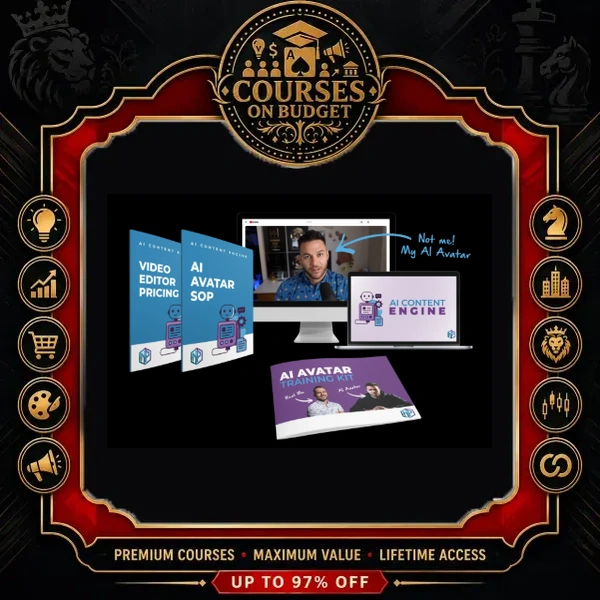
What Is Nick Ponte AI Content Engine?
Creating consistent YouTube content is where most entrepreneurs burn out. Nick Ponte AI Content Engine solves that with a repeatable process: an AI avatar of yourself presents researched, scripted videos while a team member or freelancer runs the checklist for you.
In the opening lesson, Nick shows one of his avatar videos: posted five days earlier, it had about 10,000 views, 100 new subscribers and $56 in ad revenue, while promoting his own products inside the video. He says he did not even pick the topic; someone on his team did. The course shows how he got there, step by step.
If you are exploring AI courses for content creation, this one is short and practical: four core lessons, the internal SOP, and bonus templates. More programs are in the AI & ChatGPT category.
Verified Package Facts
| Detail | What the package contains |
|---|---|
| Format | Video lessons, SOP document, PDF and DOCX bonuses |
| Video lessons | 5 videos (4 core lessons + 1 bonus sample) |
| Total runtime | 25m 46s across 5 transcribed lessons |
| Files / folders | 9 files in 2 folders (AI Avatar System, Bonuses) |
| Package size | 0.15 GB |
| Supporting materials | AI Avatar Video Creation SOP (.docx), Foot-in-the-Door Social Post (.pdf), Best-Converting Thumbnail Templates (.docx), Creating AI Videos for Clients (.pdf) |
| Skill level | Beginner to intermediate creators, coaches and agency owners |
| Delivery | Digital files, fast manual delivery after crypto payment confirmation |
What You Will Learn Inside Nick Ponte AI Content Engine
1. Build a Transparent AI Avatar With HeyGen
Step one of Nick Ponte AI Content Engine is your avatar. Nick uses HeyGen: you record a short training video, upload it, and come back to a clone that turns any pasted script into a talking video. He estimates 20–30 minutes to create a good one. He used to upload an ElevenLabs voice, but now finds HeyGen’s own voice “just as good, if not better”, so he only pays for HeyGen. His advice: start on the free plan and upgrade as volume grows (he is on the $99 per month plan).
He also teaches transparency. About 30 seconds into each video his avatar says it is Nick’s AI avatar, and the clone always wears the same blue shirt so viewers can tell it apart from the real Nick.
2. Find Trending Topics With a ChatGPT Project
Nick runs a custom ChatGPT project. He types one trigger word and gets three to five trending AI news topics relevant to people who make money with AI and marketing services. For each topic the project returns a summary, why it matters to entrepreneurs and agency owners, ways to monetise it and a full YouTube framework: hook, what happened, why it matters, how to monetise it with a case study or demo, and a call to action.
3. Write Scripts That Convert With Claude
The chosen topic goes into Claude together with a long, heavily refined instruction set. Nick calls this section the place where most of the value in Nick Ponte AI Content Engine lives, refined over hundreds of videos. The script handles proofreading and fact-checking, and the lesson shows a real finished script being produced by his strategist.
4. Produce, Edit and Package Every Video
The script is pasted into HeyGen (split into parts if needed) to create a rough video. From there you can post directly, use an AI editor such as CapCut, Descript or Gemini, or hire an editor on Upwork. Nick shares his actual Upwork job posting, including how he briefs editors with example videos and how much to pay. Two more ChatGPT projects handle packaging: one returns 10 curiosity-driven titles from a seed keyword, the other describes the thumbnail concept and writes the description.
5. Remove Yourself From the Process
The final lesson of Nick Ponte AI Content Engine is about delegation. Nick turned his video editor into his content strategist: the same person now picks the topic, generates the script, creates the HeyGen video and edits it. Nick estimates that running this level of production through a strategist costs around $200 per video, while doing it yourself costs only your time.
From the Lessons: Nick Ponte in His Own Words
“I think you should be authentic and tell people upfront.”
— from the lesson “AI Content Engine Explained”
“I am a systems and processes guy. I like to find new ways to generate value.”
— from the lesson “Build Your Avatar Topics”
“In order to catch a wave, you have to paddle in front of the wave to catch it.”
— from the lesson “Generate Scripts That Convert”
Nick also shares context from his own channel: years ago he reached about 13,000 subscribers before burning out, then grew by 100,000 subscribers in six to seven months, before using the clone, thanks to faster topic research and packaging. Even without an avatar, he argues, the topic, title and packaging kits put you ahead of most new YouTubers.
Real Workflow Example From Nick Ponte AI Content Engine
This is the full production loop taught in the course, in the order Nick runs it:
- Create your HeyGen avatar and voice once (about 20–30 minutes).
- Open the trending-topics ChatGPT project, type the trigger word and pick the strongest of the 3–5 topics, or skip this if you already spotted a hot topic on X or Facebook.
- Paste the topic research into Claude with the scripting instructions to get a researched, proofread, fact-checked script.
- Paste the script into HeyGen and render a rough video.
- Edit with an AI editor or send it to an Upwork editor using Nick’s job posting.
- Use the titles project for 10 curiosity-driven title options and the packaging project for the thumbnail concept and description.
- Upload as unlisted, review, publish, and hand the whole SOP to a strategist when you want out of the loop.
Who Nick Ponte AI Content Engine Is For
- Coaches, consultants and course creators who sell through YouTube
- Agency owners who want to offer AI avatar videos to clients
- Busy founders who want to delegate content to an editor or strategist
- Faceless or camera-shy creators who still want a personal brand
- New YouTubers who mainly want the topic, title and packaging kits
Not ideal if you want a long video course: the lessons total under 26 minutes, and Nick Ponte AI Content Engine depends on paid tools like HeyGen once you scale.
Nick Ponte AI Content Engine Full Course Index
The Nick Ponte AI Content Engine package contains 9 files: 5 videos, 1 SOP document and 3 bonus documents.
01 – AI Content Engine: My AI Avatar System
- 01 – AI Content Engine Explained (7m 08s)
- 02 – Build Your Avatar Topics (6m 08s)
- 03 – Generate Scripts That Convert (5m 24s)
- 04 – Produce & Scale the System (6m 26s)
- AI Avatar Video Creation SOP (.docx)
02 – Bonuses
- BONUS – Easy Foot-in-the-Door Social Post (.pdf)
- BONUS – Best-Converting Thumbnail Templates (.docx)
- BONUS – Creating AI Videos for Clients (0m 40s sample video + .pdf)
Pros and Cons
- Nick Ponte AI Content Engine is a complete, real SOP used for his own channel
- Clear tool stack: HeyGen, ChatGPT projects, Claude, AI editors or Upwork
- Topic, title and packaging frameworks useful even without an avatar
- Real Upwork job posting and delegation model to remove yourself
- Honest stance on disclosing AI avatars to your audience
- Short: 25m 46s of video in total
- The bonus client video is a 40-second sample, not a tutorial
- Scaling needs paid tools (HeyGen) and possibly an editor
- Focused on YouTube; other platforms are only mentioned in passing
- Crypto payment only
How Delivery and Payment Work
Nick Ponte AI Content Engine is delivered as a digital download. Digital files. Crypto payment only. Fast delivery is handled manually after payment confirmation. Download links remain available for 7 days; save your files locally.
First time paying with crypto? Read how to pay on the site, our guide on how to buy cryptocurrency safely, and the FAQ.
Nick Ponte AI Content Engine FAQ
What is included in Nick Ponte AI Content Engine?
Five videos (25m 46s): four core lessons on the AI avatar system and a short bonus sample, plus the AI Avatar Video Creation SOP, a Foot-in-the-Door social post PDF, thumbnail templates and a Creating AI Videos for Clients PDF. 9 files, 0.15 GB.
Which AI tools does the course use?
HeyGen for the avatar and voice, ChatGPT projects for topics, titles and packaging, Claude for scripting, and CapCut, Descript, Gemini or an Upwork editor for editing.
Do I need to show my face on camera?
Only once, to record the HeyGen training video for your avatar. After that the avatar presents the videos from your scripts.
Can I use Nick Ponte AI Content Engine without an AI avatar?
Yes. Nick says the trending topic, title and packaging kits alone help you find ideas and package videos you record yourself.
How fast will I receive the files?
Delivery is handled manually after crypto payment confirmation. Download links stay active for 7 days, so save everything locally.
Related AI Courses
Want to go further after Nick Ponte AI Content Engine? These courses are a natural next step:
- Tom Gaddis & Nick Ponte – Yellow Brick Road: another program co-created by Nick Ponte.
- Daniel Riley – AI Video Bootcamp: broaden your AI video production skills.
- David Omari – YouTube AI Mastery: apply AI to growing a YouTube channel.
Browse the full AI courses list and follow latest course updates for new additions.
Nick Ponte AI Content Engine is a short course with a long shelf life: one SOP that takes a YouTube video from trending topic to scripted, avatar-presented, edited and packaged upload, and then lets you hand the whole process to someone else. If you want consistent content without filming every week, this is a fast, practical system to copy.
Get it today through Courses On Budget.



Reviews
There are no reviews yet.