

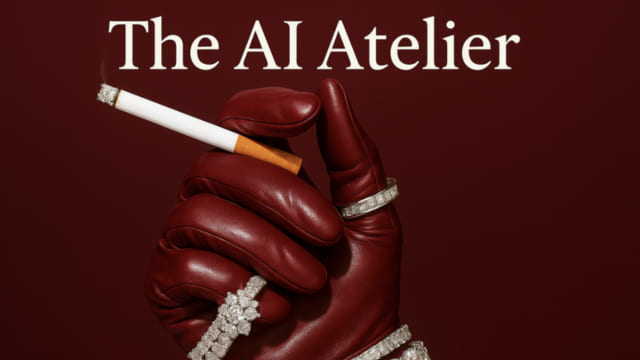
Niko X Studios The AI Atelier is a verified AI-course package focused on a practical AI creative-production course that moves from visual-branding fundamentals and tool selection into image generation, realistic product integration, AI video creation and client acquisition. Browse the exact package below, compare related AI courses on Courses On Budget, and use the product page for current availability and Fast Delivery.
Niko X Studios The AI Atelier: What You Get
A practical AI creative-production course that moves from visual-branding fundamentals and tool selection into image generation, realistic product integration, AI video creation and client acquisition. This rewrite is built around the verified course index and the current product-page information rather than generic AI-course claims.
Why this package stands out
- AI design and visual-language foundations: branding, lens, lighting, time and tone
- Tool workflow spanning ChatGPT, Midjourney, Sora, Kling and related creative tools
- Image-creation techniques including prompting, branded image consistency, realistic visuals, skin texture and product integrations
- Video workflow covering storyboards, Kling, a dedicated video prompting framework, Higgsfield and lip-sync video
- Client section covering prospecting, outreach messaging, pricing, onboarding and a client contract template
- Bonuses include the Niko Bot access material, industry-specific prompt packs and placement-opportunity information
Course Snapshot
| Primary focus | AI Design, Image & Video Studio |
| Delivery | Fast Delivery through the product page |
| Best fit | Designers, content creators and solo creatives who want a structured path from AI visual production to paid client work. |
| Course page | View Niko X Studios – The AI Atelier |
| ▶ |
See a real lesson from this course
Unedited sample from the actual files. No login, no signup.
|
Full Course Structure
Open the sections below to review the supplied curriculum. For large archives, the index is organized into expandable blocks so the product page remains readable.
01-Module 1 – Bonuses (6 files shown in this section)
- 01-11 – Accessing The Niko Bot.pdf (22.00 KB)
- 02-12 – Course Feedback.mp4 (11.75 MB)
- 02-12 – Course Feedback.pdf (31.91 KB)
- 03-13 – Industry Specific Prompt Packs.pdf (17.39 KB)
- 04-14 – Paid Placement Oppurtunities.pdf (255.29 KB)
- 05-15 – Got any questions.pdf (171.52 KB)
02-Module 2 – Intro to AI Design (9 files shown in this section)
- 01-21 – Course Logistics Course Slides.mp4 (103.62 MB)
- 01-21 – Course Logistics Course Slides.pdf (54.32 KB)
- 01-aiateliercourse.pdf (47.24 MB)
- 02-22 – What AI design really is Why brands care and How to get started fast.mp4 (113.70 MB)
- 02-22 – What AI design really is Why brands care and How to get started fast.pdf (47.25 KB)
- 03-23 – Components of Good Branding.mp4 (2.75 MB)
- 04-24 – Components of Visual Language.mp4 (321.43 MB)
- 04-24 – Components of Visual Language.pdf (59.83 KB)
- 04-speaklikeacreativenikoxstudios.docx (11.78 KB)
03-Module 3 – Tools Workflow (16 files shown in this section)
- 01-31 – Comparing GPT Kling Midjourney and Sora.mp4 (118.92 MB)
- 02-32 – Intro to Chat GPT.mp4 (112.62 MB)
- 02-32 – Intro to Chat GPT.pdf (132.93 KB)
- 03-33 – Intro to Midjourney.mp4 (9.17 MB)
- 03-33 – Intro to Midjourney.pdf (146.47 KB)
- 04-34 – Intro to Sora.mp4 (22.91 MB)
- 04-34 – Intro to Sora.pdf (154.59 KB)
- 05-35 – Intro to Kling.mp4 (7.97 MB)
- 05-35 – Intro to Kling.pdf (149.58 KB)
- 06-36 – Whats Free vs Whats Worth Paying For.mp4 (2.91 MB)
- 06-36 – Whats Free vs Whats Worth Paying For.pdf (148.63 KB)
- 07-37 – How I create editorial level moodboards for inspiration.mp4 (141.51 MB)
- 07-37 – How I create editorial level moodboards for inspiration.pdf (192.92 KB)
- 08-38 – 7 Step Framework Watch me build something from scratch.docx (9.11 KB)
- 08-38 – 7 Step Framework Watch me build something from scratch.mp4 (559.08 MB)
- 08-vetpetcasestudynikoxstudios.docx (11.11 KB)
04-Module 4 – Image Creation (18 files shown in this section)
- 01-41 – Types of Prompts.mp4 (233.35 MB)
- 01-41 – Types of Prompts.pdf (162.08 KB)
- 02-42 – How I write prompts that dont suck.mp4 (152.87 MB)
- 02-42 – How I write prompts that dont suck.pdf (149.89 KB)
- 03-43 – Build consistent branded image sets incorporating products.mp4 (151.24 MB)
- 03-43 – Build consistent branded image sets incorporating products.pdf (142.22 KB)
- 04-44 – How to achieve realistic looking visuals.mp4 (4.84 MB)
- 04-44 – How to achieve realistic looking visuals.pdf (134.69 KB)
- 05-45 – How to edit images on Canva Photoshop to add logos.mp4 (151.07 MB)
- 05-45 – How to edit images on Canva Photoshop to add logos.pdf (132.56 KB)
- 06-46 – Creating Consistent Jewellery Images Using Midjourney.docx (8.87 KB)
- 06-46 – Creating Consistent Jewellery Images Using Midjourney.mp4 (168.28 MB)
- 07-47 – Ultra Realistic Skin with Higgsfield.mp4 (148.98 MB)
- 07-47 – Ultra Realistic Skin with Higgsfield.pdf (149.42 KB)
- 08-48 – Product Integrations with Higgsfield.mp4 (8.64 MB)
- 08-48 – Product Integrations with Higgsfield.pdf (161.10 KB)
- 09-49 – Product Integrations with Higgsfield Canvas Tool Example.mp4 (5.13 MB)
- 09-49 – Product Integrations with Higgsfield Canvas Tool Example.pdf (127.53 KB)
05-Module 5 – Video Creation (10 files shown in this section)
- 01-51 – Creating Story Boards.mp4 (5.26 MB)
- 01-51 – Creating Story Boards.pdf (53.08 KB)
- 02-52 – Demo Kling for Video.mp4 (10.27 MB)
- 02-52 – Demo Kling for Video.pdf (51.96 KB)
- 03-53 – Video Prompting Framework.mp4 (211.62 MB)
- 03-53 – Video Prompting Framework.pdf (53.49 KB)
- 04-54 – Demo Higgsfield for video THE BEST.mp4 (231.66 MB)
- 04-54 – Demo Higgsfield for video THE BEST.pdf (52.80 KB)
- 05-55 – Lip-sync videos.mp4 (331.31 MB)
- 05-55 – Lip-sync videos.pdf (50.99 KB)
06-Module 6 – Getting Clieants (6 files shown in this section)
- 01-61 – Finding Clients.mp4 (326.56 MB)
- 01-61 – Finding Clients.pdf (57.07 KB)
- 02-62 – How I price work as a solo creative.docx (9.46 KB)
- 03-63 – What to say to clients DM_email scripts included.docx (8.18 KB)
- 04-64 – My Onboarding Process.docx (7.15 KB)
- 05-65 – My Client Contract Template.pdf (34.78 KB)
Who Should Choose This Course?
Designers, content creators and solo creatives who want a structured path from AI visual production to paid client work.
You only need a very narrow single-topic tutorial and do not intend to use the broader systems, templates or workflow material in this package.
Related AI Courses on Courses On Budget
Build a broader learning stack with the AI Courses Cheap catalog, the latest course updates, and these related product pages:
If the verified modules above match the skills you want to build, Niko X Studios – The AI Atelier offers a focused way to access the course material through Courses On Budget. Check coupon 5050 before checkout and use the product page for current availability and Fast Delivery.

Reviews
There are no reviews yet.