

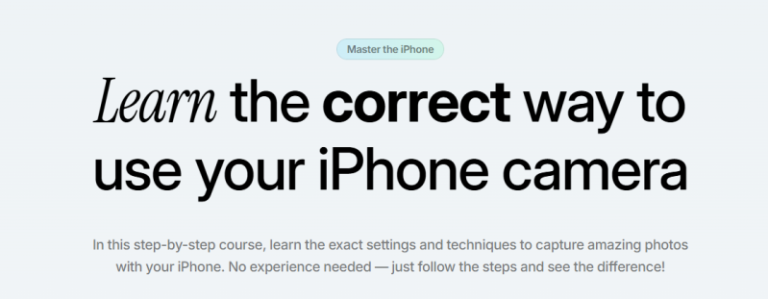
Oliur – iPhone Creator Course is available through Courses On Budget. This rewrite is based on the current product page and the supplied archive index, with the full file list preserved below.
Oliur iPhone Creator Course: What You Get
Oliur iPhone Creator Course focuses on using the iPhone camera more deliberately for photography and video. The supplied archive contains 24 MP4 files plus one ZIP and covers the introduction, iPhone camera fundamentals, essential settings, the Camera app, iPhone video, Lightroom presets, photo-quality preservation, storage and selected camera accessories.
Compared with Oliur's broader Video Creator Course, this archive is much more focused: the camera in your pocket is the center of the workflow. That makes it easier to choose if your priority is iPhone capture and image handling rather than a full mirrorless-camera, audio, editing and monetisation system.
Why this course is easy to evaluate before buying
- Understanding the iPhone camera and essential camera settings.
- Mastering the Camera app and improving iPhone video capture.
- Installing and using Lightroom presets and preserving photo quality.
- Storage guidance and a module on selected iPhone camera accessories.
Course Coverage Map
| Area | What the supplied archive includes |
|---|---|
| Camera basics | Introduction, understanding the iPhone camera, essential settings |
| Capture controls | Mastering the Camera app |
| Video | Perfecting Your iPhone Video |
| Editing workflow | Installing and using Lightroom presets |
| Quality & storage | Preserving photo quality and Never Delete Photos Again |
| Accessories | The Best iPhone Camera Accessories |
| ▶ |
See a real lesson from this course
Unedited sample from the actual files. No login, no signup.
|
Full Oliur – iPhone Creator Course Course Index
The index below preserves the filenames and sizes supplied with the course archive. Larger sections are collapsed into accordions for faster scanning on desktop and mobile.
Module 1 — Introduction (2 files)
- 01-Module 1- Introduction video2.mp4 (81.80 MB)
- 01-Module 1- Introduction.mp4 (3.70 MB)
Module 2 — Understanding Your iPhone Camera (4 files)
- 02-Module 2- Understanding Your iPhone Camera video2.mp4 (1.58 MB)
- 02-Module 2- Understanding Your iPhone Camera video3.mp4 (470.55 KB)
- 02-Module 2- Understanding Your iPhone Camera video4.mp4 (582.59 KB)
- 02-Module 2- Understanding Your iPhone Camera.mp4 (49.99 MB)
Module 3 — Essential iPhone Camera Settings (9 files)
- 03-Module 3- Essential iPhone Camera Settings video10.mp4 (871.56 KB)
- 03-Module 3- Essential iPhone Camera Settings video3.mp4 (512.27 KB)
- 03-Module 3- Essential iPhone Camera Settings video4.mp4 (410.65 KB)
- 03-Module 3- Essential iPhone Camera Settings video5.mp4 (581.62 KB)
- 03-Module 3- Essential iPhone Camera Settings video6.mp4 (476.79 KB)
- 03-Module 3- Essential iPhone Camera Settings video7.mp4 (520.97 KB)
- 03-Module 3- Essential iPhone Camera Settings video8.mp4 (466.25 KB)
- 03-Module 3- Essential iPhone Camera Settings video9.mp4 (489.67 KB)
- 03-Module 3- Essential iPhone Camera Settings.mp4 (54.30 MB)
Module 4 — Mastering the Camera App (1 files)
- 04-Module 4- Mastering the Camera App.mp4 (27.53 MB)
Module 6 — Perfecting Your iPhone Video (2 files)
- 06-Module 6- Perfecting Your iPhone Video video2.mp4 (70.55 MB)
- 06-Module 6- Perfecting Your iPhone Video.mp4 (66.25 MB)
Module 9 — Installing and Using Lightroom Presets (1 files)
- 09-Module 9- Installing and Using Lightroom Presets.mp4 (30.23 MB)
Module 10 — Preserving Photo Quality (1 files)
- 10-Module 10- Preserving Photo Quality.mp4 (3.01 MB)
Module 12 — Never Delete Photos Again (1 files)
- 12-Module 12- Never Delete Photos Again.mp4 (6.10 MB)
Module 14 — The Best iPhone Camera Accessories (3 files)
- 14-Module 14- The Best iPhone Camera Accessories video2.mp4 (52.11 MB)
- 14-Module 14- The Best iPhone Camera Accessories video3.mp4 (689.31 KB)
- 14-Module 14- The Best iPhone Camera Accessories.mp4 (9.95 MB)
Other files (1 files)
- Oliur – iPhone Creator Course.zip (26.69 MB)
Who Is This Course Best For?
Beginners and creators who want a focused iPhone photography/video learning path without starting with a larger camera setup.
Creators seeking a full desktop editing, audio, lens and monetisation curriculum; the broader Oliur Video Creator Course covers those areas.
Related Courses & Useful Resources
Browse the full Design Courses catalog or the curated Design Courses Cheap list. You can also check latest Courses On Budget updates for newly added training.
Oliur – Video Creator Course — full video workflow with camera, audio, editing and monetisation
Nathaniel Drew – Frame by Frame — advanced video editing, shooting, animation and storytelling
Olska Green – AI Hyperrealism in Fashion Workshop — AI visual-development workflow for fashion and beauty
If the curriculum and file index above match what you want to learn, Oliur – iPhone Creator Course is available on Courses On Budget with the complete supplied archive shown on this page. Review the index first, choose the course based on the actual files, and use coupon 5050 when applicable.

Reviews
There are no reviews yet.