

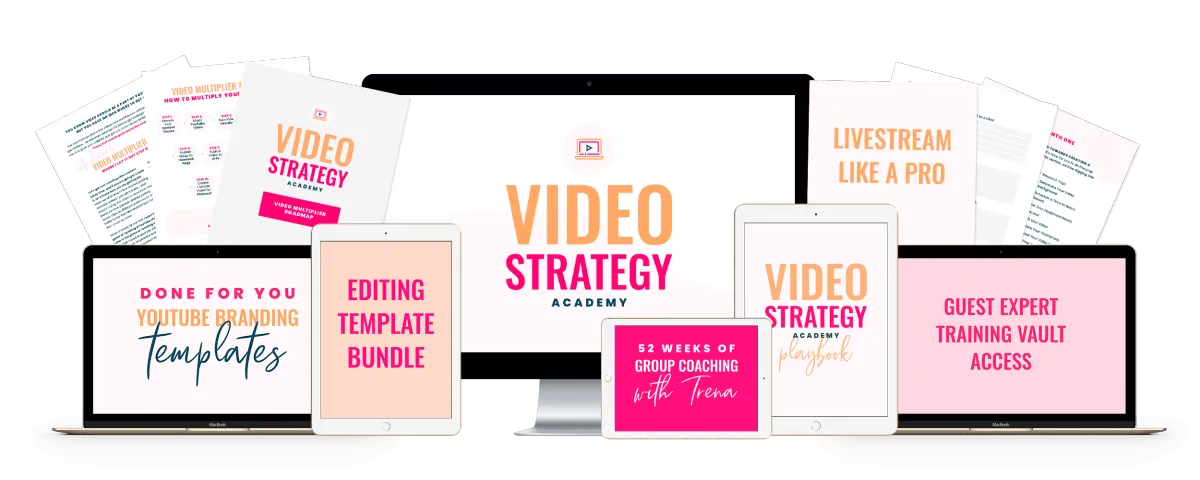
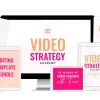
Most creators film first and plan later, then wonder why nothing grows. Trena Little Video Strategy Academy flips that order with a 15-folder plan from channel setup to cross-platform video, and you can get it from Courses On Budget with crypto.
Trena Little Video Strategy Academy: From Channel Setup to a Multi-Platform Video System
The seller’s summary says that “Trena Little’s Video Strategy Academy (VIP) unveils powerful strategies for leveraging video marketing to grow your business.” The program teaches how to craft video scripts, understand video SEO, master on-camera presence, edit video and convert viewers into customers. The listed benefits include learning to “craft compelling video scripts and storyboards,” using “effective strategies for video SEO and distribution” and developing “skills in video editing and production.”
The file index shows how that promise is organized. Trena Little Video Strategy Academy starts with a foundation (niche, viewer, value), moves through strategy, channel set-up, content planning, filming, editing, optimization, promotion and analytics, and then repurposes the same videos for Instagram, Facebook, Pinterest, Twitter, LinkedIn and email. The last folder teaches an editorial calendar and batching.
Much of the teaching is about YouTube, but the later folders (named “Video Multiplier Formula”) show how one video can feed several platforms. That is the practical heart of a video strategy: do the work once and use it many times.
The 15-Folder Pipeline at a Glance
| Folders | Stage | What you learn |
|---|---|---|
| 1 to 2 | The Foundation and The Strategy | Niche, viewer, video types, traffic sources, growth and launch strategy |
| 3 | The Experience | Channel banner, trailer, settings, defaults and custom URL |
| 4 to 5 | The Tactics and The Video | Content research and plan, scripting, equipment, batching, on-camera delivery, thumbnails |
| 6 to 6.2 | Editing and Optimization | Software options, Camtasia, iMovie, end cards, music, captions, thumbnails |
| 7 to 9 | Promotion, Analytics, Next Steps | Scheduling, embedding in blogs and newsletters, YouTube data, audits, playlists |
| 10 to 13 | Video Multiplier Formula | Instagram, Facebook, Pinterest, Twitter, LinkedIn, email and GIFs |
| 14 | Editorial calendar and batching | Google Calendar set-up, one-day batching, content organization in Google Drive |
Trena Little Video Strategy Academy at a Glance
| Author | Trena Little |
| Format | 93 video lessons plus PDF, DOCX, XLSX, CSV and image files; 120 files in total |
| Structure | 15 numbered folders (including a 6.2 folder) and a set of starter files in the root |
| Video type | 83 lessons are .ts files and the rest are MP4; any modern player such as VLC opens both |
| Total size | about 6.2 GB |
| Language | English |
| Price on this site | €39.99 |
| Best for | Creators, coaches and small business owners who want a repeatable video system |
| Delivery | Digital download after crypto payment, manual delivery, links valid for 7 days |
Inside Trena Little Video Strategy Academy: Every Folder and File
With 93 video files, the index is collapsed into an accordion: tap a folder to open it. The first section lists the starter files that sit in the root of the download: checklists, planners, worksheets and several bonus videos, such as TubeBuddy training and a lesson on launching a digital product.
📂 Starter templates, checklists and bonus videos · 32 files
- 📄 Trena Little · Image, 679 KB
- 📄 How To Create A Cover Photo For IG TV Episodes · Image, 186 KB
- 📄 Facebook Video Templates · PDF, 533 KB
- 📄 Pinterest Video Best Practices · PDF, 969 KB
- 📄 Twitter Video How Tos · PDF, 833 KB
- 📄 LinkedIn Video How Tos · PDF, 1 MB
- 📄 Tools I Love! Click the Name to Access the Site! · PDF, 108 KB
- 📄 WorkSheets Printables · PDF, 93 KB
- 📄 30 Days to YouTube · PDF, 102 KB
- 📄 90 Day Breakdown · PDF, 129 KB
- 📄 Batch Day Planner · PDF, 127 KB
- 📄 Channel Metric Checklist (1) · DOCX, 7 KB
- 📄 Channel Metric Checklist · DOCX, 7 KB
- 📄 Channel Set Up Checklist · DOCX, 10 KB
- 📄 Content Bucket Plan · XLSX, 15 KB
- 📄 Content Research Checklist · DOCX, 150 KB
- 📄 Course LAUNCH TEMPLATE · CSV, 10 KB
- 📄 Defining Your Channel Goals · DOCX, 7 KB
- 📄 Editing Checklist (1) · DOCX, 7 KB
- 📄 Editing Checklist (2) · DOCX, 7 KB
- 📄 Editing Checklist · DOCX, 7 KB
- 📄 FILMING DAY CHECKLIST · DOCX, 8 KB
- 📄 Getting started with Pinterest – Vanessa Kynes · Video, 344 MB
- 📄 How This Program Works · Video, 154 MB
- 📄 Instagram Strategies for 2020 · Video, 225 MB
- 📄 Launch A Digital Product · Video, 124 MB
- 📄 Script Template (1) · DOCX, 7 KB
- 📄 Script Template · DOCX, 7 KB
- 📄 TubeBuddy Training – 30 FREE days! · Video, 285 MB
- 📄 VALUE PROP AND NICHE WORKSHEET · DOCX, 8 KB
- 📄 Video Idea Brainstorm · XLSX, 15 KB
- 📄 Video Optimization CheckList · DOCX, 7 KB
📂 Folder 1: The Foundation · 4 files
- 📄 Niching to GROW · Video, 258 MB
- 📄 Get YouTube To LOVE You · Video, 110 MB
- 📄 Know Your Value and Know Your Viewer · Video, 110 MB
- 📄 Types Of Videos Every Channel Must Have · Video, 44 MB
📂 Folder 2: The Strategy · 5 files
- 📄 Understanding YouTube Traffic Sources · Video, 24 MB
- 📄 Implementing a YouTube Growth Strategy · Video, 103 MB
- 📄 Implementing A Business Growth Strategy on YouTube · Video, 89 MB
- 📄 Using YouTube During Your Launch · Video, 80 MB
- 📄 How To LAUNCH Your YouTube Channel · Video, 48 MB
📂 Folder 3: The Experience · 10 files
- 📄 Setting Up Your Channel For Success · Video, 12 MB
- 📄 Making Your Channel Look Professional · Video, 100 MB
- 📄 Customize Your Channel Homepage · Video, 76 MB
- 📄 Making Your Channel Banner! · Video, 32 MB
- 📄 Creating Your Channel Trailer · Video, 37 MB
- 📄 About Section And Banner Links · Video, 15 MB
- 📄 Channel Settings · Video, 6 MB
- 📄 Description Box Defaults · Video, 16 MB
- 📄 Channel Defaults Setup · Video, 39 MB
- 📄 Claim Custom URL · Video, 7 MB
📂 Folder 4: The Tactics · 5 files
- 📄 Getting Started With Your Tactics · Video, 25 MB
- 📄 How Long And How Much · Video, 78 MB
- 📄 Research for Video Ideas · Video, 131 MB
- 📄 Researching Your Content Plan · Video, 176 MB
- 📄 Creating Your Content Plan · Video, 39 MB
📂 Folder 5: The Video · 7 files
- 📄 How To Script Your Videos · Video, 93 MB
- 📄 Equipment Run Through · Video, 159 MB
- 📄 Setting Up Your Equipment · Video, 112 MB
- 📄 My Video Batch Day · Video, 58 MB
- 📄 Delivering Your Content On Camera · Video, 34 MB
- 📄 Getting Thumbnail Photos · Video, 32 MB
- 📄 Finding YOUR Confidence To Show Up On Video · Video, 68 MB
📂 Folder 6: The Editing Process · 7 files
- 📄 Editing Software Options · Video, 45 MB
- 📄 Ways To Make More Engaging Videos · Video, 46 MB
- 📄 Editing In Camtasia · Video, 22 MB
- 📄 Make Your Own End Card · Video, 15 MB
- 📄 Extras For Your Videos · Video, 58 MB
- 📄 Finding Music For Your Videos · Video, 60 MB
- 📄 Editing in iMovie · Video, 87 MB
📂 Folder 6.2: The Optimization Strategy · 4 files
- 📄 Optimization Routine · Video, 51 MB
- 📄 How To Make Thumbnails · Video, 118 MB
- 📄 Adding End Screens And Cards · Video, 26 MB
- 📄 Adding Captions To Videos · Video, 28 MB
📂 Folder 7: The Promotion Strategy · 4 files
- 📄 Start Promoting Your Video! · Video, 40 MB
- 📄 Schedule Your YouTube Videos · Video, 16 MB
- 📄 Embed Your Video in a Squarespace Blog Post · Video, 14 MB
- 📄 Embed Your Videos in a ConvertKit Newsletter · Video, 14 MB
📂 Folder 8: Analyzing The Strategy · 6 files
- 📄 Time To Understand Your YouTube Data · Video, 34 MB
- 📄 Studio Overview · Video, 38 MB
- 📄 Analytic Overview · Video, 97 MB
- 📄 Top 3 Analytics · Video, 41 MB
- 📄 Metrics To Reach Your Goals · Video, 28 MB
- 📄 Monthly Channel Audit · Video, 103 MB
📂 Folder 9: Next Steps · 3 files
- 📄 Take Your Channel To The Next Level With Playlists · Video, 33 MB
- 📄 How To Create Playlists · Video, 27 MB
- 📄 Collaborating with Others On YouTube · Video, 68 MB
📂 Folder 10: Video Multiplier Formula: Using Instagram Video · 14 files
- 📄 What Videos Work Best For The Feed · Video, 68 MB
- 📄 What Videos Work Best For Stories · Video, 92 MB
- 📄 What Videos Work Best For IG TV · Video, 113 MB
- 📄 How To Edit Videos For The Feed · Video, 48 MB
- 📄 How To Edit Videos For Stories · Video, 62 MB
- 📄 Apps To Make Your Stories Even Better · Video, 53 MB
- 📄 How To Edit Videos For IG TV · Video, 24 MB
- 📄 How To Upload IG TV Episodes · Video, 14 MB
- 📄 How To Create A Cover Photo For IG TV Episodes · Video, 19 MB
- 📄 Instagram Video Templates · Video, 7 MB
📂 Folder 11: Video Multiplier Formula: Using Facebook Video · 6 files
- 📄 Facebook Video Best Practices · Video, 323 MB
- 📄 How To Edit Videos For Facebook · Video, 67 MB
- 📄 How To Upload And Schedule Videos To Facebook · Video, 19 MB
- 📄 Facebook Video Templates · Video, 12 MB
📂 Folder 12: Video Multiplier Formula: Using Pinterest Video · 5 files
- 📄 Pinterest Video Best Practices · Video, 53 MB
- 📄 How To Create A Graphic Video For Pinterest · Video, 25 MB
- 📄 How To Make A Video Pin On Pinterest · Video, 44 MB
- 📄 How To Upload A Video Pin To Pinterest · Video, 19 MB
- 📄 Pinterest Templates · Video, 10 MB
📂 Folder 13: Video Multiplier Formula: Using Video On Other Platforms · 4 files
- 📄 Twitter Video How Tos · Video, 19 MB
- 📄 LinkedIn Video How Tos · Video, 329 MB
- 📄 How To Share Your Videos In Email Newsletters Or Email Funnels · Video, 22 MB
- 📄 Creating GIFS From Your Videos · Video, 26 MB
📂 Folder 14: Setting Up An Editorial Calendar And Batching Your Videos · 4 files
- 📄 Why You Need An Editorial Calendar · Video, 156 MB
- 📄 How To Set Up Your Editorial Calendar In Google Calendar · Video, 23 MB
- 📄 How You Can Start Batching – Everything You Need To Do In One Day · Video, 212 MB
- 📄 Organizing Your Content In Google Drive · Video, 8 MB
Templates and Checklists Inside Trena Little Video Strategy Academy
Beyond the lessons, Trena Little Video Strategy Academy holds a practical toolkit in the root folder. It includes a channel set-up checklist, channel metric checklist, editing checklist, filming day checklist and video optimization checklist, plus a script template, a video idea brainstorm sheet, a content bucket plan, a batch day planner, a 30-days-to-YouTube guide, a 90-day breakdown and a value proposition and niche worksheet. Some of these appear in more than one copy, as in the original files.
Trena Little Courses in the Catalog
| Course | Focus | Index |
|---|---|---|
| Trena Little Video Strategy Academy | Strategy, scripting, editing, optimization, promotion, analytics, multi-platform video | Folders and file index are listed on this page |
| Trena Little YouTube Coaching Experience | A YouTube-focused coaching program (from the title) | See its own page for the file list |
Order Trena Little Video Strategy Academy in Four Steps
Who Should Choose Trena Little Video Strategy Academy?
If you only want advanced editing or paid ads, Trena Little Video Strategy Academy is not the right focus. If you want a complete, ordered path from an empty channel to a scheduled content calendar, the folder structure makes it easy to follow.
- Full pipeline: planning, filming, editing, optimization, promotion and analytics
- Multi-platform folders for Instagram, Facebook, Pinterest, Twitter, LinkedIn and email
- Large set of checklists, templates and planners
- Short lessons, mostly under 200 MB each
- Fast manual delivery
- Some platform lessons (such as IG TV and “Instagram Strategies for 2020”) reflect older interfaces
- Most videos are .ts files that need a capable player
- About 6 GB to download within 7 days
- No live coaching: digital files only
- Crypto-only payment
FAQ About Trena Little Video Strategy Academy
What does Trena Little Video Strategy Academy teach?
Video scripts and storyboards, video SEO and distribution, on-camera presence, editing and production, and turning viewers into customers.
How many lessons are in Trena Little Video Strategy Academy?
The index lists 93 video files across 15 numbered folders, plus starter videos and templates in the root.
Which software is shown?
The file names mention Camtasia, iMovie, TubeBuddy, Squarespace, ConvertKit, Google Calendar and Google Drive.
How do I receive the files?
After crypto payment is confirmed, delivery is manual. The links remain active for 7 days.
Final Verdict
Trena Little Video Strategy Academy is a structured, ordered system rather than a collection of tips. If you want a plan that takes you from setting up a channel to batching a month of video, the folders give you that path, and the templates help you start on day one.
Keep browsing: Courses On Budget home · ecommerce courses category · marketing courses category · cheap ecommerce courses · updates · coupons.
Same author and similar topics: Trena Little YouTube Coaching Experience · Aleric Heck Profitable YouTube Channel Accelerator · 60 Day YouTube Monetization Blueprint.
Payment help: how to pay on site · how to buy cryptocurrency safely. Platform reference: YouTube for Creators.

Reviews
There are no reviews yet.