

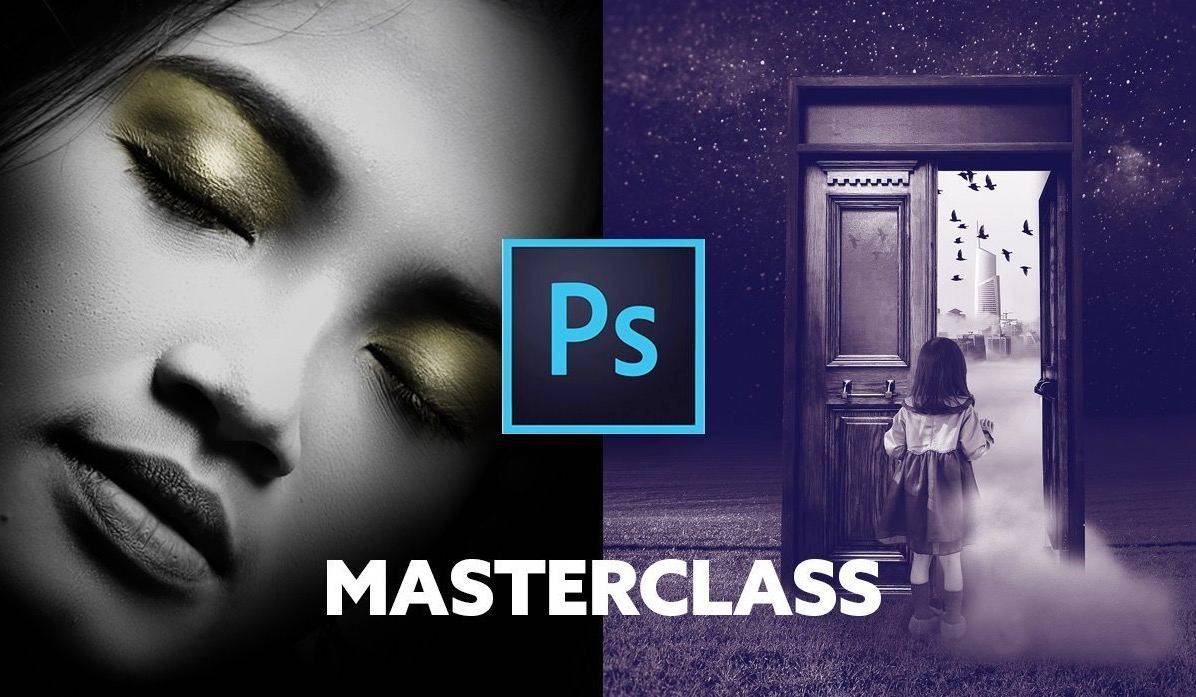
Photoshop Manipulation and Editing Masterclass is a project-driven Photoshop editing package built around specific techniques visible in its file index: selective color, Content-Aware tools, Spot Healing, non-destructive editing, blending modes, retouching, layer masks and double exposure. The supplied archive contains 33 MP4 files / 3.22 GB. Get it from Courses On Budget and apply code 5050 for the current extra store discount.
What Is Photoshop Manipulation and Editing Masterclass?
The first part is technique-focused, moving through color work, repair tools, non-destructive editing, hair-color changes with blending modes, gold-painting effects, retouching, masks and double exposure.
The second half turns those tools into concrete projects: wine glass, fish bowl, head swap, wicked witch and the multi-part Magic Door project. This makes the course easier to evaluate than a vague ‘advanced Photoshop’ promise—the project names are visible in the actual package.
What You Will Learn
- Color and correction: selective color appears in multiple lessons, alongside retouching and painting-based edits.
- Repair and non-destructive workflow: Content-Aware, Spot Healing and two non-destructive editing lessons are included.
- Compositing: layer masks and double exposure are covered before larger project sequences.
- Practice through projects: wine glass, fish bowl, head swap, wicked witch and Magic Door exercises occupy a substantial part of the archive.
Why This Course Is Different
| What you need | What this course includes |
|---|---|
| Need Photoshop fundamentals applied to real edits | Technique lessons lead directly into project-based exercises. |
| Need masking/compositing practice | Two layer-mask lessons, two double-exposure lessons and multiple manipulation projects are included. |
| Need retouching tools | Spot Healing, Content-Aware and a dedicated retouching lesson are present. |
| Need a design-business course | This package is focused on Photoshop editing and manipulation, not sales or client acquisition. |
Full Course Index
The curriculum below is based on the supplied package index. File names and sizes are preserved so you can evaluate the actual archive before purchasing.
Core Editing Techniques — 10 files
- 01 – class-preview.mp4 (41.75 MB)
- 02 – selective-color.mp4 (54.93 MB)
- 03 – content-aware-tool.mp4 (90.21 MB)
- 04 – spot-healing-brush-tool.mp4 (20.23 MB)
- 05 – non-destructive-editing-part-1.mp4 (98.46 MB)
- 06 – non-destructive-editing-part-2.mp4 (60.41 MB)
- 07 – changing-hair-color-with-blending-modes.mp4 (89.38 MB)
- 08 – painting-gold.mp4 (54.20 MB)
- 09 – selective-color-part-2.mp4 (59.14 MB)
- 10 – retouching.mp4 (108.75 MB)
Masks, Compositing & Double Exposure — 5 files
- 11 – layering-masks-part-1.mp4 (156.35 MB)
- 12 – layering-masks-part-2.mp4 (150.97 MB)
- 13 – double-exposure-part-1.mp4 (89.17 MB)
- 14 – double-exposure-part-2.mp4 (90.12 MB)
- 15 – facebook-student-group.mp4 (10.30 MB)
Project Workflows & Bonus — 18 files
- 16 – wine-glass-project-part-1.mp4 (139.20 MB)
- 17 – wine-glass-project-part-2.mp4 (138.31 MB)
- 18 – wine-glass-project-part-3.mp4 (82.82 MB)
- 19 – fish-bowl-project-part-1.mp4 (146.40 MB)
- 20 – fish-bowl-project-part-2.mp4 (161.52 MB)
- 21 – student-project-fish-bowl-project-part-3.mp4 (5.62 MB)
- 22 – swap-head-project-part-1.mp4 (167.82 MB)
- 23 – swap-head-project-part-2.mp4 (152.81 MB)
- 24 – swap-head-project-part-3.mp4 (42.49 MB)
- 25 – wicked-witch-project-part-1.mp4 (129.97 MB)
- 26 – wicked-witch-project-part-2.mp4 (114.96 MB)
- 27 – student-project-wicked-witch-project-part-3.mp4 (31.62 MB)
- 28 – bonus-painting-makeup-of-all-kinds.mp4 (43.92 MB)
- 29 – the-magic-door-project-part-1.mp4 (148.67 MB)
- 30 – the-magic-door-project-part-2.mp4 (134.54 MB)
- 31 – the-magic-door-project-part-3.mp4 (176.67 MB)
- 32 – the-magic-door-project-part-4.mp4 (154.52 MB)
- 33 – the-magic-door-project-part-5-final.mp4 (147.92 MB)
Course Samples
Who This Course Is Best For
- Every indexed file is an MP4 video lesson.
- Strong project sequence after the technique foundation.
- Specific coverage of masks, blending modes, double exposure and retouching.
- A marketing, sales or freelance-business program.
- A course with downloadable worksheets or templates; the supplied archive is video-only.
- Coverage of tools not present in the index; this description intentionally stays within the listed lessons.
If the curriculum matches your goal, you can purchase Photoshop Manipulation and Editing Masterclass directly from this product page. For the wider catalog, browse Design Courses Cheap or check new course updates.
Courses On Budget: Main catalog · Design Courses · Design Courses Cheap · Course Updates
Photoshop Manipulation and Editing Masterclass is easiest to judge by its real curriculum: the package is specific about the skills, files and project areas it contains. If those topics match what you want to improve, this is a practical way to get the complete indexed archive through Courses On Budget.



Reviews
There are no reviews yet.