

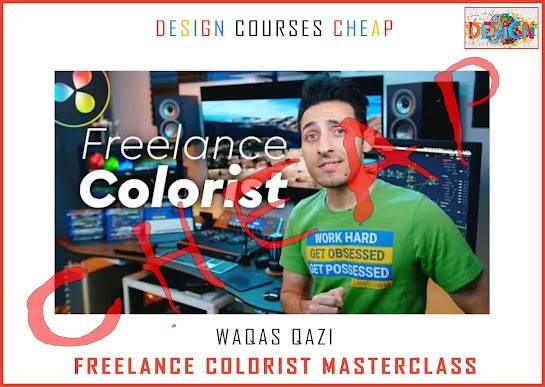
Waqas Qazi Freelance Colorist is available through Courses On Budget. 170 indexed video files · 28.35 GB · Resolve workflow, cameras, correction, matching, grading, studio setup, freelance and bonus lessons.
What Is Waqas Qazi – Freelance Colorist?
Waqas Qazi – Freelance Colorist is a deep color-grading and freelance-career program built around DaVinci Resolve workflows, camera-specific footage, color correction, shot matching, grading, studio setup, and client-facing freelance topics. The attached course index contains 170 video files across 15 folders with a total size of 28.35 GB, making the structure unusually broad for learners who want both technical grading practice and the business side of working as a colorist.
If the indexed curriculum matches what you want to learn, use the verified product page to buy Waqas Qazi – Freelance Colorist. You can also browse Design Courses category · Design Courses Cheap list · Will Patterson – Logo Launch for adjacent learning paths.
What You Will Study
| Learning Area | Evidence in the Index | Why It Matters |
|---|---|---|
| Technical foundation | Crash Course for Colorists + Resolve Overview + Conform | Builds the workflow before advanced grading decisions. |
| Image consistency | Color Correction + Shot Matching | Focuses on exposure, white balance, scopes and matching footage across shots/cameras. |
| Creative finishing | Color Grading + Hollywood/film-look lessons | Moves from correction into look development and stylistic grading examples. |
| Career execution | Studio Setup + Freelance | Connects grading skills with workstation, delivery, remote work and client acquisition topics. |
Who This Course Is Best For
- Aspiring and working colorists who want a structured DaVinci Resolve learning path.
- Editors and filmmakers who need stronger color correction, shot matching and grading workflows.
- Freelancers who want lessons on demo reels, websites, outreach, pricing, negotiation and difficult-client situations.
Course Samples
Preview the existing sample links published with this course before purchasing:
Complete Waqas Qazi Freelance Colorist Index
The complete file-by-file index below is preserved from the attached catalog. Large sections are collapsed into accordions for faster scanning.
Module 0 – PREVIEW
- 01 – Course Materials -Download
- Download Guide.mp4 (10.25 MB)
- Footage Rules.mp4 (2.11 MB)
- 02 – Introduction
- 01 – Welcome to FCM.mov (15.40 MB)
- 02 – What to Expect from FCM.mov (118.44 MB)
- 03 – Course Material Folder Structure.mov (1.00 MB)
- 04 – How to Load FCM Database to Resolve.mov (3.92 MB)
- 05 – How the Project Is Set up in Resolve.mov (5.65 MB)
- 06 – Right Permissions and Offline Footage Fix.mov (13.23 MB)
- 07 – Take Notes.mov (36.11 MB)
- 03 – Crash Course for Colorists
- 01 – Must Watch Before the Modules.mp4 (20.92 MB)
- 02 – The Crash Course for Colorists.mp4 (387.65 MB)
- 04 – Resolve Overview for Colorists
- 01 – Color Page Overview.mp4 (76.07 MB)
- 02 – Deliver Page Overview.mp4 (45.04 MB)
- 03 – Edit Page Overview.mp4 (116.33 MB)
- 04 – Media Page Overview.mp4 (40.06 MB)
Module 1 – CONFORM
- 01 – Most Common Ways to Conform.mp4 (46.75 MB)
- 02 – NLE to Resolve Timeline Prep – Round Trip.mp4 (37.55 MB)
- 03 – Conforming Camera Original Footage – Round Trip.mp4 (25.90 MB)
- 04 – Round Trip Method 1.mp4 (151.71 MB)
- 05 – Round Trip Method 2.mp4 (69.61 MB)
- 06 – Colored Footage from Resolve to NLE.mp4 (43.64 MB)
- 07 – NLE to Resolve Timeline Prep – Bake and Blade.mp4 (17.55 MB)
- 08 – Bake and Blade Method 1.mp4 (52.11 MB)
- 09 – Bake and Blade Method 2.mp4 (93.78 MB)
- 10 – Conforming Transcoded Footage – Round Trip.mp4 (89.25 MB)
- 11 – Music Video – Bake and Blade.mp4 (68.23 MB)
- 12 – Bake and Blade Advanced Tips.mp4 (15.06 MB)
- 13 – Recap.mp4 (2.89 MB)
- 14 – Conclusion and Recommendations.mp4 (65.33 MB)
- 15 – Exercise.mp4 (42.84 MB)
Module 2 – CAMERAS
- 01 – Intro.mov (16.55 MB)
- 02 – Camera Lineup.mov (48.46 MB)
- 03 – Camera Cheat Sheet.mov (22.23 MB)
- 04 – Footage and Luts Location.mov (18.64 MB)
- 05 – How to Install Luts.mov (19.51 MB)
- 06 – Project Overview.mov (21.72 MB)
- 07 – Pre Grading Prep.mov (29.37 MB)
- 08 – Alexa Mini.mov (687.94 MB)
- 09 – Red Dragon.mov (220.12 MB)
- 10 – Canon C200.mov (450.92 MB)
- 11 – Panasonic GH5.mov (301.91 MB)
- 12 – BMPCC 4K.mov (410.07 MB)
- 13 – Sony a6500.mov (428.14 MB)
- 14 – DJI Inspire 1.mov (424.50 MB)
- 15 – Camera Ranking.mov (16.48 MB)
- 16 – Recap.mov (45.39 MB)
- 17 – Conclusions and Recommendations.mov (71.66 MB)
- 18 – Excercise.mov (115.81 MB)
Module 3 – COLOR CORRECTION
- 01 – Footage and Project Location.mov (3.58 MB)
- 02 – Why You Must Know Color Correction.mov (187.10 MB)
- 03 – Color Correction vs Color Grading.mov (30.14 MB)
- 04 – Project Overview.mov (3.38 MB)
- 05 – Make It Pop.mov (6.15 MB)
- 06 – Understanding Scopes.mov (24.25 MB)
- 07 – Proper White Balance.mov (159.85 MB)
- 08 – Proper Exposure.mov (78.26 MB)
- 09 – Analyzing Images for Color Correction.mov (77.84 MB)
- 10 – What Is a Lookbook.mov (220.06 MB)
- 11 – Take Notes.mp4 (53.99 MB)
- 12 – People.mp4 (908.93 MB)
- 13 – Landscape.mp4 (1.34 GB)
- 14 – Products.mp4 (761.01 MB)
- 15 – Rec709.mp4 (518.53 MB)
- 16 – Recap.mov (56.19 MB)
- 17 – Conclusion and Recommendations.mov (137.59 MB)
- 18 – Exercise.mov (139.39 MB)
Module 4 – SHOT MATCHING
- 01 – What Is Shot Matching.mov (65.40 MB)
- 02 – Why You Must Know Shot Matching.mov (91.32 MB)
- 03 – How to Get Better at Shot Matching.mov (58.78 MB)
- 04 – Footage and Project Location.mp4 (31.29 MB)
- 05 – Project Overview.mp4 (4.60 MB)
- 06 – Necessary Tools for Shot Matching.mov (11.12 MB)
- 07 – Gallery Stills Memories.mp4 (203.16 MB)
- 08 – Split Screen.mp4 (192.39 MB)
- 09 – Group Clips.mp4 (74.86 MB)
- 10 – Local vs Remote.mp4 (55.09 MB)
- 11 – Lightbox – Send to SDI.mp4 (46.96 MB)
- 12 – Take Notes.mp4 (24.79 MB)
- 13 – Same Camera.mov (12.78 MB)
- 14 – Blind Date.mp4 (1.07 GB)
- 15 – Hypesandwich V2.mp4 (756.34 MB)
- 16 – Different Cameras.mov (15.41 MB)
- 17 – The Great Ride.mp4 (979.74 MB)
- 18 – theqazman.mp4 (702.36 MB)
- 19 – Recap.mov (59.51 MB)
- 20 – Conclusion and Recommendations.mov (42.83 MB)
- 21 – Excercise.mov (107.88 MB)
Module 5 – COLOR GRADING
- 01 – What Is Color Grading.mov (57.97 MB)
- 02 – Why You Must Know Color Grading.mov (49.59 MB)
- 03 – What You Will Get Out of This Module.mov (77.90 MB)
- 04 – Million $ Tips on Color Grading.mp4 (117.82 MB)
- 05 – Analyze Footage.mp4 (25.48 MB)
- 06 – Footage and Project Location.mp4 (4.64 MB)
- 07 – Project Overview.mp4 (19.36 MB)
- 08 – Generic Color Grading Lookbook.mp4 (281.87 MB)
- 09 – Most Used Tools for Color Grading.mp4 (317.32 MB)
- 10 – Commercials & Music Videos.mp4 (32.22 MB)
- 11 – Adidas.mp4 (474.96 MB)
- 12 – Holiday Season.mp4 (251.95 MB)
- 13 – Oakley – Dex.mp4 (113.08 MB)
- 14 – Girls Have Fun.mp4 (829.43 MB)
- 15 – I'm the One.mp4 (600.31 MB)
- 16 – Hollywood Looks.mp4 (14.54 MB)
- 17 – Hobbs John.mp4 (676.97 MB)
- 18 – La La Land.mp4 (404.87 MB)
- 19 – Sicario.mp4 (379.14 MB)
- 20 – Atomic Blonde.mp4 (344.94 MB)
- 21 – Old School Hollywood Looks.mp4 (282.45 MB)
- 22 – Film Looks Using LUTs.mp4 (221.38 MB)
- 23 – Recap.mov (17.94 MB)
- 24 – Conclusion.mov (41.39 MB)
- 25 – Exercise.mov (48.82 MB)
Module 6 – STUDIO SETUP
- 01 – What Makes a Grading Studio.mov (273.28 MB)
- 02 – Why You Need a Grading Studio.mov (401.88 MB)
- 03 – Bare Minimum.mov (163.72 MB)
- 04 – Research Tools.mp4 (169.94 MB)
- 05 – What to Expect from This Module.mp4 (16.11 MB)
- 06 – Broke.mp4 (295.41 MB)
- 07 – Comeup.mp4 (282.05 MB)
- 08 – Baller.mp4 (292.31 MB)
- 09 – System Optimization Hacks.mp4 (81.33 MB)
- 10 – Delivery Settings.mp4 (82.32 MB)
- 11 – Remote Grading.mp4 (165.72 MB)
- 12 – Productivity Apps.mp4 (14.54 MB)
- 13 – Freebies.mp4 (87.78 MB)
- 14 – Recap.mov (58.42 MB)
- 15 – Conclusion and Recommendations.mov (129.67 MB)
- 16 – Exercise.mov (41.25 MB)
Module 7 – FREELANCE
- 01 – What to Expect from This Module.mov (40.97 MB)
- 02 – Why You Should Consider Freelancing.mov (583.97 MB)
- 03 – What It Takes to Become a Freelancer.mov (583.54 MB)
- 04 – Is Freelancing for You.mov (540.94 MB)
- 05 – DOs and DONTs of Freelancing.mov (334.60 MB)
- 06 – Demo Reel.mp4 (90.24 MB)
- 07 – Website.mp4 (623.68 MB)
- 08 – Social Media.mov (281.77 MB)
- 09 – Advice for New Filmmakers.mov (270.22 MB)
- 10 – Be Bullish.mov (55.02 MB)
- 11 – Resources to Find Work.mp4 (109.23 MB)
- 12 – How to Get Paid through Social Media.mov (76.98 MB)
- 13 – Exposure.mov (326.84 MB)
- 14 – Outreach.mov (68.99 MB)
- 15 – Content Strategy.mov (176.28 MB)
- 16 – High-End Client Strategies.mov (42.20 MB)
- 17 – Collaboration.mov (79.91 MB)
- 18 – Offer Value.mov (124.34 MB)
- 19 – Work for Free.mov (55.25 MB)
- 20 – Ask for It.mov (105.12 MB)
- 21 – FAQs.mov (29.44 MB)
- 22 – How Do I Get Clients.mov (62.12 MB)
- 23 – How Much Should I Charge for a Project.mov (86.03 MB)
- 24 – How Do I Start Freelancing.mov (118.95 MB)
- 25 – Invoice.mp4 (43.70 MB)
- 26 – How Do I Negotiate a Rate.mov (204.42 MB)
- 27 – Should I Work with an Agency.mov (97.00 MB)
- 28 – How Do I Deal with Difficult Clients.mov (112.87 MB)
- 29 – When Should I Charge My Client.mov (96.65 MB)
- 30 – How Do I Build a Rolodex.mov (111.54 MB)
- 31 – The Final Nugget.mov (78.03 MB)
Module 8 – BONUS
- 01 – Bonus Course Materials Instructions.mp4 (12.24 MB)
- 02 – Understanding Scopes.mov (112.62 MB)
- 03 – Clean White Look.mov (205.31 MB)
- 04 – Perfect Skin Tones from Sony S-Log 8-Bit Footage.mov (268.07 MB)
- 05 – Creamy Film Look.mov (42.91 MB)
- 06 – Gamma Shift Fix.mov (34.51 MB)
- 07 – How to Work Remotely.mov (10.08 MB)
- 08 – Minimum System Requirements.mov (17.99 MB)
- 09 – Do I Need a Resolve Studio Version.mov (9.07 MB)
- 10 – Best Export Settings for Web.mov (14.53 MB)
Module 9 YOUTUBE
- YouTube Download Guide.mp4 (18.09 MB)
Official External Resources
For additional reference on the tools or subject matter covered by this course:
The strongest reason to choose Waqas Qazi Freelance Colorist is the clearly documented curriculum above: you can see the real indexed files before buying and decide whether the subject coverage fits your goals.
Ready to start? Open the official Courses On Budget product page and use coupon code 5050 at checkout when the promotion is available.





Reviews
There are no reviews yet.