

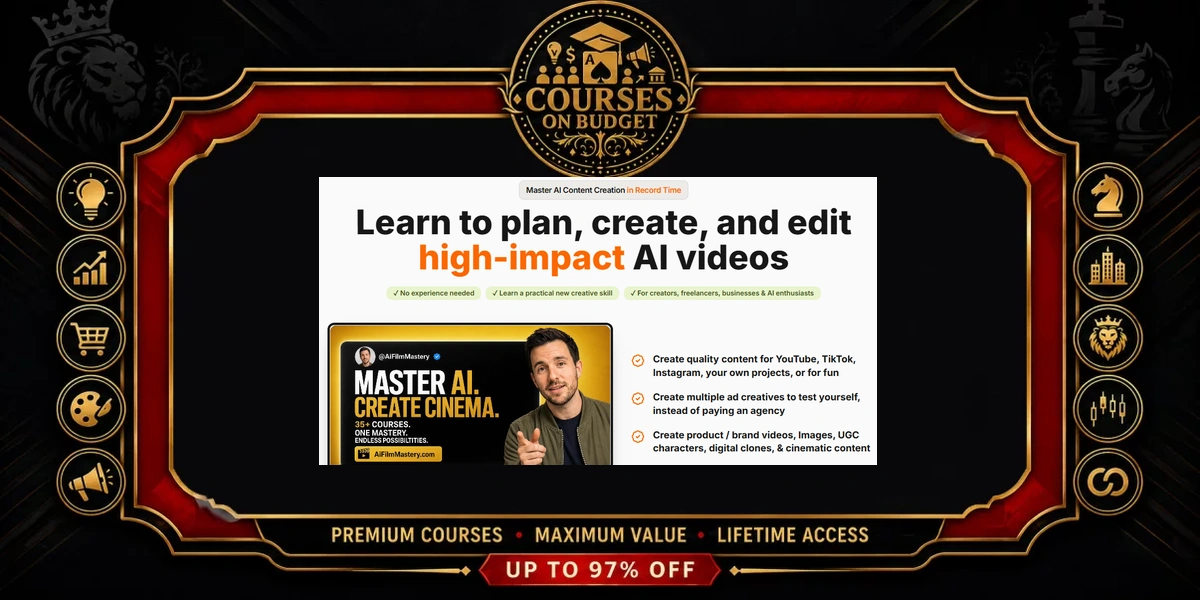
- Verdict: a strong pick if you want to direct AI video like a filmmaker rather than gamble on random prompts.
- Scale: 105 videos, 237 files, 67 folders and 4.81 GB in the verified index.
- Core tools: Seedance 2.0 inside Higgsfield, Kling 3.0, Veo 3.1, Nano Banana, GPT Image 2, Gemini, ElevenLabs and CapCut.
- Teaching style: short demo clips plus 67 written guide pages — the step-by-step detail lives in the guides.
- Biggest win in our AI Film Mastery review: repeatable character consistency through reference sheets and the Seedance Elements feature.
AI Film Mastery Review: Is It Worth It in 2026?
Short answer from this AI Film Mastery review: yes, for creators and marketers who already have access to the tools and want a system for using them well. The package is built around one idea — AI video stops looking cheap when you control the camera, the character and the prompt structure. Everything in the index points at those three levers.
What makes it different from a loose collection of prompt tips is the production chain. You generate a still with an image model, lock the character, move into Seedance 2.0 or Kling 3.0, and finish with voice and editing. The course trailer sums up the ambition: create profitable ads, master cinematic lighting and camera angles, and even turn yourself into custom 3D animations.
If you are still comparing options, our list of AI courses and the AI & ChatGPT category show how this program sits next to other video and content titles. The rest of this AI Film Mastery review explains exactly where the value is — and where it is thinner.
How We Reviewed AI Film Mastery
This AI Film Mastery review is based on two sources only: the full supplied file index and transcripts of every video that contains speech. No marketing page was used, and no results are claimed that the files do not show.
- Index checked: 237 files in 67 folders, 4.81 GB in total.
- Video inventory: 105 MP4 files plus one .ts scene clip.
- Written material: 67 saved guide pages (.mhtml), 6 DOCX references, 57 example images and one voice-clone audio sample.
- Transcribed speech: 65 clips with audio, 18 minutes 4 seconds in total.
- Not transcribed: the written guide pages themselves, where most of the exact prompts are stored.
That last point matters for an honest AI Film Mastery review. Most videos are finished outputs and short walkthroughs, so the spoken word gives us the workflow, while the guides hold the copy-paste prompts. Where this AI Film Mastery review describes a technique, it is because a walkthrough clip or a file name in the index shows it.
Inside the Index: A Guided Tour of AI Film Mastery
The full lesson-by-lesson index already sits on the product page, so this AI Film Mastery review gives you the version a producer would want: what each block unlocks and how much material backs it up. Think of it as the call sheet before the shoot.
AI Film Mastery Review: The Course Map
| Section | What it unlocks | Videos |
|---|---|---|
| Seedance 2.0 Courses | Ten masterclasses: viral recreations, ad images, product videos, reference sheets, 15-second ads, time-stop VFX, storyboard-to-commercial, UGC | 29 |
| Kling 3.0 & Veo 3.1 Courses | Seven modules: first AI video, VFX transitions, character identity, self-cloning, motion control, mega characters, voice consistency | 20 |
| Advanced Level | Finished short film, a sellable eyewear ad and a viral UGC skit, broken into their scenes | 19 |
| Bonus — Prompt Vault | Image and video prompts, each video prompt shown next to the clip it produced | 21 |
| Camera & Prompt Cheatsheets | Angles, shot sizes, movements, visual styles, image prompts and JSON prompting with Gemini | 6 |
| AI Tools Cheatsheets | CapCut, Kling 3.0, Nano Banana Pro, Veo 3.1 and ElevenLabs tips | 5 |
| Master Prompts | Cinematic, campaign, narrator and viral-reels master prompts | 4 |
| Welcome | Course trailer and overview | 1 |
AI Film Mastery Review Picks: 5 Lessons to Watch First
- Seedance 2.0 — Introduction & Production Architecture. The fastest route to understanding the main engine of the course.
- Reference Sheets for Characters & Props. The foundation for every consistent multi-shot project.
- Masterclass: Re-Creating Viral Videos with AI. Shows how proven hooks are rebuilt with AI tools.
- Seedance 2.0 Visual Effects — Time Stop. A signature effect you can adapt to any scene.
- Camera Shots — Distance & Size. Ten shot sizes with example images, so your prompts speak a director’s language.
AI Film Mastery Review: Hidden Gems in the Resources Folder
Do not skip the DOCX files. The 6-Factor Prompt Formula, the Lighting Types Reference and the Quick Reference Table & Prompting Cheat Sheet turn the camera lessons into something you can keep open beside the prompt box. The Prompt Vault is the other gem: you see a finished Viking scene, a cowboy duel or a sneaker try-on first, then reuse the prompt behind it.
Want every lesson title in order, section by section?
5 AI Film Mastery Lessons That Stood Out
These are the lessons this AI Film Mastery review would point a new buyer to, with the takeaway each one delivers. Each one teaches a technique you can reuse on the next project, which is where the long-term value of the package sits.
1. Reference Sheets for Characters & Props
Consistency is the problem that ruins most AI films, and this lesson solves it with a pre-production step. You build a multi-panel sheet for each character or prop before you generate a single video.
“Let me teach you how to create character and props sheets to ensure consistency across clips.”
— from the lesson “Reference Sheets for Characters & Props in Higgsfield”
2. Masterclass: Re-Creating Viral Videos with AI
The lesson studies two real hooks — one with 2.1 million views and an optical-illusion clip with 62 million views — and rebuilds the style with AI. The lesson is about borrowing a proven structure, not copying a video frame by frame.
“I recreated this viral video style with AI in 10 minutes and you can do the same.”
— from the lesson “Masterclass: Re-Creating Viral Videos with AI”
3. Seedance 2.0 Visual Effects — Time Stop
A frozen-time effect stops the scroll — in this AI Film Mastery review it is the most reusable trick in the Seedance track — and the course turns it into a reusable template. A Gemini master prompt adapts the effect to a new location, character or action, and the guide adds the step-by-step settings.
“We use a master prompt created by us in Gemini to help us adjust our time-stopping effect to any environment, character, or action.”
— from the lesson “Seedance 2.0 Visual Effects — Time Stop”
4. Masterclass: From Storyboard to Full Commercial Ad
This lesson moves from storyboard to a finished energy-drink commercial for a fictional brand, Apex Fuel, ending on the line “Fuel beyond limits.” It shows how a sequence of planned frames becomes a spot with a voice-over and a tagline, which is exactly the deliverable agencies sell.
5. Mastering AI VFX & Dynamic Transitions
The VFX lesson pairs a Nano Banana foundation image with a Kling 3.0 morph, so a person transforms into a different character mid-shot. The intro clip states the gap the course is trying to close:
“Everyone tells you how easy it is to master AI filmmaking, but nobody actually shows you how.”
— from the lesson “Mastering AI VFX & Dynamic Transitions — The Foundation (Nano Banana)”
AI Film Mastery Review Workflow: Locking a Character Across Shots
Here is the reference-sheet method from the walkthrough, condensed into steps you can follow:
- Select an image model in Higgsfield — Nano Banana or GPT Image 2.
- Run the course prompt for a character or props reference sheet with the number of panels you need.
- Open Seedance 2.0 from the video menu.
- Click Elements and upload each reference sheet as an element.
- Write the scene prompt that calls those elements, then generate.
- Repeat across new prompts — the same elements keep the character consistent across generations.
The exact sheet prompts are in the written guide, which is why the guides are the real core of this course. In our AI Film Mastery review this workflow is the single most useful skill in the package, because every later lesson — ads, UGC, short films — depends on characters that stay the same from shot to shot.
The Course in This AI Film Mastery Review
Flagship Course
AI Film Mastery & AI Content Creation + Prompt Packs
A production-first AI video program covering cinematic short films, sellable ads, product videos and UGC reels, with camera references, master prompts and a prompt vault of finished examples.
- Seedance 2.0 Courses — 10 masterclasses inside Higgsfield
- Kling 3.0 & Veo 3.1 Courses — 7 modules from first video to voice consistency
- Advanced Level — Hollywood-style short film, agency ad and viral UGC breakdowns
- Master Prompts — cinematic, campaign, narrator and viral reels
- Bonus Prompt Vault — image and video prompts with result clips
Who Should Buy AI Film Mastery (and Who Should Skip It)
Buy it if you are…
- A social media creator who wants reels and UGC that look filmed, not generated.
- A freelancer or agency owner building an AI ad offer for brands.
- An e-commerce seller who needs product images, try-on clips and short ads on demand.
- A storyteller who wants trailers and short films with consistent characters and narration.
Skip it if you are…
- Looking for hours of lecture-style video — the spoken content is short and the depth is in written guides.
- Unwilling to use paid AI platforms — the package contains course files, not tool accounts.
- Interested only in text AI or chatbots — this course is about images, video and voice.
AI Film Mastery vs Similar AI Video Courses
Two titles in the same space, compared on what their names and catalog pages state. This AI Film Mastery review does not judge their contents; read their own index reviews before deciding.
| AI Film Mastery | BeyondEdge AI Short Film Creation | Ultimate Google Veo 3 Prompt Guide | |
|---|---|---|---|
| Main focus | Full AI video production: films, ads, UGC, VFX | AI short film creation | Veo 3 prompts for viral videos |
| Tools named | Seedance 2.0, Kling 3.0, Veo 3.1, Nano Banana, ElevenLabs | See its index review | Google Veo 3 |
| Best for | Creators and agencies selling video | Story-driven short films | Prompt-first Veo users |
| Read more | Product page | Index review | Index review |
AI Film Mastery Review: Pros and Cons
- Covers the whole chain: image, character lock, video, voice, edit
- Character consistency taught through reference sheets and Elements
- Finished example clips show the target before you prompt
- Master prompts in Gemini make effects and ads repeatable
- Camera and lighting references build real directing skills
- Only about 18 minutes of spoken teaching across 65 clips
- Exact prompts sit in written guides, not in the videos
- Heavily tied to Higgsfield and current model versions
- AI platform subscriptions are a separate cost
- Crypto payment only
Delivery and Payment for This AI Film Mastery Review Pick
Digital files. Crypto payment only. Fast delivery is handled manually after payment confirmation. Download links remain available for 7 days; save your files locally.
First time paying with crypto? Start with how to buy cryptocurrency safely, then follow the step-by-step payment guide. More answers are on the FAQ page.
AI Film Mastery Review FAQ
Is this AI Film Mastery review based on the real course files?
Yes. It uses the verified index of 237 files and the transcripts of all 65 clips that contain speech. Nothing outside those files is claimed.
How much spoken teaching does AI Film Mastery include?
About 18 minutes of speech across 65 clips. Most of the 105 videos are short demos and finished outputs, and the detailed instructions are in 67 written guide pages.
Which lessons does this AI Film Mastery review recommend first?
Begin with the Seedance 2.0 introduction, then the reference-sheet lesson, the viral-recreation masterclass, the time-stop effect and the shot-size cheat sheet.
Are AI tool accounts included?
No. You receive the course files only. Higgsfield, Kling, Veo, Gemini, ElevenLabs and CapCut are used through your own accounts.
Can I use the lessons for client work?
The Advanced Level includes a module titled “How to Create Agency-Grade AI Ads You Can Sell to Clients”, and the Seedance track covers product videos, short ads and UGC — all formats brands buy.
How do I get the files after payment?
Delivery is handled manually and fast once your crypto payment is confirmed. Download links stay active for 7 days, so save everything locally.
Related Reviews After This AI Film Mastery Review
- BeyondEdge – AI Short Film Creation — a narrower route into AI storytelling (index review).
- Samson – AI Filmmaker Academy — another filmmaker-style AI video program (index review).
- Digital Assets – Ultimate Google Veo 3 Prompt Guide — prompt-focused companion for Veo users.
Browse the full AI Courses Cheap list or follow the latest course updates for new AI video arrivals.
The conclusion of this AI Film Mastery review is simple: it teaches AI video as a production craft. Reference sheets, Elements, camera vocabulary and Gemini master prompts give you control, and the Prompt Vault shows the finish line before you start. Expect to read the guides, not to sit through long lectures. That is the honest bottom line of this AI Film Mastery review.
If you want films, ads and reels that look directed, get the course through Courses On Budget.
Browse the category: AI & ChatGPT Courses
AI catalog: AI Courses Cheap
Latest updates: New course arrivals
External resource: elevenlabs.io
Recommended course stack:


