

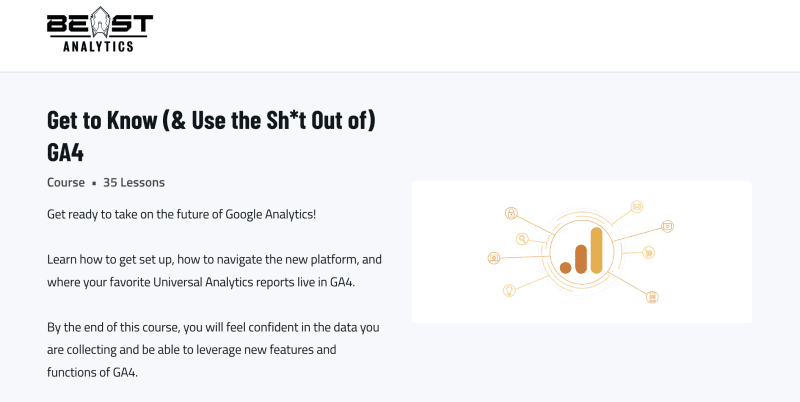
What You Learn in the Beast Analytics – Get to Know (& Use the Sh+t Out of) GA4 Course
Beast Analytics GA4 Course, titled “Get to Know (and Use the Sh+t Out of) GA4: Unleash the Power of Google Analytics 4”, is built for people who opened GA4, felt lost and closed it again. It is organised in seven sections: Getting Started with Google Analytics 4, Creating and Passing Events, Platform Overview (Primary Navigation), The Reports (Secondary Navigation), Reporting on Enhanced Measurement Dimensions, Advanced Leverage of GA4 and Uses of Explore.
The foundations module covers the settings that most setups get wrong or skip: internal traffic filters, cross-domain tracking, data retention, timezone, enhanced measurement, demographic data, unwanted referrals and connecting other Google products. A short checklist-style folder breaks these into one small video per setting.
The events module shows what enhanced measurement tracks, which events are worth tracking, how to create events inside GA4 (with email click tracking as the example), how to build events with Tag Manager (with a newsletter signup as the example) and how to modify events in the platform. A documentation tools file helps you keep your tracking organised.
Later modules walk through the primary and secondary navigation, including separate report walkthroughs for the setup before and after June 2023, then advanced leverage of GA4 and the uses of Explore. Many lessons come as an mp4 plus a screenshot and a written note, which makes the material easy to review later. Advanced topics include BigQuery integration, Looker Studio for analysis, custom funnels, user flows and the audience builder.
Course Snapshot
| Format | Video lessons with screenshots and written notes |
| Main topics | Property setup, events, Tag Manager, reports, Explore |
| Advanced topics | BigQuery, Looker Studio, custom funnels, user flows, audiences |
| Foundations | Filters, cross-domain tracking, data retention, enhanced measurement |
| Delivery | Fast delivery after crypto payment |
| Access | Lifetime access |
GA4 Training
Beast Analytics – Get to Know (& Use the Sh+t Out of) GA4
This GA4 training moves from account setup to events, navigation, reports and Explore, so you can finally read your own data with confidence.
- Property and stream setup from scratch
- Event creation in GA4 and with Tag Manager
- Reports covered for the setup before and after June 2023
- Advanced leverage with BigQuery, Looker Studio, funnels and the audience builder, plus Explore
Course Index: What Is Inside
The complete lesson list is below, grouped by module, so you can check every topic before you decide.
- 01-Welcome Let’s do this thang
- 01-Welcome Lets do this thang
- 02-Property and Stream Setup
- 02-Property and Stream Setup
- 02-Property and Stream Setup
- 03-Setting the Foundation of GA4 (Internal Traffic Filters, Cross-Domain Tracking, Data-Retention, etc)
- 03-Setting the Foundation of GA4 (Internal Traffic Filters, Cross-Domain Tracking, Data-Retention, etc)
- 05-Turning off Auto-Migratio
- 05-Turning off Auto-Migratio
- 04-The Skinny on GA4 Foundations › 04–7-Connect All Google Products
- 04-The Skinny on GA4 Foundations › 04-1-Set Your Timezone
- 04-The Skinny on GA4 Foundations › 04-2-Keep Enhanced Measurement On
- 04-The Skinny on GA4 Foundations › 04-3-Keep Information for 14 Months
- 04-The Skinny on GA4 Foundations › 04-4-Get your Demographic Data
- 04-The Skinny on GA4 Foundations › 04-5-Filter Internal Traffic
- 04-The Skinny on GA4 Foundations › 04-6-Define Unwanted Referrals
- 04-The Skinny on GA4 Foundations › 04-The Skinny on GA4 Foundations
- 04-The Skinny on GA4 Foundations › 04-The Skinny on GA4 Foundations
- 04-The Skinny on GA4 Foundations › 1
- 04-The Skinny on GA4 Foundations › 2
- 04-The Skinny on GA4 Foundations › 3
- 01-An Overview of Enhanced Measurement
- 01-An Overview of Enhanced Measurement
- 01-An Overview of Enhanced Measurement
- 02-What Events Should You Be Tracking
- 02-What Events Should You Be Tracking
- 03-How to Create Events in GA4 (Ex. Tracking Email Clicks)
- 03-How to Create Events in GA4 (Ex. Tracking Email Clicks)
- 03-How to Create Events in GA4 (Ex. Tracking Email Clicks)
- 04-How to Create GA4 Events Using Tag Manager (Ex. Newsletter Signup)
- 04-How to Create GA4 Events Using Tag Manager (Ex. Newsletter Signup)
- 04-How to Create GA4 Events Using Tag Manager (Ex. Newsletter Signup)
- 05-Modifying Events in Platform
- 05-Modifying Events in Platform
- 05-Modifying Events in Platform
- 06-Tools for Documentation
- 06-Tools for Documentation
- 01-1
- 01-2
- 01-3
- 01-GA4 vs Universal Analytics (the where’s where)
- 01-GA4 vs Universal Analytics (the where’s where)
- 02-An Overview of the New Navigation in GA4
- 02-An Overview of the New Navigation in GA4
- 03-Primary Navigation – Home (GA4’s Truck Stop)
- 03-Primary Navigation – Home (GA4-s Truck Stop)
- 04-Insights – Monitoring Site Stats with Machine Learning
- 04-Insights – Monitoring Site Stats with Machine Learning
- 05-Primary Navigation – Explore
- 06-Primary Navigation – Advertising (DO NOT SKIP, ORGANIC PEEPS)
- Post May 2023 Secondary Navigation Explainer
- Post May 2023 Secondary Navigation Explainer
- 01-Reports Library – Creating Your Secondary Navigation
- 01-Reports Library – Creating Your Secondary Navigation
- 01-Reports Library – Creating Your Secondary Navigation
- 02-Secondary Navigation Report Snapshot (The Overview of all Overviews)
- 02-Secondary Navigation – Report Snapshot (The Overview of all Overviews)
- 03-Secondary Navigation Acquisition Reports
- 03-Secondary Navigation – Acquisition Reports
- 04-Secondary Navigation Engagement Reports
- 04-Secondary Navigation Engagement Reports
- 04-Secondary Navigation – Engagement Reports
- 05-Secondary Navigation – Monetization Reports
- 05-Secondary Navigation – Monetization Reports
- 06-Secondary Navigation – Retention Reports
- 06-Secondary Navigation – Retention Reports
- 07-Secondary Navigation – User and Tech Reports
- 07-Secondary Navigation – User and Tech Reports
- 08-Reporting on Enhanced Measurement Dimensions (Search Terms, Links, Videos, Files, etc)
- 08-Reporting on Enhanced Measurement Dimensions (Search Terms, Links, Videos, Files, etc)
- 09-How to Interact with Reports
- 09-How to Interact with Reports
- 01-Getting Started with BigQuery
- 01-Getting Started with BigQuery
- 01-Getting Started with BigQuery
- 02-How to Use Looker Studio with BigQuery
- 02-How to Use Looker Studio with BigQuery
- 03-Move Google Ads Report into Navigation
- 03-Move Google Ads Report into Navigation
- 04-Using Audience Builder
- 04-Using Audience Builder
- 05-Search Console Data in GA4
- 01-Creating Custom Funnels in GA4
- 01-Creating Custom Funnels in GA4
- 02-Creating a User Flow in GA4
- 02-Creating a User Flow in GA4
- 03-User Explorer
- 03-User Explorer
Beast Analytics GA4 Course vs Other Analytics Courses
GA4 learning options vary in depth. Here is how this course sits next to other analytics titles in the catalog, based on what their titles say.
| Course | Focus | Link |
|---|---|---|
| Beast Analytics – GA4 course | GA4 setup, events, reports, advanced settings and Explore | This page |
| Analytics Mania – Google Analytics 4 | Google Analytics 4 | View course |
| Analytics Mania – Google Tag Manager Course Bundle | Google Tag Manager | View course |
| Brian Clifton – Advanced Web Metrics with Google Analytics | Web metrics with Google Analytics | View course |
- Starts from property setup, no prior GA4 knowledge needed
- Screenshots and written notes next to many videos
- Covers Tag Manager events and Explore
- Fast delivery and lifetime access
- Interface details in GA4 change over time
- Focused on GA4 only, not other analytics platforms
- Needs a real property to practise on
Frequently Asked Questions
Does the Beast Analytics GA4 course cover BigQuery and Looker Studio?
Yes. The advanced part covers BigQuery integration and Looker Studio for data analysis, along with custom funnels, user flows and the audience builder.
What is covered in the Beast Analytics GA4 course?
The modules cover getting started, creating and passing events, platform navigation, reports, advanced leverage of GA4 and the uses of Explore.
Does it explain Tag Manager?
Yes, one lesson shows how to create GA4 events using Tag Manager, with a newsletter signup as the example.
Is it suitable for beginners?
The course begins with property and stream setup and the basic foundation settings, so you can follow it without prior GA4 experience.
How do I get the Beast Analytics GA4 course?
Open the product page, pay with crypto and you receive fast delivery of the course files, with lifetime access.
Is there a coupon for this course?
Yes, a coupon is available. Visit the coupons page to find it.
The Beast Analytics GA4 Course is a hands-on way to set up GA4 properly and learn to read its reports, with clear modules and supporting screenshots and notes.
Get the course with fast delivery through Courses On Budget.
Browse the category: Ecommerce Courses
Full catalog: Ecommerce Courses Cheap
Latest additions: Course updates
External resource: Google Analytics Help
Recommended course stack:


Reviews
There are no reviews yet.