









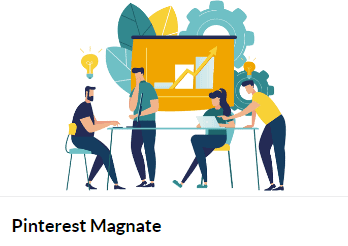
What is Jon Dykstra Pinterest Magnate for Cheap?
Learn how I grew my Pinterest website traffic from 74,000 to 300,000 visits per month (300% increase) in 12 short weeks!
Pinterest Magnate
A step by step course revealing exactly how I run my Pinterest account, set up my boards, design pins, research keywords, write descriptions and every other step I took and am taking to rapidly grow traffic to my blog from Pinterest.
This course is loaded with many lectures. Most are text-based but some are videos.
Welcome
- Welcome & Thank You
- Forum Access
- Feedback Form
- My Other Courses to Check Out
The Basics
- Pinterest Guidelines
- Niches that Work on Pinterest
- Get a Business Account
- How to Create Boards and Add Pins on Pinterest
- How to set up your Pinterest boards
- The ONLY Pinterest metric that really matters
- Analyzing Pinterest traffic on Google Analytics (and what to look for)
- What are good Pin click through rates?
- How to get ed with a brand new Pinterest account
- How to grow and scale when just ing out
- Affiliate Marketing on Pinterest
- Should you watermark or put your logo on pins?
Growing Pinterest and Traffic
- The BIG Picture: My Strategy & Theory (It Works)
- How to jump new boards with “smart seeding”
- Freshness is the name of the game (IMPORTANT)
- Where to get images/graphics for your pins
- 21 Pin Designs & Concepts that get clicks (IMPORTANT)
- How I do keyword research on Pinterest
- The Reverse Keyword Research Method
- How I write effective Pinterest descriptions (example provided)
- How many pins per day?
- How to create multiple of pins for every article?
- Should you space out pins going to the same URL? How much?
- Should you make more pins for content down the road?
- Is Tailwind worth using now? Killer Tailwind Tribes Tip
- Pinning Videos
- Should you join and pin to group boards?
- How to get website visitors to pin from your website
- Should you repin other folks’ pins?
- Should your pins also be on your website?
Jon Dykstra Pinterest Magnate Index:
📂 01-WordPress Video Tutorials
- 📂 01-Basic WordPress Website Set Up Video Tutorials
- 📄 01-What is WordPress- from Shawn Hesketh on Vimeo.mp4
- 📄 02-WordPress.org or WordPress.com- from Shawn Hesketh on Vimeo.mp4
- 📄 03-How to Install WordPress in 5 Minutes from Shawn Hesketh on Vimeo.mp4
- 📄 04-Part 01- The Dashboard (WP101 Plugin) from Shawn Hesketh on Vimeo.mp4
- 📄 05-Part 2- Posts vs. Pages (WP101 Plugin) from Shawn Hesketh on Vimeo.mp4
- 📄 06-Part 3- The Post Editor (WP101 Plugin) from Shawn Hesketh on Vimeo.mp4
- 📄 07-Part 4- Creating a Post (WP101 Plugin) from Shawn Hesketh on Vimeo.mp4
- 📄 08-Part 5- Post Formats (WP101 Plugin) from Shawn Hesketh on Vimeo.mp4
- 📄 09-Part 6- Edit an Existing Post (WP101 Plugin) from Shawn Hesketh on Vimeo.mp4
- 📄 10-Part 7- Categories and Tags (WP101 Plugin) from Shawn Hesketh on Vimeo.mp4
- 📄 11-Part 8- Creating Pages (WP101 Plugin) from Shawn Hesketh on Vimeo.mp4
- 📄 12-Part 9- Adding Images (WP101 Plugin) from Shawn Hesketh on Vimeo.mp4
- 📄 13-Part 10- Embedding Video (WP101 Plugin) from Shawn Hesketh on Vimeo.mp4
- 📄 14-Part 11- Media Library (WP101 Plugin) from Shawn Hesketh on Vimeo.mp4
- 📄 15-Part 12- Managing Comments (WP101 Plugin) from Shawn Hesketh on Vimeo.mp4
- 📄 16-Part 13- Creating Links (WP101 Plugin) from Shawn Hesketh on Vimeo.mp4
- 📄 17-Part 14- Customizing the Theme (WP101 Plugin) from Shawn Hesketh on Vimeo.mp4
- 📄 18-Part 15- Adding Widgets (WP101 Plugin) from Shawn Hesketh on Vimeo.mp4
- 📄 19-Part 16- Custom Menus (WP101 Plugin) from Shawn Hesketh on Vimeo.mp4
- 📄 20-Part 17- Installing Plugins (WP101 Plugin) from Shawn Hesketh on Vimeo.mp4
- 📄 21-Part 18- Adding New Users (WP101 Plugin) from Shawn Hesketh on Vimeo.mp4
- 📄 22-Part 19- Useful Tools (WP101 Plugin) from Shawn Hesketh on Vimeo.mp4
- 📄 23-Part 20- Settings (WP101 Plugin) from Shawn Hesketh on Vimeo.mp4
- 📂 02-Timeline of Changes, Experiments and Events
- 📄 01.1-Timeline of changes, experiments and events.pdf
- 📄 01.2-Timeline of changes, experiments and events.pdf
- 📂 03-Pinterest Magnate
- 📂 01-Welcome
- 📄 01-Welcome & Thank You.pdf
- 📄 02-Forum Access.pdf
- 📄 03- Feedback Form.pdf
- 📄 04-My Other Courses to Check Out.pdf
- 📂 02-The Basics
- 📄 01- Pinterest Guidelines.pdf
- 📄 02- Niches that Work on Pinterest.pdf
- 📄 03- Get a Business Account.pdf
- 📄 04- How to set up your Pinterest boards.pdf
- 📄 05-The ONLY Pinterest metric that really matters.pdf
- 📄 06.1- Analyzing Pinterest traffic on Google Analytics (and what to look for).pdf
- 📄 06.2- Analyzing Pinterest traffic on Google Analytics (and what to look for).pdf
- 📄 07.1-What are good Pin click through rates.pdf
- 📄 07.2-What are good Pin click through rates.pdf
- 📄 09-How to grow and scale when just starting out.pdf
- 📄 10-Affiliate Marketing on Pinterest.pdf
- 📄 11-Should you watermark or put your logo on pins.pdf
- 📂 03-Growing Pinterest and Traffic
- 📄 01-The BIG Picture My Strategy & Theory.pdf
- 📄 02- How to jump start new boards with smart seeding.pdf
- 📄 03- Freshness is the name of the game (IMPORTANT).pdf
- 📄 04- Where to get images or graphics for your pins.pdf
- 📄 05-How I make pins in Canva (Video).mp4
- 📄 05.1-21 Pin Designs & Concepts that get clicks (IMPORTANT).pdf
- 📄 05.2-21 Pin Designs & Concepts that get clicks (IMPORTANT).pdf
- 📄 05.3-21 Pin Designs & Concepts that get clicks (IMPORTANT).pdf
- 📄 05.4-21 Pin Designs & Concepts that get clicks (IMPORTANT).pdf
- 📄 05.5-21 Pin Designs & Concepts that get clicks (IMPORTANT).pdf
- 📄 05.6-21 Pin Designs & Concepts that get clicks (IMPORTANT).pdf
- 📄 05.7-21 Pin Designs & Concepts that get clicks (IMPORTANT).pdf
- 📄 05.8-21 Pin Designs & Concepts that get clicks (IMPORTANT).pdf
- 📄 06-How I do keyword research on Pinterest – Fat Stacks.mp4
- 📄 07-The Reverse Keyword Research Method.pdf
- 📄 08- How I write effective Pinterest descriptions (example provided).pdf
- 📄 09-How many pins per day.pdf
- 📄 10-How to create multiple of pins for every article.pdf
- 📄 11-Should you space out pins going to the same URL How much.pdf
- 📄 12-Is Tailwind worth using now Killer Tailwind Tribes Tip.pdf
- 📄 13-Pinning Videos.pdf
- 📄 14- Should you join and pin to group boards.pdf
- 📄 15- How to get website visitors to pin from your website.pdf
- 📄 16- Should you repin other folks’ pins.pdf
- 📄 17-Should your pins also be on your website.pdf
- 📄 18-How to put the Pinterest process on autopilot with outsourcing.pdf
💬 Feel free to reach out to our CHAT support for personalized assistance and detailed information tailored to your needs. We’re here to help!




Reviews
There are no reviews yet.