

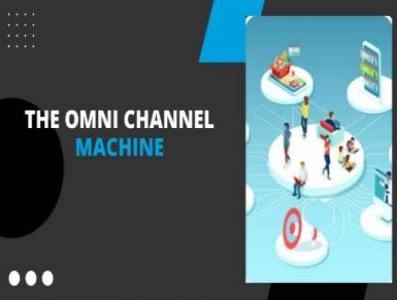
Matt Clark – The Omnichannel Machine shows you how to pick a product, build a brand and sell it through Shopify and other channels with a scalable system. Digital files. Crypto payment only. Browse more premium learning at Courses On Budget.
The Omnichannel Machine: Build A Multi-Platform Ecommerce Business
Relying on one marketplace is a risk: one policy change and your sales move. The Omnichannel Machine by Matt Clark is a comprehensive approach to building a multi-platform ecommerce business, with Amazon, Shopify and other channels working together instead of one platform holding everything.
The program is split into three build stages and a coaching library. Part 1 covers finding a product and building your brand. Part 2 sets up your Shopify store. Part 3 scales your Shopify sales. Part 4 adds recorded coaching calls on products, suppliers, branding and marketing. Lessons come as video with matching PDF guides, plus spreadsheet templates for product research and freight estimation, email and SMS flow templates, landing page models and a planner, and supplier communication templates.
If you prefer to follow a defined sequence rather than assemble tactics from scattered sources, this course lays out the whole path: product, supplier, brand, store, list, traffic and scale.
What Is Inside The Omnichannel Machine
Matt Clark – The Omnichannel Machine
A four-part multi-channel ecommerce program covering product and brand, Shopify store setup, scaling and live coaching call recordings.
- Part 1 – welcome, product research, suppliers, brand, UPC barcodes, packaging and ordering inventory.
- Part 2 – Shopify store creation, theme, payments, policies, fulfillment, sales optimisation, Klaviyo email and SMS, traffic.
- Part 3 – revenue per visitor, landing pages, Facebook and Google ads, scaling channels, repeat and subscription sales.
- Part 4 – recorded coaching calls on products, suppliers, branding and marketing.
- Templates – product workbook, freight estimator, supplier templates, flow templates and landing page planner.
Part 1: Find A Product And Build The Brand
The first part begins with a live kick-off call replay and welcome lessons on how this new ecommerce model works and how to move fast. Product research follows: why the right product matters, the 4 Criteria of a Good Product, building your product list, applying the criteria, a basic patent check and a bonus product research tool (Zoof). The Omnichannel Machine Product Workbook is included as a spreadsheet.
You then find suppliers using communication templates, order samples, get shipping estimates with the Freight Estimator spreadsheet and think ahead about order fulfillment and 3PLs. The brand module covers documenting your journey, reviewing samples, choosing your brand, creating a logo, social accounts, purchasing UPC barcodes, packaging, product inserts, shipping, quality checks and order timelines.
Part 2: Set Up The Shopify Store, List And Traffic
The store module takes you step by step: create your store, add your first product, choose a theme, update company details, activate Shopify Payments, write privacy, terms and refund policies, create shipping and contact pages, build your menu, add your domain, add remaining products, then set up fulfillment with three options (Amazon FBA, shipping yourself or a 3PL), sales tax and activation.
Next come optimisation lessons (free shipping threshold, a storewide coupon, the P.A.S.T.O.R. framework, reviews, guarantee and a live test purchase), list building with Klaviyo for email and SMS, and a traffic module that includes social posts, Facebook and Instagram boosts, a simple Google search ad, notifying past customers and asking for reviews.
Part 3: Scale With Funnels, Ads And Repeat Sales
Part 3 starts with a live training on maximising revenue per visitor and a master checklist: guarantees, a promo bar, popups, abandoned cart flow, upsells, bundles and a customer reactivation campaign. It continues with landing page creation using models and a planner, a Zipify walkthrough and testing five hooks. Ads training covers a redundant tracking system, Facebook conversion tracking for Shopify, a winning-hook Facebook campaign, Google search ads and a daily report template. Final lessons address scaling one traffic channel, scaling to multiple sources, repeat and subscription sales and a retargeting ad.
The Four Parts At A Glance
| Part | Focus | Key deliverables from the files |
|---|---|---|
| Part 1 | Product and brand foundation | Product workbook, supplier templates, freight estimator, brand and packaging lessons |
| Part 2 | Shopify store setup | Store build lessons, policy pages, fulfillment options, Klaviyo email and SMS flows |
| Part 3 | Scaling Shopify sales | Master checklist, upsell and landing page models, ad tracking, daily report template |
| Part 4 | Coaching calls | Onboarding call and recorded sessions on products, suppliers, branding and marketing |
Files Included
Total: 265 files. Open a part to see the lessons, grouped as delivered; most lessons are a video with a matching PDF guide.
01-Part 1 – Finding a Product and Building Your Brand (78)
- 📄 01-Live Kick-off Call Replay
- 📄 02-Welcome to the Program!
- 📄 03-How this New Ecommerce Model Works (video + PDF)
- 📄 04-How to Dramatically Increase Your Success (video + PDF)
- 📄 05-Your Timeline for Moving Fast (video + PDF)
- 📄 01-Bonus Product Research Tool – Zoof (video + PDF)
- 📄 02-Why Choosing the Right Product is So Important (video + PDF)
- 📄 03-Resources
- 📄 03-The 4 Criteria of a Good Product (video + PDF)
- 📄 04-AliExpress Best Sellers
- 📄 04-How to Find Good Products Part 1 – Building Your List (video + PDF)
- 📄 04-Omnichannel Machine Product Workbook
- 📄 05-How to Find Good Products Part 2 – Applying the 4 Criteria (video + PDF)
- 📄 06-Doing a Basic Patent Check (video + PDF)
- 📄 06-Resources
- 📄 07-Bonus! Fast Supplier Research (video + PDF)
- 📄 07-Supplier Contact Template
- 📄 01-Module 2 – Welcome and What to Expect
- 📄 02-Supplier Communication Templates
- 📄 03-Finding Suppliers (video + PDF)
- 📄 04-Ordering Samples (video + PDF)
- 📄 04-Resource
- 📄 05-Freight Estimator Spreadsheet
- 📄 05-Getting Shipping Estimates (video + PDF)
- 📄 05-Resources
- 📄 06-3PL-Order Fulfillment Companies
- 📄 06-Thinking Ahead – Order Fulfillment and 3PLs (video + PDF)
- 📄 07-Module 2 Wrap-up & Next Steps
- 📄 01-Module 3 – Welcome and What to Expect (video + PDF)
- 📄 02-Document Your Journey
- 📄 02-Learn How to Document Your Journey to Create Content to Share on Social
- 📄 03-Reviewing Your Samples (video + PDF)
- 📄 04-Choosing Your Brand (video + PDF)
- 📄 04-Resources
- 📄 05-Creating Your Brand Logo
- 📄 05-Resources
- 📄 06-Creating Your Social Accounts
- 📄 07-GS1 Website
- 📄 07-Purchasing Your UPC Barcodes
- 📄 08-Designing Your Product Packaging (video + PDF)
- 📄 09-QR Code Generator
- 📄 09-The Power of Product Inserts (video + PDF)
- 📄 10-Resources
- 📄 10-Shipping Your Inventory (video + PDF)
- 📄 11-Placing Your Order and Ensuring Quality (video + PDF)
- 📄 11-Resources
- 📄 12-Order Timelines (video + PDF)
- 📄 13-Module 3 Wrap Up & Next Steps
- 📄 01-Note
- 📄 01-Zoof ‘Email already used’ Solution
- 📄 02-Order Fulfillment & Freight Forwarding Companies
- 📄 02-Resources
- 📄 03-Connecting Shopify to Amazon FBA
- 📄 03-Resources
- 📄 04-North American Suppliers List
02-Part 2 – Setting Up Your Shopify Store (95)
- 📄 01-Create Your Store (video + PDF)
- 📄 02-Add Your First Product (video + PDF)
- 📄 03-Choose Your Theme
- 📄 03-Resource
- 📄 04-Update Company and Contact Information (video + PDF)
- 📄 05-Activate Shopify Payments (video + PDF)
- 📄 05-Resource
- 📄 06-Create Your Privacy, Terms and Refund Policies (video + PDF)
- 📄 07-Create Your Shipping & Returns Page (video + PDF)
- 📄 07-Shipping & Returns Template
- 📄 08-Contact Page Template
- 📄 08-Create Your Contact Page (video + PDF)
- 📄 09-Create Your Menu (video + PDF)
- 📄 10-Add Your Domain (video + PDF)
- 📄 10-Resource
- 📄 11-Add Remaining Products to Your Store (video + PDF)
- 📄 12-Set Up Your Fulfillment – Your 3 Options (video + PDF)
- 📄 13-Resource
- 📄 13-Set Up Your Fulfillment – Amazon FBA (video + PDF)
- 📄 14-Resources
- 📄 14-Set Up Your Fulfillment – Shipping Yourself (video + PDF)
- 📄 15-Resources
- 📄 15-Set Up Your Fulfillment – Using a 3PL (video + PDF)
- 📄 16-Sales Tax (video + PDF)
- 📄 17-Activating Your Store! (video + PDF)
- 📄 01-Set Your Free Shipping Threshold (video + PDF)
- 📄 02-Add a Storewide Coupon (video + PDF)
- 📄 02-Resource
- 📄 03-Improve One Product with the P.A.S.T.O.R. Framework (video + PDF)
- 📄 03-Resource
- 📄 04-Get 3+ Reviews on Your Product Page (video + PDF)
- 📄 04-Resource
- 📄 05-Add a Sales-Boosting Guarantee (video + PDF)
- 📄 05-Guarantee Template
- 📄 06-Do a Live Test Purchase (video + PDF)
- 📄 01-Create Your Klaviyo Account for Email & SMS (video + PDF)
- 📄 01-Resource
- 📄 02-Create a List for Leads and a Segment for Purchasers (video + PDF)
- 📄 03-Create a 10% Off Coupon in Your Store to Capture Leads (video + PDF)
- 📄 04-Create an Autoresponder Flow to Deliver the Coupon Code (video + PDF)
- 📄 04-Email SMS Flow Templates
- 📄 05-Create a Signup Form to Capture Leads (video + PDF)
- 📄 05-Klaviyo Signup Form – 1 – Email
- 📄 05-Klaviyo Signup Form – 2 – SMS
- 📄 05-Klaviyo Signup Form – 3 – Success
- 📄 05-Klaviyo Signup Form – 4 – Styles
- 📄 05-Klaviyo Signup Form – 5 – Targeting Behavior
- 📄 01-Create One Big Discount Code for Your Main Product (video + PDF)
- 📄 02-Add Discount Code to Product Page (video + PDF)
- 📄 03-Post on Brand Social Media Accounts About Promotion (video + PDF)
- 📄 04-Boost Post with Facebook Ad (video + PDF)
- 📄 05-Boost an Instagram Post About Your Promotion (video + PDF)
- 📄 06-Post on Your Personal Social Media About Your New Store & Promotion! (video + PDF)
- 📄 07-Create Simple Google Search Ad (video + PDF)
- 📄 07-Resource
- 📄 08-Notify Past Customers Through Every Means Possible
- 📄 08-Past Customer Notification Email SMS Templates
- 📄 08-Postcard Back
- 📄 08-Postcard Front
- 📄 09-Ask for Reviews & Use Them! (video + PDF)
03-Part 3 – Scaling Your Shopify Sales (83)
- 📄 01-Action Step Checklist – Off Amazon Sales Machine Beta
- 📄 01-Master Action Step Checklis
- 📄 01-Maximize Your Revenue Per Visitor Live Training + Master Checklist
- 📄 02-Add an Irresistible Guarantee
- 📄 02-Guarantee Template
- 📄 02-Resource
- 📄 02-Step 1 – Add an Irresistible Guarantee
- 📄 03-Resource
- 📄 03-Step 2 – Display a Promo Bar with Discount on Your Store (video + PDF)
- 📄 04-Email SMS Flow Templates
- 📄 04-Pop Up 1
- 📄 04-Pop Up 2
- 📄 04-Pop Up 3
- 📄 04-Resource
- 📄 04-Step 3 – Add a Popup to Your Store to Capture Leads (video + PDF)
- 📄 05-Resource
- 📄 05-Step 4 – Add an Abandoned Cart Flow (video + PDF)
- 📄 06-Downsell Page
- 📄 06-Notes
- 📄 06-Pre-Purchase Upsell Page
- 📄 06-Step 5 – Add Upsells to All Your Products (video + PDF)
- 📄 06-Upsell2
- 📄 06-Upsell Page Template
- 📄 07-Resource
- 📄 07-Steps 6 & 7 – Add Bundles and the Super Bundle (video + PDF)
- 📄 08-72-Hour Flash Sale Email Templates
- 📄 08-Resource
- 📄 08-Step 8 – Execute Your First Customer Reactivation Campaign (video + PDF)
- 📄 09-Notes
- 📄 09-Promotion Channel Checklist
- 📄 09-Step 9 – Plan One Additional Promotion for Each of the Next 4 Weeks
- 📄 01-Create The Best Landing Page Live Training
- 📄 02-Notes
- 📄 02-Step 1 – Pick a Product to Promote (video + PDF)
- 📄 03-Model1 LongUgly Lifeboost
- 📄 03-Model2 5Reasons Intervine
- 📄 03-Model2 5Reasons RidgeWallet
- 📄 03-Model2 5Reasons SnowTeeth
- 📄 03-Model3 LongStory BOOM
- 📄 03-Resources
- 📄 03-Step 2 – Choose a Landing Page Model to Copy (video + PDF)
- 📄 04-Resource
- 📄 04-Step 3 – Plan Out Your Landing Page Content (video + PDF)
- 📄 04-The Landing Page Planner
- 📄 05-Resources
- 📄 05-Step 4 – Create Your Landing Page (video + PDF)
- 📄 06-Step 5 – Zipify Landing Page Creation Walkthrough (video + PDF)
- 📄 07-Step 6 – Create 5 Different Hooks (video + PDF)
- 📄 01-Launch Ads Live Training
- 📄 02-Redundant Tracking System (video + PDF)
- 📄 02-Resources
- 📄 03-How to Setup Facebook Conversion Tracking for Shopify
- 📄 04-Create Your Winning Hook Facebook Ads Campaign (video + PDF)
- 📄 05-Google Search Ads Checklist
- 📄 05-Launch Your Google Ads Search Campaign (video + PDF)
- 📄 05-Resource
- 📄 06-Daily Checklist & Report Template
- 📄 06-Daily Report Template for Ad Tracking
- 📄 01-Scale One Traffic Channel Live Training
- 📄 01-Resource
- 📄 01-Scale to Multiple Traffice Source Live Training Recording
- 📄 02-Real Example – Analyzing Campaign Performance
- 📄 01-Repeat & Subscription Sales Live Training Recording
- 📄 02-Launch a Facebook Retargeting Ad
- 📄 01-Creating and Adding Your Facebook Pixel to Shopify
04-Coaching Calls (9)
- 📄 01-Omnichannel Machine Onboarding Call Recording
- 📄 02-Omnichannel BETA Coaching Call 9.12.22
- 📄 03-Omnichannel BETA Call 9.26.22
- 📄 04-Omnichannel Machine 10.11 Coaching Call – Products, Suppliers & Branding
- 📄 05-Omnichannel Machine 10.13 Coaching Call – Marketing
- 📄 06-Omnichannel Machine 10.18 Coaching Call – Products, Suppliers & Branding
- 📄 06-Omnichannel Machine 10.18 Coaching Call – Products, Suppliers _ Branding
- 📄 07-Omnichannel Machine 10.20 Coaching Call – Marketing
- 📄 08-Omnichannel Machine 10.25 Coaching Call – Products, Suppliers & Branding
Why Choose The Omnichannel Machine
- Covers the full path from product research to scaling
- Video lessons paired with PDF guides and checklists
- Spreadsheet, email, SMS and landing page templates included
- Recorded coaching calls add real examples
- Built around physical-product ecommerce, not services or content
- You will need your own store, supplier and ad budget decisions
- Digital files only, crypto payment only
If you want a single system to take a product from idea to a scaling multi-channel store, Matt Clark – The Omnichannel Machine provides the lessons, templates and coaching calls. Digital files, crypto payment only, fast delivery handled manually after payment confirmation, and download links available for 7 days, so save your files locally.
Get it now through Courses On Budget and see the latest additions on our updates page.

Reviews
There are no reviews yet.